


I am unable to verify my account to be able to sync Firefox because the Verify button they sent me in an email did not respond, can you help?

When I try to verify my Firefox account from the AOL email that they sent me to verify, it goes to a blank screen. I checked the suggested results on Mozilla's Support page without success. Appartently others have the same complaint. I am using Mozilla Firefox as my browser on a Windows 7 OS, and AOL is my email provider.
Solução escolhida
This article should help: Export Firefox bookmarks to an HTML file to back up or transfer bookmarks The next step is to email this as an attachment to yourself, open it on the other computer, (with whatever browser you're using) and ta-da! You have your bookmarks!
Ler esta resposta no contexto 👍 1Todas as respostas (3)
I am sorry to hear that you are unable to verify your Firefox account. Here are some possible solutions:
- AOL has been known to block a lot of emails and items in them. Try verifying your account with another email provider.
- Try copying the link to verify your account and pasting it into another tab.
- See if it works in a different browser. It may be a bug in the email.
- If these do not work, could you send us a screenshot of what is happening? See the link below.
How to take a screenshot: How do I create a screenshot of my problem?
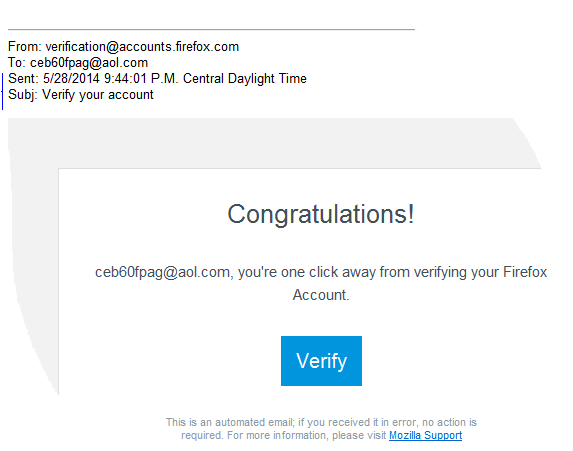
Below is the screen I received with the Verify button. I clicked on it several times, and it sends me to a blank screen. There is no link to paste into another browser. I am trying to verify my Firefox Account so I can sync my bookmarks to save from having to redo all of them on my new PC. Is there another way to verify my account or to transfer my bookmarks from this PC to my new one?
Thanks...Clarence
Solução escolhida
This article should help: Export Firefox bookmarks to an HTML file to back up or transfer bookmarks The next step is to email this as an attachment to yourself, open it on the other computer, (with whatever browser you're using) and ta-da! You have your bookmarks!