


Blocked by Cloudflare from installing extensions

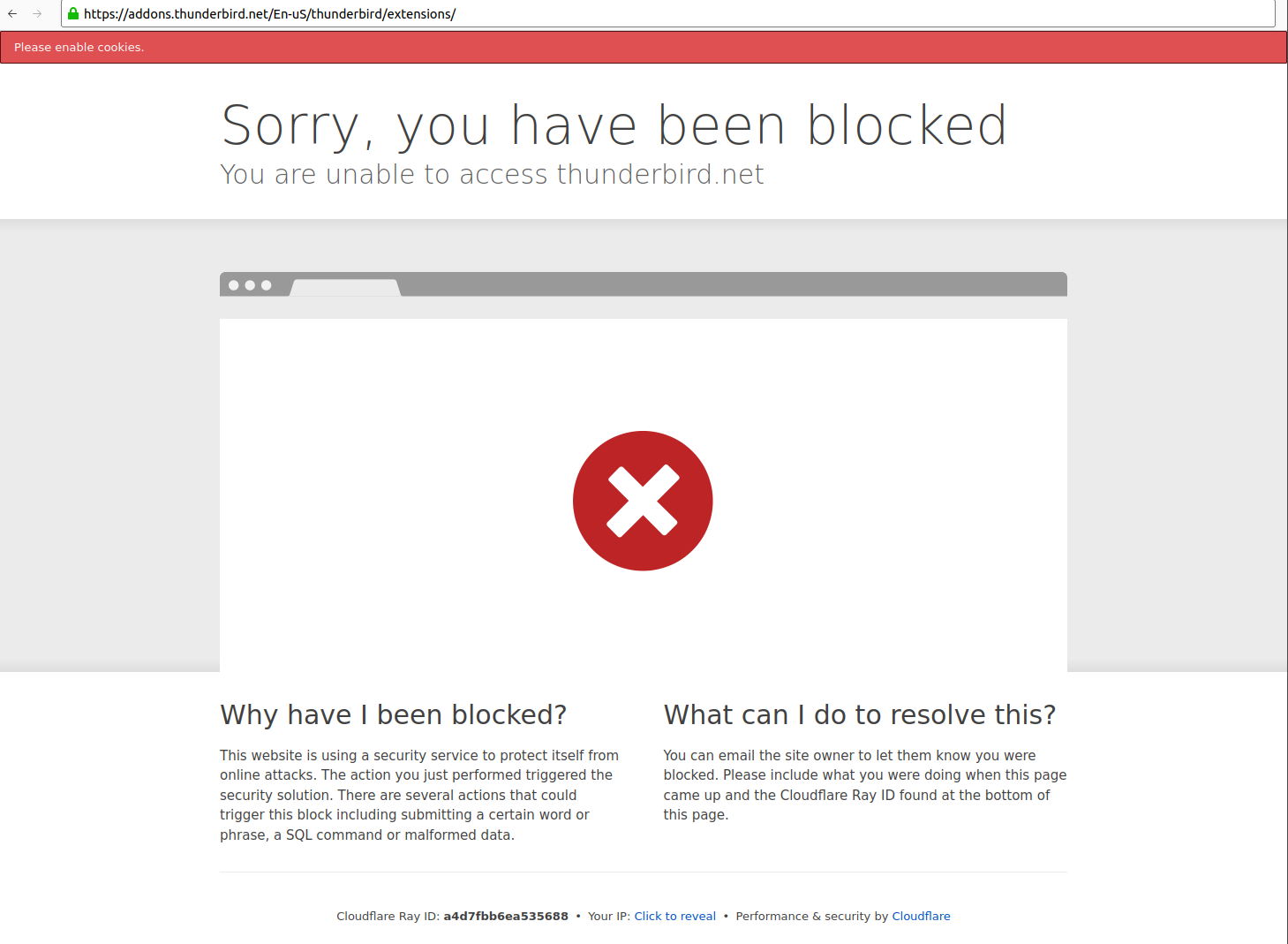
When I click "extensions" under Tools > Add-ons and Themes, I get the following message:
Sorry, you have been blocked You are unable to access thunderbird.net
I.e. going from https://addons.thunderbird.net/en-US/thunderbird/search/ to https://addons.thunderbird.net/En-uS/thunderbird/extensions/
This happens in Thunderbird, Firefox and Vivaldi, both from my job or my home network (using NordVPN). Funnily search still works, so I suspect the link itself might be broken. Cloudflare tells me to contact the site owner, but they have made themselves incommunicado and refer me to community support who obviously aren't able to fix the problem!
(It is also disconcerting that Cloudflare asks me to enable cookies in Thunderbird, which is a huge privacy issue. However I get the same error in browsers with cookies enabled, so that is not the real issue here.)
All Replies (1)

If it happens with several unrelated applications, it's obviously not a Thunderbird-specific problem. As a test, I just disabled cookies and removed all cookies from Thunderbird and I had no problem connecting to either of those URLs you mention above. The links are not broken. There's something else peculiar about your setup.
- Does this still happen when you restart Thunderbird in Troubleshoot Mode (see <Help | Troubleshoot Mode>.)
- Does this happen when you disable your VPN?
- What other antivirus or network security software do you run, if any, and does it work better if you temporarily disable them?