


Open
Images show up as squiggly lines

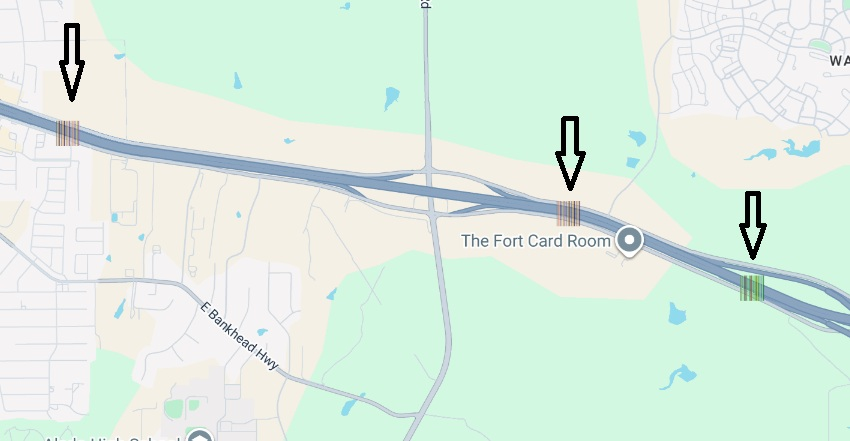
Firefox 152.0.3 on Windows 10. SVG icons such as Google Maps interstate shields flash briefly then turn into squiggly lines. Same issue occurs when uploading images to websites and viewing Amazon book previews. Works fine in Chrome. Already tried: disabling hardware acceleration, toggling gfx.webrender.all, gfx.webrender.software.d3d11, gfx.webrender.allow-partial-present-buffer-age in about:config, clearing startup cache, removing Tampermonkey extension, disabling Killer Network Manager (CNMNSST.exe). I uploaded an image of how interstate icons show up in google maps.
Firefox 152.0.3 on Windows 10. SVG icons such as Google Maps interstate shields flash briefly then turn into squiggly lines. Same issue occurs when uploading images to websites and viewing Amazon book previews. Works fine in Chrome.
Already tried: disabling hardware acceleration, toggling gfx.webrender.all, gfx.webrender.software.d3d11, gfx.webrender.allow-partial-present-buffer-age in about:config, clearing startup cache, removing Tampermonkey extension, disabling Killer Network Manager (CNMNSST.exe). I uploaded an image of how interstate icons show up in google maps.
All Replies (1)
Windows 11*