


Windows 10 reached EOS (end of support) on October 14, 2025. For more information, see this article.

Search Support

Avoid support scams. We will never ask you to call or text a phone number or share personal information. Please report suspicious activity using the “Report Abuse” option.

Learn More

why is all this technical info appearing when I try to print an email?

  • 1 balasan
  • 0 ada masalah ini
  • 57 paparan
  • Balasan terakhir oleh Matt

how do I remove all this technical info appearing at the top of an email I am trying to print? I just want to see the to/from/date/subject basics!
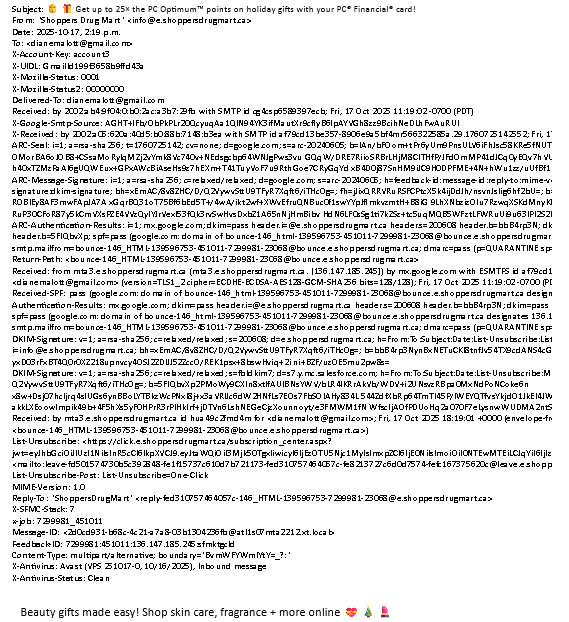
how do I remove all this technical info appearing at the top of an email I am trying to print? I just want to see the to/from/date/subject basics!
Lampirkan skrinsyot

All Replies (1)

Alt+V to access the view menu. Select the headers entry and set it to Normal.

Tanya soalan

You must log in to your account to reply to posts. Please start a new question, if you do not have an account yet.