


Unable to import login and passwords from Safari to Firefox

Hello,
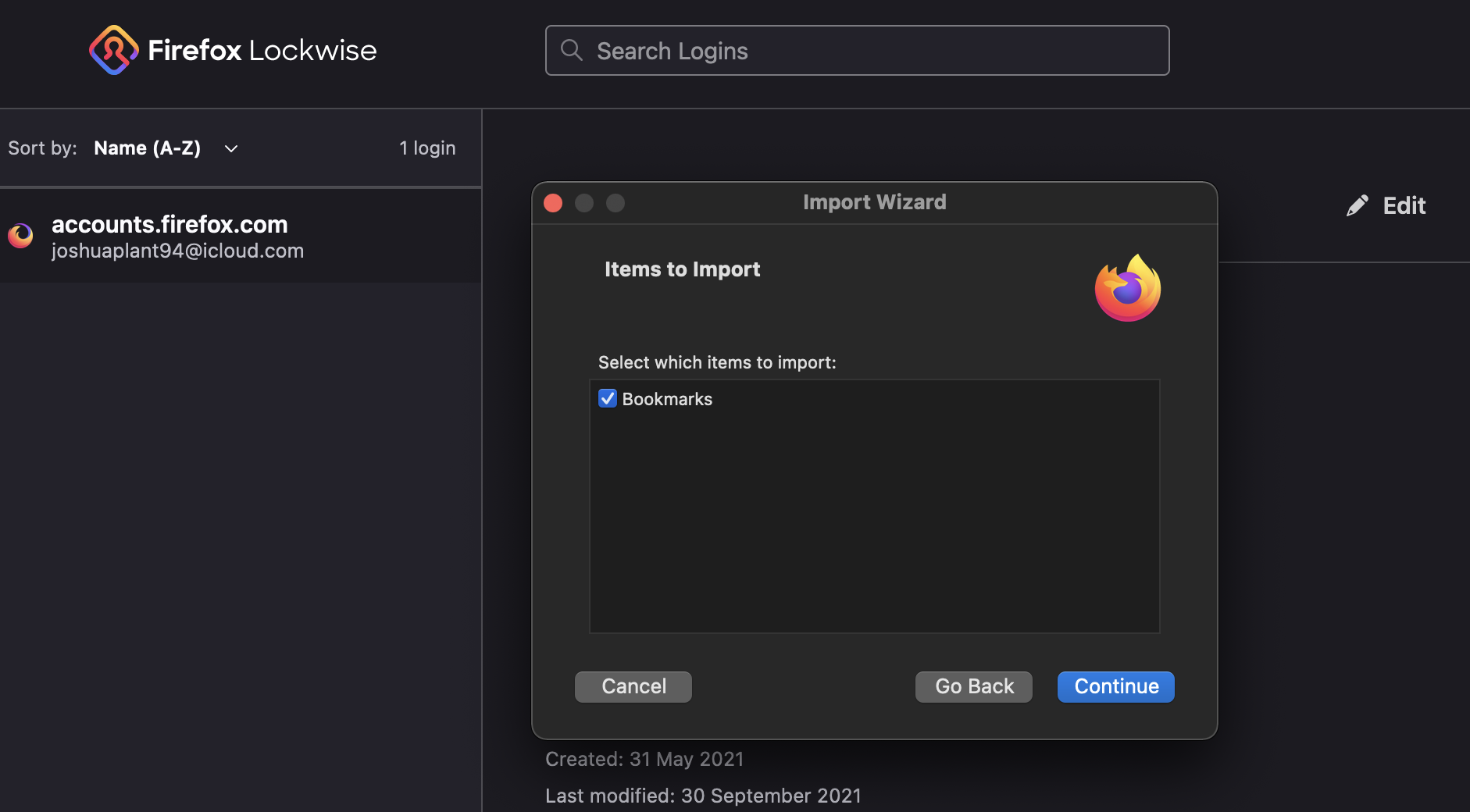
I have attempted to follow the import steps, select the three lines (top right corner) > Passwords > Click on the three dots (right hand corner) > Import from another Browser > Safari. However, it only shows the Bookmark data to import. I would appreciate any input on how to import the login and password data from Safari to Firefox, please.
- Bulleted list item-Running the latest version of Firefox 92.0.1.(64 Bit)
- Bulleted list item - Running Version 15 of Safari.
Hello,
I have attempted to follow the import steps, '''select the three lines (top right corner) > Passwords > Click on the three dots (right hand corner) > Import from another Browser > Safari.''' However, it only shows the Bookmark data to import. I would appreciate any input on how to import the login and password data from Safari to Firefox, please.
* Bulleted list item-Running the latest version of Firefox 92.0.1.(64 Bit)
* Bulleted list item - Running Version 15 of Safari.
Penyelesaian terpilih
Can you export the logins in Safari as a CSV file ?
See the note at the bottom of this article about how to enable CSV in Lockwise import via the about:config page.
- https://support.mozilla.org/en-US/kb/import-login-data-file
- about:config => signon.management.page.fileImport.enabled = true
All Replies (1)
Penyelesaian Terpilih
Can you export the logins in Safari as a CSV file ?
See the note at the bottom of this article about how to enable CSV in Lockwise import via the about:config page.
- https://support.mozilla.org/en-US/kb/import-login-data-file
- about:config => signon.management.page.fileImport.enabled = true