


can't turn off automatic updates

Hi
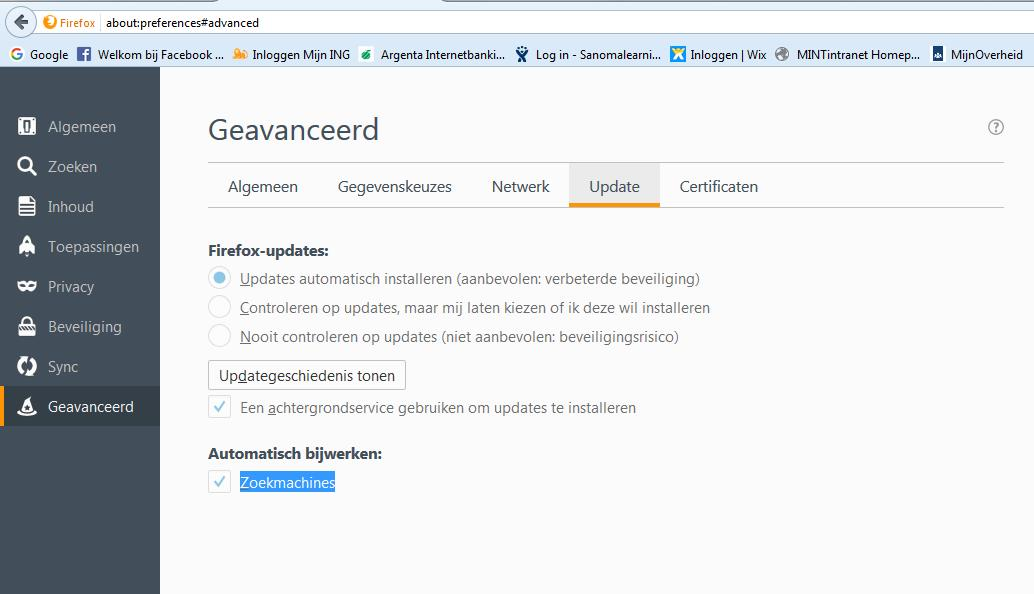
I want to turn off the option "Automaticaly install updates" because i need version 45.0.2 ESR for a web based programm, but i can't choose one of the other options.
How can I turn off this option?
Thanks, Peter
Penyelesaian terpilih
It took a while before the technicians understand the problem. But within our organization, Firefox is automatically updated. As a result, the option "auto update" is disabled and we can not customize it. The technicians are now trying to exclude some computers that need an older Firefox version from these automatic updates.
So it's not a Firefox problem but an organizational decision.
Thank you all for providing some solutions.
Baca jawapan ini dalam konteks 👍 1All Replies (5)

https://support.mozilla.org/en-US/kb/how-to-fix-preferences-wont-save
Note: Some software, like Advanced SystemCare with Surfing Protection, can protect files in the Firefox profile folder against changes. If you have such software then check the settings or uninstall this software.
uncheck : 'Use a background service to install updates'
Also, check "Do Not Check For Updates."
You can check the Boolean app.update.* prefs on the about:config page to see whether they are locked.
Penyelesaian Terpilih
It took a while before the technicians understand the problem. But within our organization, Firefox is automatically updated. As a result, the option "auto update" is disabled and we can not customize it. The technicians are now trying to exclude some computers that need an older Firefox version from these automatic updates.
So it's not a Firefox problem but an organizational decision.
Thank you all for providing some solutions.