

This thread was archived.
Please ask a new question if you need help.

Archived
changing folder tree element height using userChrome.css
Hello,
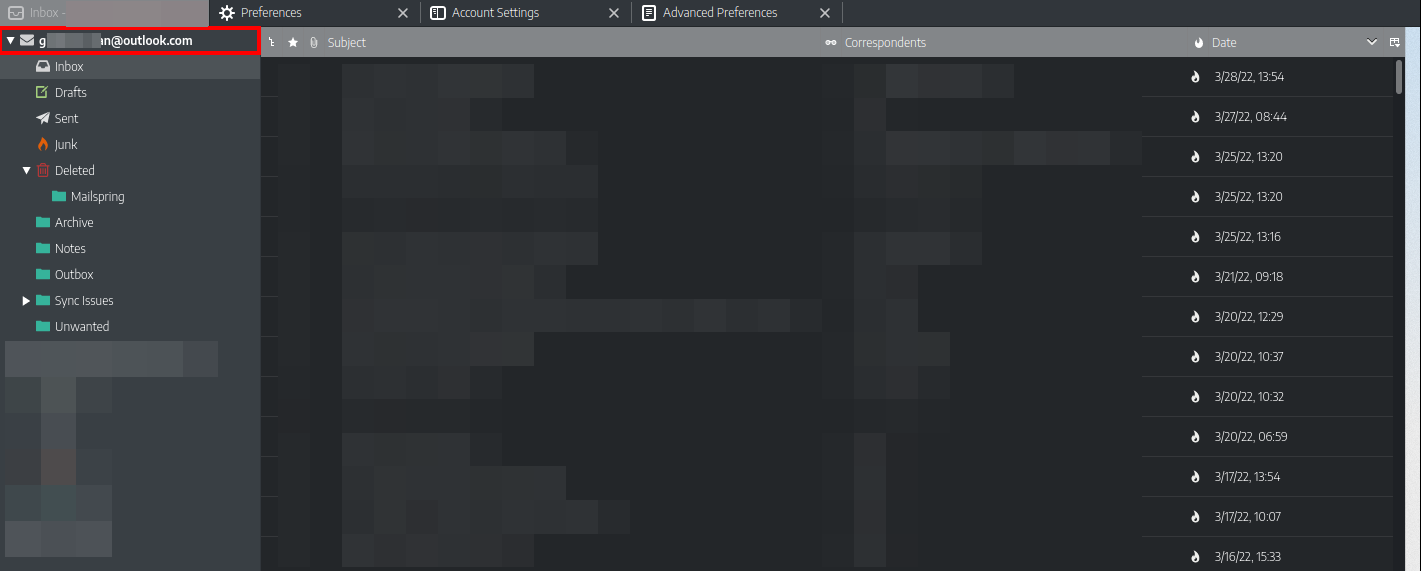
I'm trying to change the height of an element, that I highlighted with a red rectangle in the screenshot, but I'm having trouble identifying the path to it. This is what I have right now, but it's not working
- folderTree treechildren::-moz-tree-row(isServer-true) {
height: 30px !important;
}
Hello,
I'm trying to change the height of an element, that I highlighted with a red rectangle in the screenshot, but I'm having trouble identifying the path to it. This is what I have right now, but it's not working
#folderTree treechildren::-moz-tree-row(isServer-true) {
height: 30px !important;
}
എല്ലാ മറുപടികളും (3)
The character preceding foldertree should be a #, e.g., #foldertree
david said
The character preceding foldertree should be a #, e.g., #foldertree
it is a # in my css file, that's not the issue. I think the selector itself has to be different
I'm not so certain you can choose the isServer-true on a moz-tree-row, row is either in focus or selected or not selected. It does not know what it contains.