


Sent folder not showing on list of folders
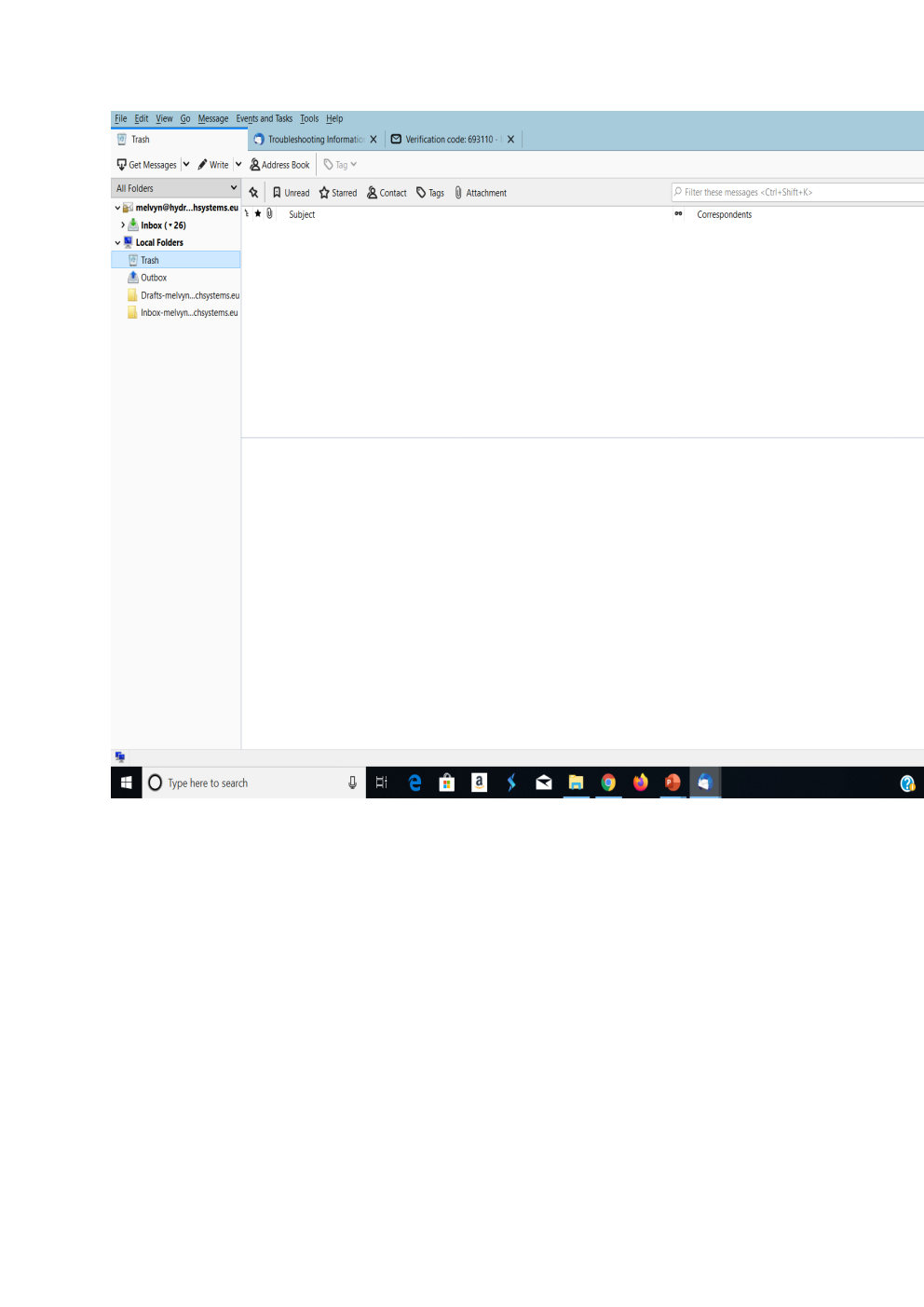
I recently installed Thunderbird on a new laptop, the sent folder is not displayed on the list of ALL folders - All other folders are showed - Inbox, drafts, outbox and trash, but NOT the send folder. (See screenshot attached)
When I send an email, it does display message forwards to 'sent folder'. but I can not access or see the sent folder
Thank you Melvyn
എല്ലാ മറുപടികളും (3)
actually the only account folder I see is the inbox. what happens when you double click the inbox name (or click the > beside it). I would guess it will expend to show all the other folders in the account. Many IMAP mail account have other account folders as sub folders of the inbox. Why I do not know, but that is how some servers are configured.
Thank you for your prompt reply
where the folders under inbox?