


In TB 31.3.0 I'm unable to make a new hyperlink in an email.

Impossible to make/paste a new hyperlink inside an email. Pasting a link does not work. Advanced and OK buttons remain gray. Sometimes pasting gives a #(term/code) result.
Making first some changes bij the Anchor section helps sometimes as a work around. Not always.
Thanks and best wishes!
എല്ലാ മറുപടികളും (4)
How do you know the link does not work? It does not look like a link in the compose window.
Hi, Not sure you did understand it well. See the attached graphic. The problem is that I can not make a link at all!
Bert
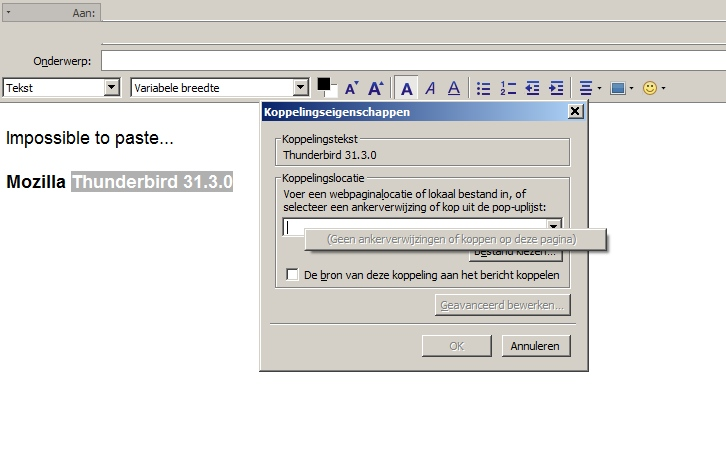
I see that text box if I try to edit a link.
If I use ctrl+l to insert a link, I see a dialogue with two text entry boxes: one for the displayed text and another for the URL.
I would guess you have pasted a link ("Thunderbird 31.3.0") and so are now being invited to edit it.
Does it work any better if you use ctrl+l then paste in your URL and add the display text?
Modified by Zenos
No, using ctrl+l does not resolve the problem: impossible to paste.
For the moment the best/only way to insert a link for me is to use directly the html option. So inserting directly in the html pop-up window <a href=... etc>
Thanks anyway...
Bert