


Sites only working in Chrome.

Hello all
 Firstly I have been using Firefox for about 2 decades and it has always worked perfectly - you can take a bow.
Now for my problem
I have been using Firefox for internet banking for many years without any problems - the usual login, password ans secret questions. Just after Xmas my bank updated it's website and suddenly nothing works. I was told that it now only works on Chrome and NOTHING else - not Firefox, Edge or anything else. I am able to log-in but can't see my account balances or perform any other functions - it just jams up to the point that I even have trouble closing Firefox.
I use Firefox exclusively because I don't trust Chrome or Google - they are just a massive data collection/sharing operation. I have Chrome Mask installed but it just doesn't make any difference.
Is there anything that I can do or add-on to over-ride this problem?
I am running Mint Linux 22.2 with Firefox 151.0.1
All Replies (7)
Hi rowant1, could you add the url of the bank you're trying to log in to?
Hello and thank you for taking the time to answer. My bank here in New Zealand is Kiwibank - https://www.kiwibank.co.nz/personal-banking/
I have even installed an add-on 'Chrome Mask' to try to fool the system but that doesn't work. For this site firefox just jams up and won't respond to any commands. I have attached a screenshot of what I get when I do login.
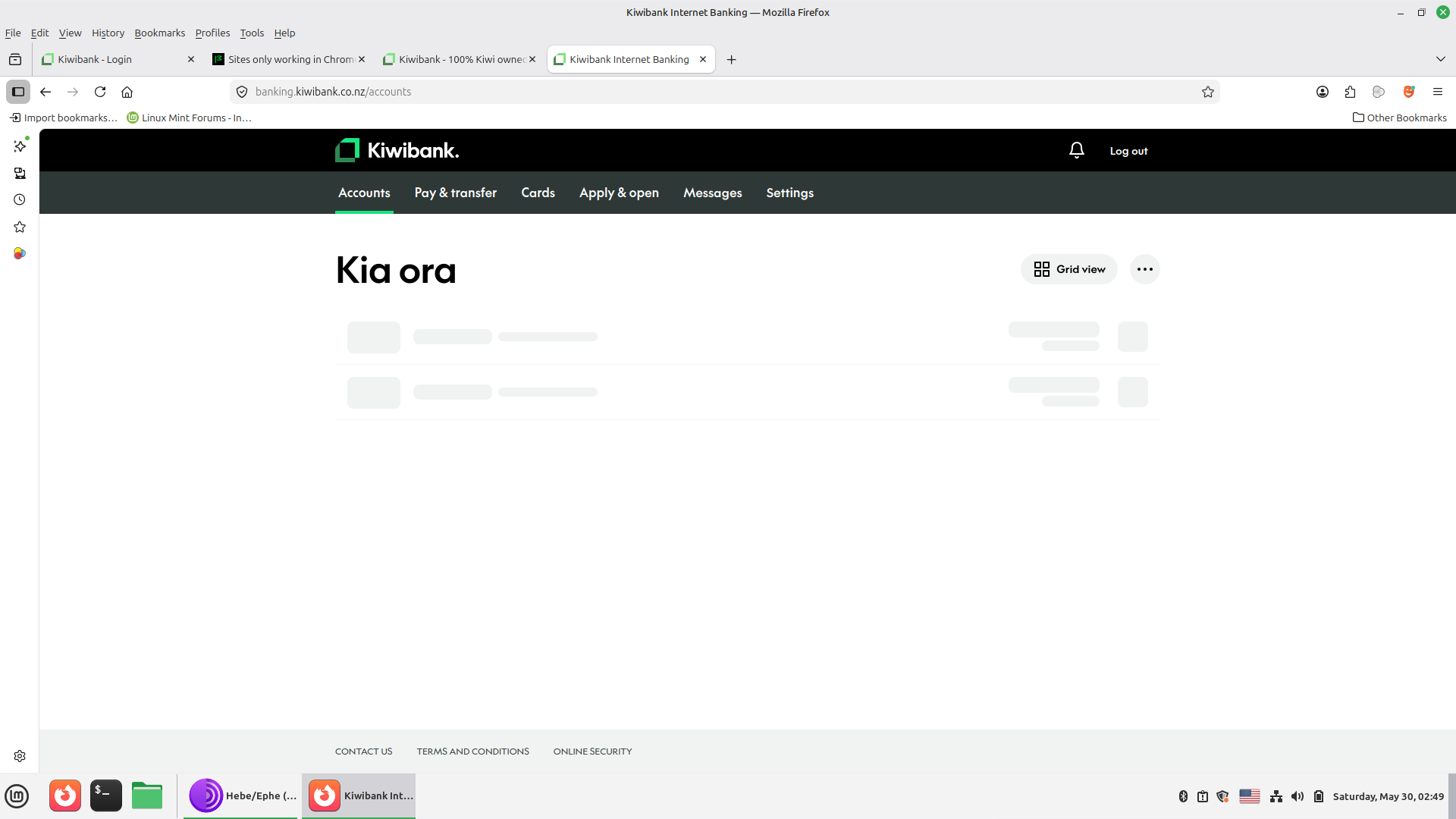
Oof, that's bad. Thanks for the information. I'm adding it to a previous report:
Please do use the Report Broken Site functionality in the browser menu How do I report a broken site in Firefox desktop? as it may capture some debugging information.
Also when you mention "this site firefox just jams up and won't respond to any commands" does it mean that it eventually perhaps even crashes or lets the tab crash? In that case there would be crash reports submitted, that would help figuring out what they're doing that's having such an impact.
Regarding the previous report it seems that I am not the first to have this problem.
By 'jams up' I mean that NO tabs respond. I might have multiple tabs open, on one window, for totally unrelated sites (motorcycle forum, car forum, ebay) and then NONE of them respond. I can't go back and look at other tabs - the whole firefox window just freezes. I will need multiple taps on an open tab to revert to a different tab. Usually I get so frustrated that I just TRY to close the whole window and start from scratch. Even closing the whole window requires multiple taps on the 'X' (top right corner) to succeed.
Firefox worked perfectly up until early this year when their site was updated.
If it ever gets into a state that the tab crashes, or the whole browser crashes, there would be extra reports submitted (Firefox crashes - asking for support) so if that happens please share the report IDs here for additional visibility.
The most helpful would be https://firefox-source-docs.mozilla.org/performance/reporting_a_performance_problem.html if you'd get to a point it's meaningfully captured and saved. Not that it would change the bank's position of not supporting the engine, but might help understanding what limits they're running into, possibly leading to the decision of restricting the set of browsers allowed in.
There are only 2 crash reports - here are the details. bp-9ec1cddb-c046-48f9-a064-1d70d0260408 bp-5851cb7c-9fdf-432e-be69-bd5bf0260601
I hope that this is helpful
Can you actually attach a screen shot of the error you were getting — before trying Chrome Mask? (Or there's no error, and it's the same no matter the spoofing — you are able to log in, then get the spinning squares on account page and then it freezes up, Chrome Mask or not?)
According to https://www.kiwibank.co.nz/help/online-banking/set-up-internet-banking/ they claim: "Supported browsers: For the best and most secure experience, use the latest version of a supported browser: Chrome, Firefox, Safari, Edge (JavaScript and cookies must be enabled to use our internet banking. If JavaScript isn't activated, you’ll see a message when you try to log in.)"
so I'm wondering if that information is outdated, or if you can elaborate more on the note "I was told that it now only works on Chrome and NOTHING else - not Firefox, Edge or anything else." you originally posted — if that came from their representative?
Just wanted to rule out the possibility the site actually works in general, and you're either running into a corner case, or a more general profile issue. (i.e. Websites look wrong or appear differently than they should steps more in general, like Troubleshoot and diagnose Firefox problems the hardware acceleration steps, restarting into Use Troubleshoot Mode in Firefox, trying a separate, clean profile — or even, downloading a separate nightly.mozilla.org that comes with its own isolated clean profile to just compare the results…)
Actually, could you please try downloading the separate Firefox Nightly and see if there's any difference for you?