


How to stop manually added https addresses in the address bar, from going to search.
Using last Windows 10 install, and 153 esr.
Manually entering an address in the address bar sends it to search.
The advice from 2020 found with a search online, and in Mozilla Firefox support, does not solve the problem.
Not only is it a time-wasting obstruction for a new page to open and put the address at the top, it is a problem that the address bar can not be used as intended for manually entered addresses.
I'm guessing the problem is also responsible for the problem of clicking on a link in a program not opening it in firefox in Firefox. I have two programs setup, correctly, to open Firefox or go to the open browser when I click a link. I get a return in both cases that the browser may not be installed correctly.
I installed the browser as usual. Currently: 153.2.0esr
I had 153.1 installed, however there was an unrelated (presumably) Microsoft problem and I had to restore. 153.1.0esr disappeared from my computer and online. So I downloaded 153.2.0est. However, both of these problems have manifested since updating to 153:
- Address bar does not function properly when adding a manual address.
- Clicking on a link in a program no longer opens the link in Firefox
I downloaded the full install program, as usual, and installed on top of the current install so my established profile is used. There are no major changes - except when features have become dysfunctional.
Searches online and at Mozilla support make clear these are current Mozilla Firefox issues. I can find no mention of either problem in Mozilla support.
Is there a solution to either or both of these problems in 2026?
p.s. I have no intention of upgrading to Windows 11. I also have updates disabled, however that did not stop microsoft from surreptitiously installing Snapshots and a personal A.I. app (evidence of which is in the registry which I deleted). The computer was lagging and glitching and running the disc almost constantly. So I went looking for what Microsoft had done - again - without my knowledge or opportunity to consent (or not) and found the culprits. I also found entries in Explorer directory for both features and deleted them.
All Replies (4)
To stop the search
You can either search the internet in general or the forum
I found this via Duckduckgo, maybe it will help
Search is triggered when the entered address can't be parsed to a valid pattern.
(Unless you're facing some rogue addon takover — does the same reproduce when you restart into Troubleshoot Mode from the Help menu?)
Do you have an example URL that sends you to search instead of opening?
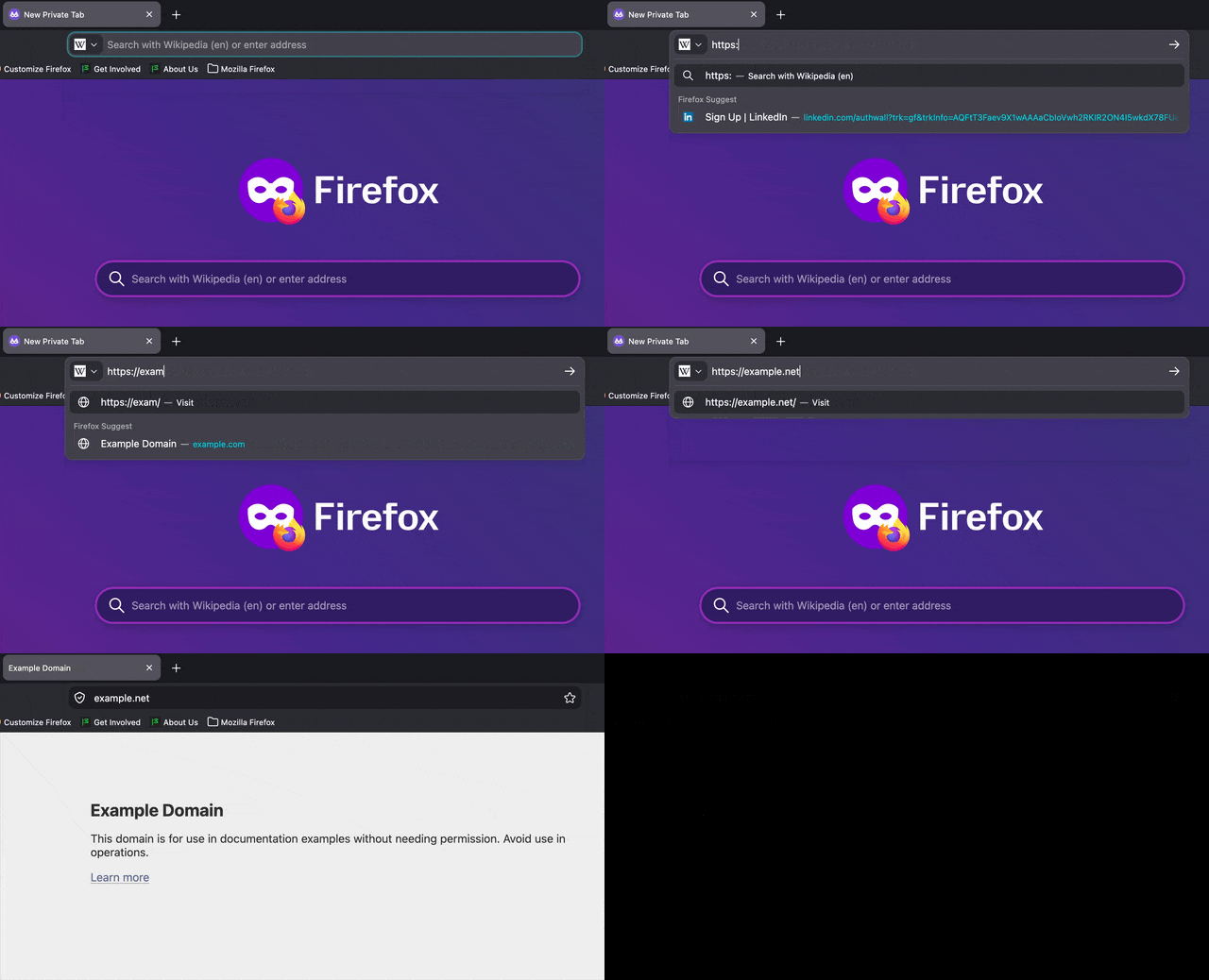
amoun - searched both. That link from 2020 was one of the first I found and tried. I didn't work
jbr - There is no way to select a screenshot everything disappears except what I plugged in that goes to a search. For example https://www.amd.com or amd.com
I just now discovered that if I click on the blank white space below, once an entry is in search, the entry will show up in the address bar. However, once in the address bar it will not go to the page, it only goes back to search.
In other words, nothing I enter can be accessed without going through search.
The address bar function has been disabled for manual entries. The address bar is now the search bar for manual address entries.
Haven't tried Troubleshoot Mode. Didn't want to take the time to have to redo everything. Doubtful the problems from microsoft are because of Firefox add-ons. At least they should NOT be.
Thank you both for trying.
I'm trying for functionality so I can do all I need to do to change to a different OS.
"Activate Windows" has started showing up too after being online for an hour or two - for no reason. And microsoft is giving me problems when I sign in. I set up a yubi key, months ago, but sign in wants me to set it up again, however the screen won't complete. Settings also does not work.
I'm using the microsoft account that I signed up for originally, in 2023, but never use except rarely. I think msoft disabled it when I stayed with Windows 10, although I can sign in with an e-mail code. Same thing has happened here at support to where a setup up a 2fa yubi key. That choice doesn't work, either
Everything points to microsoft creating a problem. Guess they changed my microsoft sign in account to a local account. OR . . . maybe it is because they can not access my computer. I have had to do everything possible to prevent microsoft access from screwing up my computer. I actually turn it off (and unplug) but that does not stop microsoft from making changes, nearly each time turn it back on and sign in.
So, I disabled Task Scheduler which I'm guessing is the problem. The daily license check doesn't work. Task Scheduler became dysfunctional and could not be accessed so because I could not manage it, I disabled it.
I have nearly every feature except basic stuff disabled on microsoft anyway. I do not want all the bells and whistles and commercialism that interferes. Microsoft apparently needs all the data collecting and A.I. training it can take from users, otherwise a user is s.o.l.
I am uninclined to renew, because because when I did do that, too many of my own installs, configurations, and files disappeared. I have nearly every feature except basic stuff disabled on microsoft. And after renewing in the past Task Scheduler was a time consuming problem to have first turn off everything that is unnecessary.
Please read through Use Troubleshoot Mode in Firefox — there's nothing to "redo" unless you click buttons to refresh/reset the browser — do not, at this point. All that's needed is comparison when restarted into that special mode, vs. when restarted back into normal browsing.