


Windows 10 reached EOS (end of support) on October 14, 2025. If you are on Windows 10, see this article.

Search Support

Avoid support scams. We will never ask you to call or text a phone number or share personal information. Please report suspicious activity using the “Report Abuse” option.

Learn More
Natao arisiva ity resaka mitohy ity. Mametraha fanontaniana azafady raha mila fanampiana.
Natao arisiva

Colors hide background images.

jscher2000 -... replied
LAPIII

My first color options are in the first screenshot. This would hide background images, so I turned off Windows high contrast theme and now want to know how I can make websites have the dark background with light text and be able to see the background images.

The two websites where background images don't show are Gmail.com and Snag.gy.

I made sure that gfx.downloadable_fonts.enabled pref on the about:config page was set to true, as instructed on https://support.mozilla.org/en-US/questions/1117024.
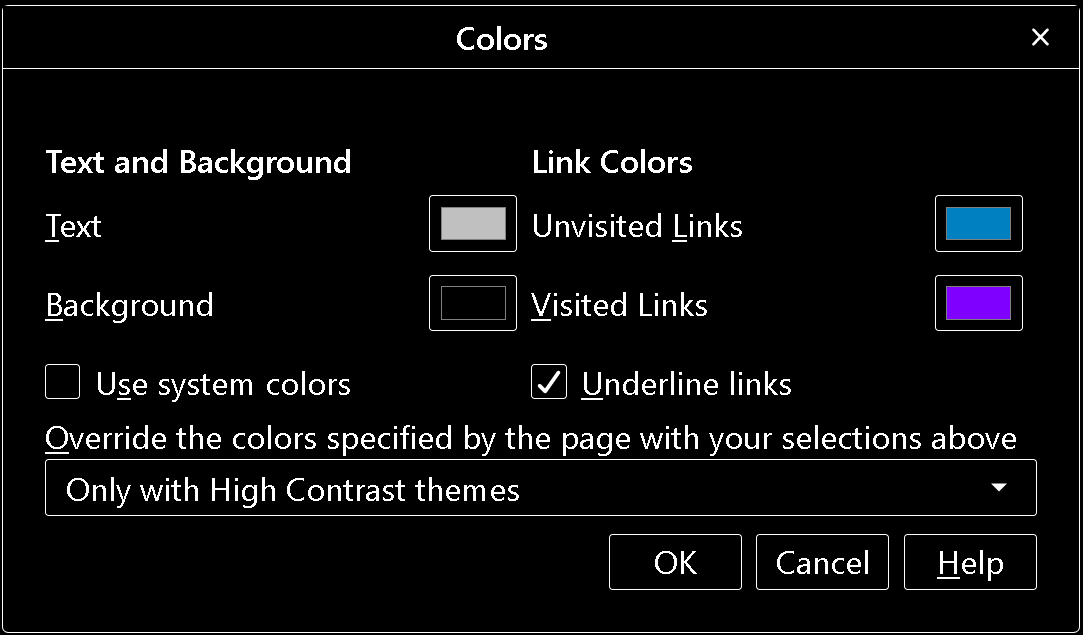

My first color options are in the first screenshot. This would hide background images, so I turned off Windows high contrast theme and now want to know how I can make websites have the dark background with light text and be able to see the background images. The two websites where background images don't show are Gmail.com and Snag.gy. I made sure that gfx.downloadable_fonts.enabled pref on the about:config page was set to true, as instructed on https://support.mozilla.org/en-US/questions/1117024.

Sarin'efijery napaingotra

All Replies (1)

Could you try this:

(1) Change the "Override..." setting to Never, which will restore normal page appearance.

(2) Then check out extensions like the following to inject a dark theme into websites:

https://addons.mozilla.org/firefox/addon/darkreader/

Or I guess you could install the add-on first, although I don't think it can override/repair the High Contrast theme effect.