


Unexpected password requests when starting Thunderbird

Hello
I use Thunderbird (153.2 0esr) on a win 11 PC.
I have some POP email accounts with btinternet which work.
I want to change. them to IMAP accounts using the same email addresses.
Before I do this I have several minor problems within Thunderbird, which I would like to sort out before copying the Thunderbird files as a backup.
Rather than list them all, it's possible that fixing the first may solve others.
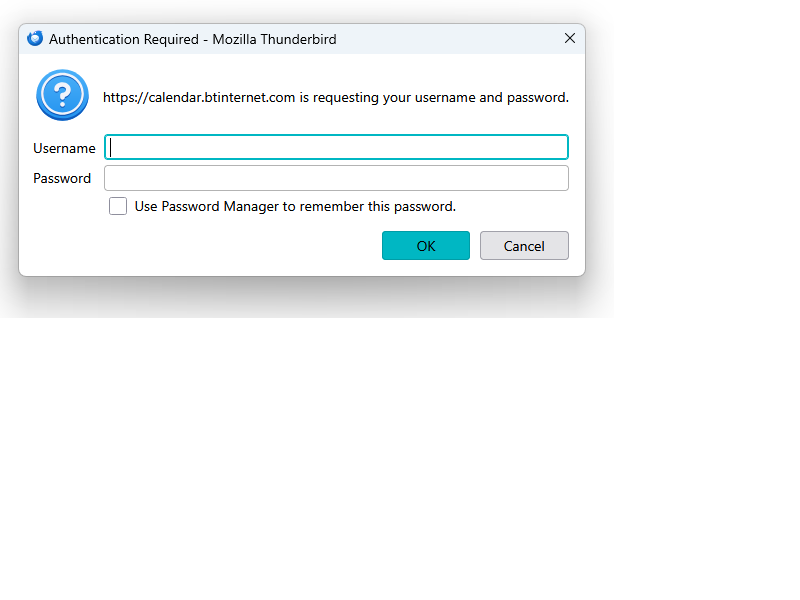
When I open Thunderbird I see this message... see FIRSTCalendar if it hasn't been inserted into the text
I have never (knowingly) used BT's calendar. Clicking cancel removes the report and does not stop any of the BT mail accounts working.
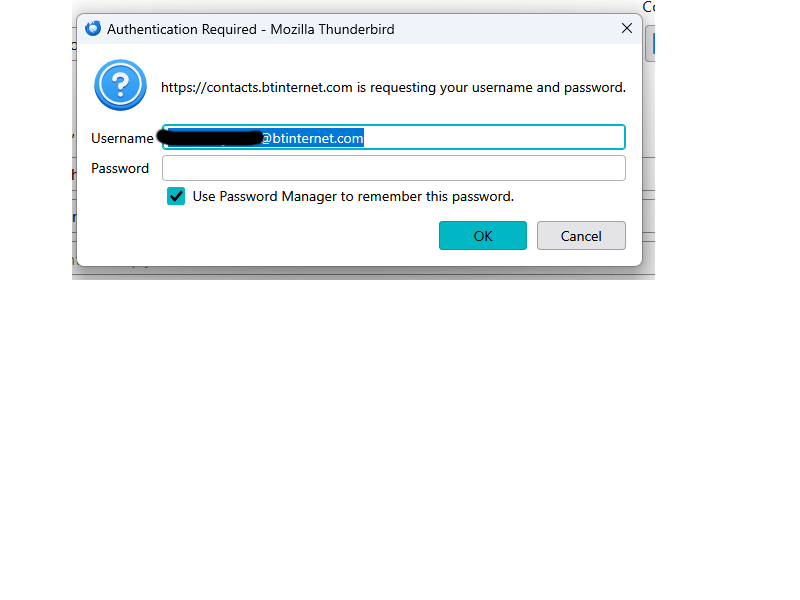
I tried using the username and password of the default account but password of the default account without success. At a later stage this appears...
See SECONDcontacts if not inserted here
The address displayed is one that I have deleted from my BT Email account.
It is no longer shown as one of my BT accounts in the email management page in MYBT or in Thunderbird
Again, clicking Cancel does not stop my BT email accounts working.
Any suggestions how to fix this, would be welcome.
Cheers
Dave
All Replies (1)
I strongly suggest you open the address book (alt+3) and delete the address book you are being asked for a password for.
Then open the calendar (alt+3) and remove the calendar at btinternet.
Then read these support articles. https://support.mozilla.org/en-US/kb/switch-pop-imap-account https://support.mozilla.org/en-US/kb/account-hub-thunderbird-desktop See point 6 in particular