


How to set content as light/dark mode in a custom theme?

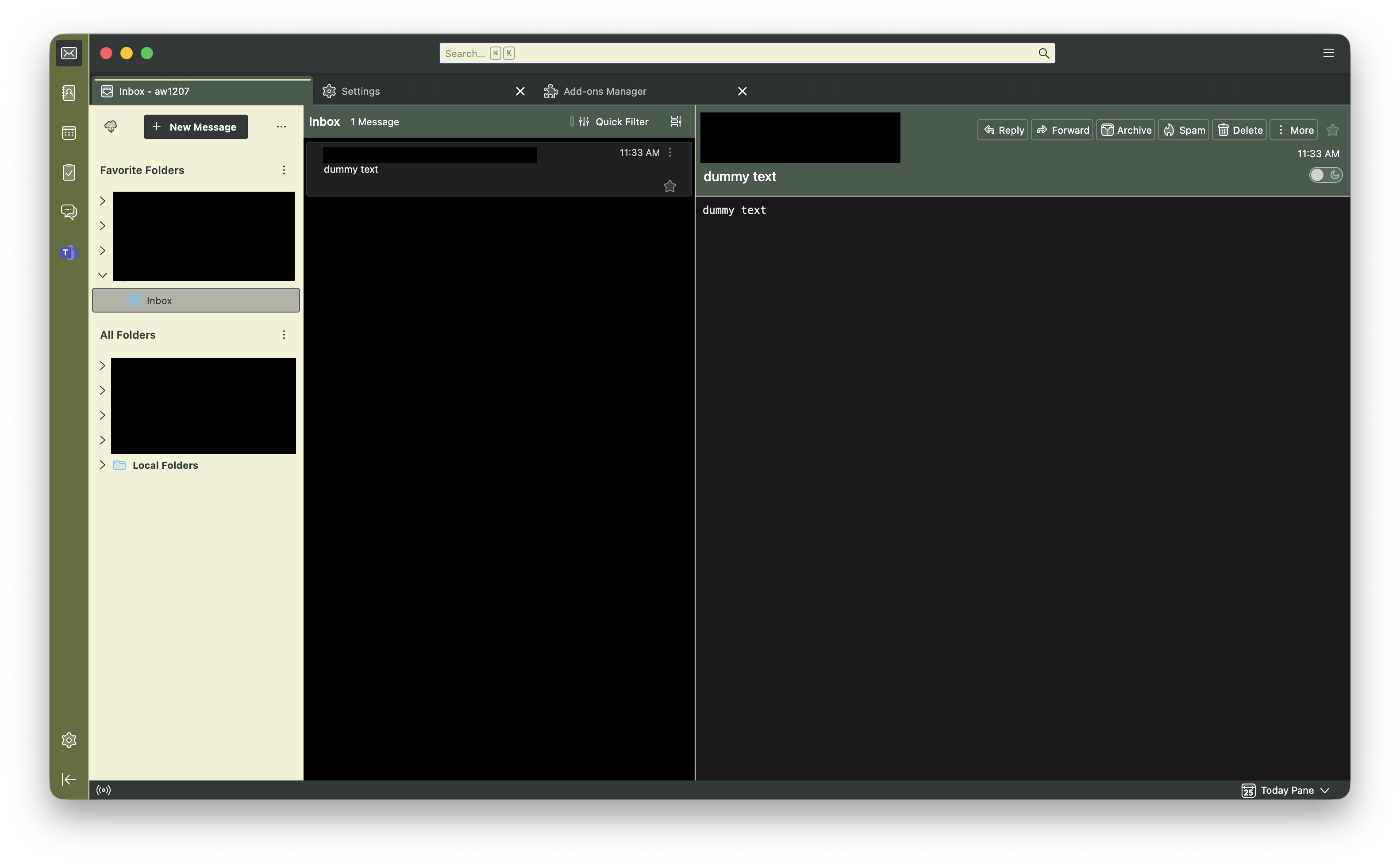
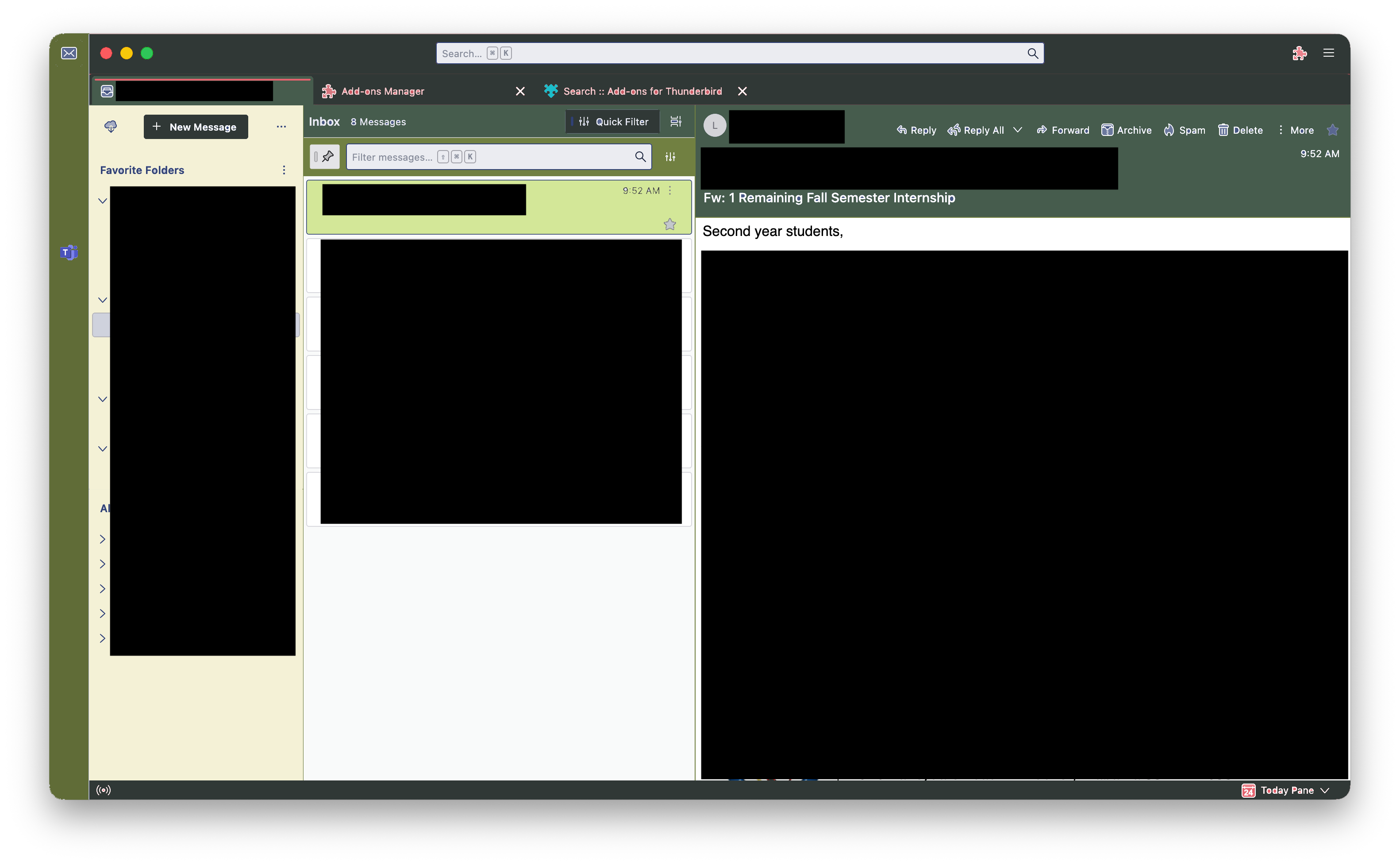
I'm currently making a custom theme for Thunderbird for my own personal use. I've gotten pretty much everything how I want it to look – except the main content. I prefer light mode for accessibility, and currently it's stuck in dark mode everywhere (my settings menu, calendar, mailbox, etc).
The first image is how it currently looks, and the second is how I want it to look (the black boxes are there to block sensitive info). What would I need to add/edit in my manifest.json and/or style.css to get there?
All Replies (3)
Chosen Solution
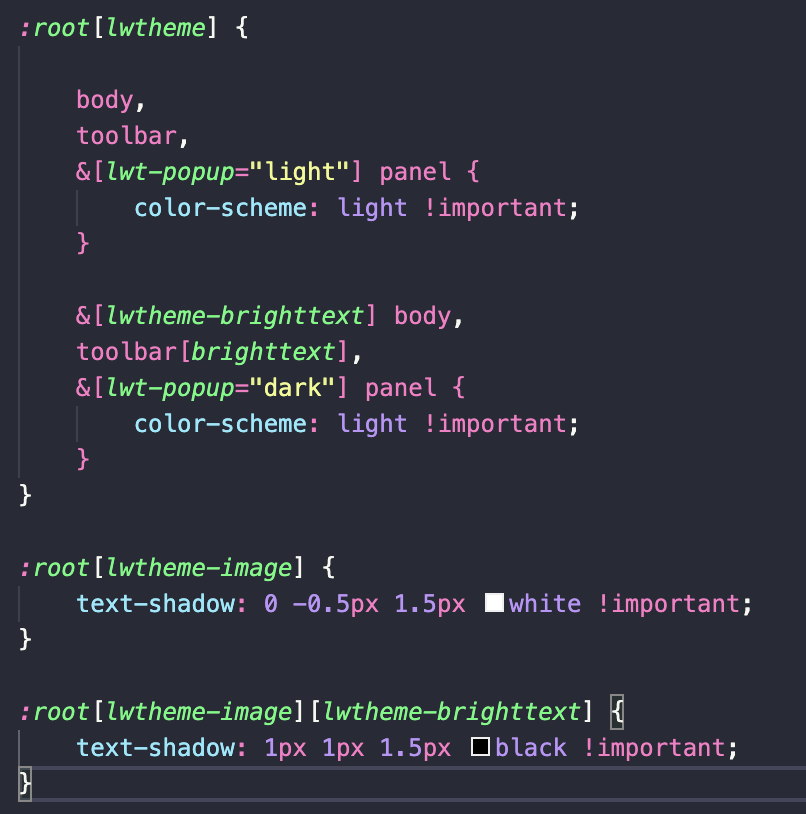
One part solved! I was able to change to light mode content by changing the :root[wltheme] variables in my stylesheet. See below. I would still like to change the color of the selected message to a light green highlight like in my mock-up (2nd image on the original post). I appreciate any advice. Thanks!
Modified by Soleil
Have you considered posting in an addon focused group. See https://thunderbird.topicbox.com/groups/addons
If you were using windows, it's own themes and options would manage your issue. I have nothing I can say about apples implementation of anything really but they do copy one another a lot so perhaps you are looking in the wrong place your your solution..
Thanks Matt, I actually couldn't find that group myself. I'll post there if I run into anymore trouble.