


My firefox just updated to firefox 160 and now my tabs keeps crashing

Running windows 10. Just automatically updated to version 160.0 Now my tabs keep crashing!! Help!!
All Replies (4)
It's happening is almost every tab. WTH is going on???
We're sorry to hear that Firefox is crashing. In order to assist you better, please follow the steps below to provide us crash IDs to help us learn more about your crash.
The crash report is several pages of data. We need the report numbers to see the whole report.
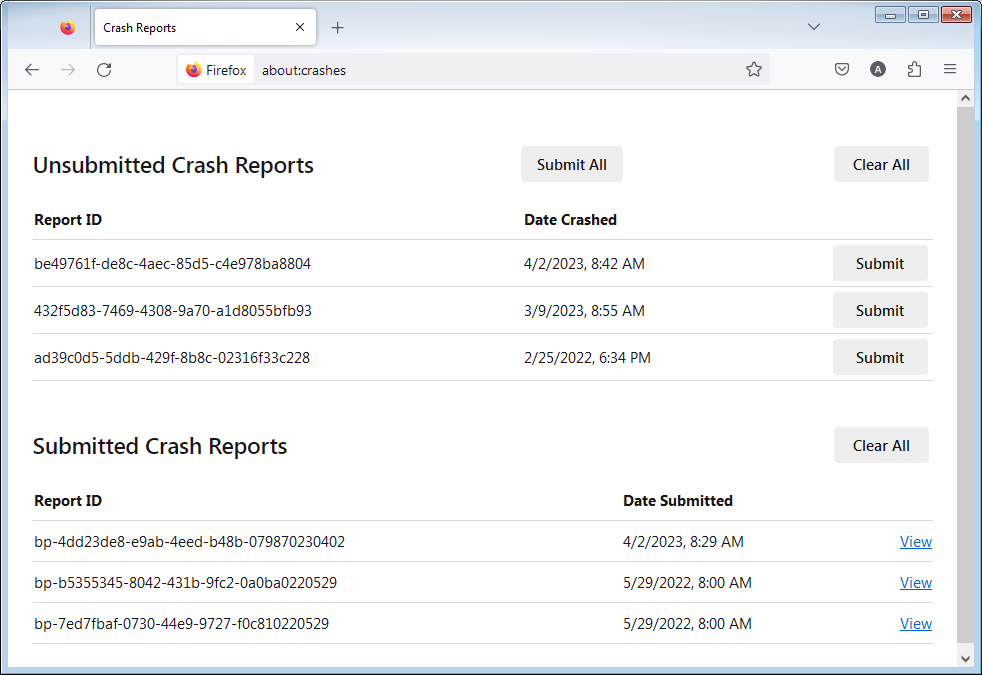
- Enter about:crashes in the Firefox address bar and press Enter. A list of Submitted (and Unsubmitted, if any) Crash Reports will appear, similar to the one shown below.
- Copy the 5 most recent Submitted Report IDs that start with bp- and then go back to your forum question and paste those IDs into the "Post a Reply" box.
Note: If a recent Report ID does not start with bp- click on it to submit the report.
(Please don't take a screenshot of your crashes, just copy and paste the IDs. The below image is just an example of what your Firefox screen should look like.)
Thank you for your help!
More information and further troubleshooting steps can be found in the Troubleshoot Firefox crashes (closing or quitting unexpectedly) article.
bp-80acbe9b-2343-4d22-9cee-aef290261017 bp-902fa5a3-f6f3-4cb3-91c2-5c87c0260709 bp-41d11dc5-cdb5-4fde-b370-3d0990261111 bp-806dd160-3bc8-4997-946f-540c90261111 bp-061fdd32-fce8-4143-9b8b-487ce0261111
Thanks!
We're analyzing it under bug 2084968.