


Microsoft Outlook SMTP authentication issues

Coming from https://support.mozilla.org/en-US/kb/cannot-send-messages, and https://support.mozilla.org/en-US/questions/1596545#answer-1837376 (thank you christ1)
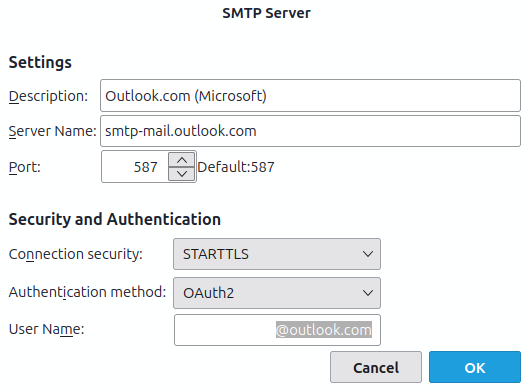
Account settings attached. I don't have an active firewall. My email provider is microsoft (outlook) No antivirus installed Linux Mint 22.3 x86_64 Thunderbird 153.0esr
I have confirmed with microsoft support that the ports and such are correct, they claim thunderbird is the problem.
All Replies (7)
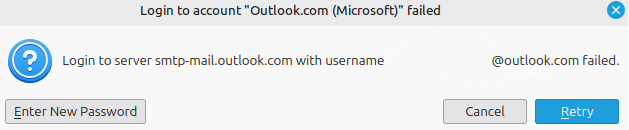
possibly relevant error message. same authentication method (chromium, same computer, etc) as the (working) imap configuration

My outlook email smtp server is smtp.mail.outlook.com and it works.
Yours is defined as smtp-mail.outlook.com. Maybe "-" instead of "." is the problem.
I just put a suggestion in but for some reason it did not show up. I try to phrase it differently.
Change the dash '-' in your server name to a dot '.' to see. Mine is defined with all dots '.' and it works.
Modified by Michel T

that is a good option
That fixed it, thank you so much!
see also my other post this is less relevant now, that was mostly to help other people who found this when having the same issue
Modified by Alicenull
It doesn't appear to be working, unsure if anything changed or if i was just confused before
currently using smtp.mail.outlook.com, and it's not working any better than smtp-mail.outlook.com
imap still works, oddly