


I have a daily popup I wish to locate and remove.

I once signed up for a stock service, which included a daily popup. When I found I did not need/want it, I discontinued the service and deleted all of the related files. But the daily popup still remains and occurs. When I contacted the service they said it was something still attached to the browser but could not tell me how to find it or remove it. I have looked at everything I could think of but cannot find any reference to 'Weiss' (service name) or any name anywhere within Firefox. What am I missing? Many thanks Jim Bigger
Chosen solution
Well, as you can see, I found a way to get to my question DIRECTLY. Yes, this article did direct me to how to get rid of the POPUP. Many thanks Jim Bigger I can see all of you moderators have a lifetime opportunity to help with questions posted on the Forum. Golden.
Read this answer in context 👍 0All Replies (4)

Could you please upload a screenshot of the daily popup?
When you signed up for the service, did you install it as an extension in Firefox, or did you install it to your computer (basically, could it be accessed via the file explorer) ?
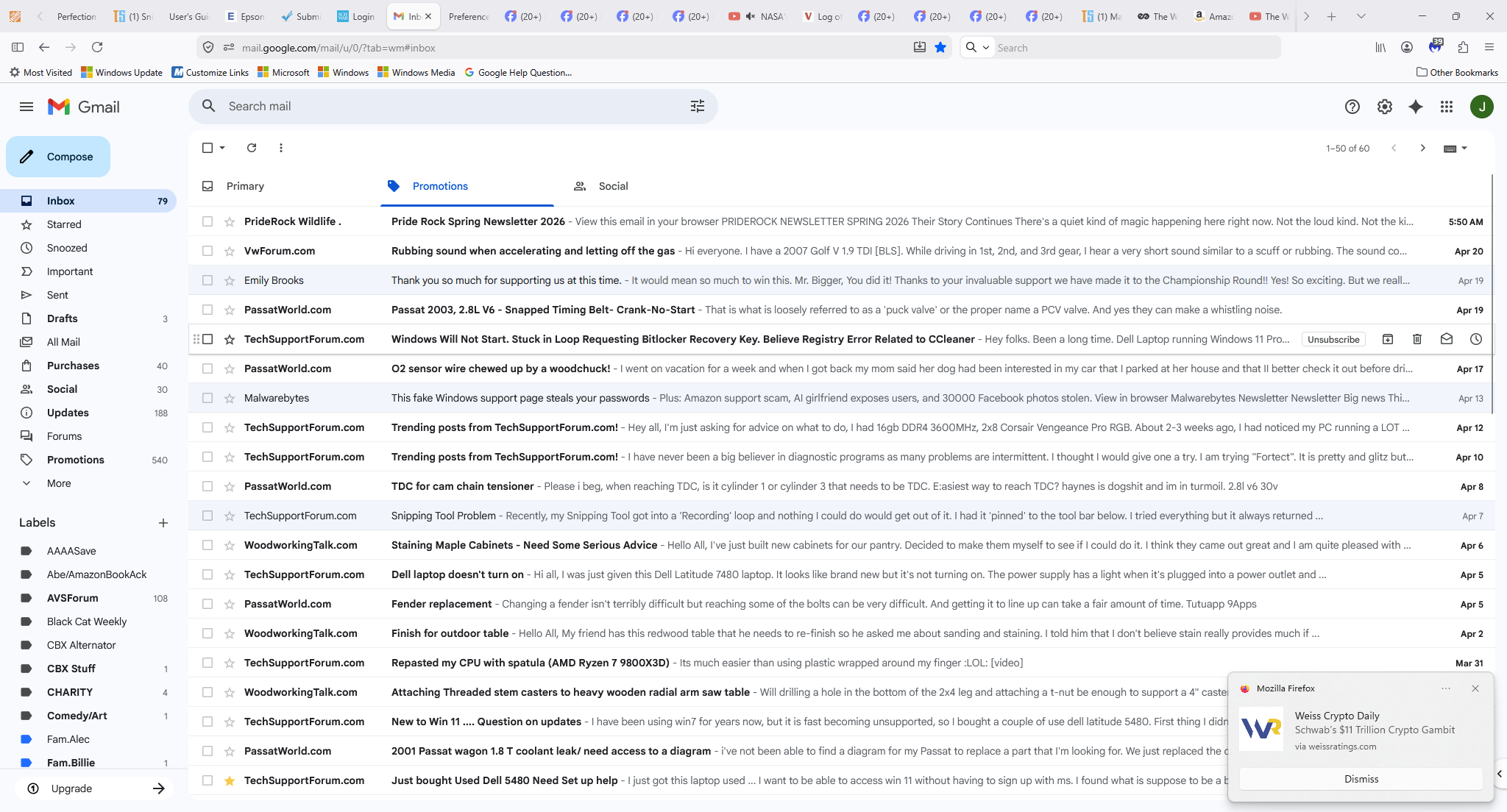
Sorry for the delay. I have yet to become familiar with a 'screenshot' but did do a 'Snip' of the screen, which I will attach here. The popup can occur more than once a day, sometimes 2 or 3. In the upper left corner of the popup is 'Mozilla Firefox' and there is and 'X' option in the upper right corner and a 'Dismiss' box in the lower center. Either the 'X' or the 'Dismiss' will remove the popup, sometimes for the rest of the session. At that time,I was more interested in the stock service so did not pay close attention to the installation but I did not see anything that directed this popup. It just started appearing and has never stopped. As I said, I deleted all of the relevant files I could find (by the name of the service). All of the daily emails for the service had occurred and stopped after the deletion. I'm not an experienced user of FireFox (in the sense of rummaging around) but I do have the proper feeling for what I think would be locations. Obviously not enough, though. Thanks for the reply, Mark, maybe this will help. Jim Bigger
Modified by silvercbx
Hi,
This article should help: Web Push notifications in Firefox. Just revoke the notifications permission for the related website (from your screenshot, it's weissrating.com).
Chosen Solution
Well, as you can see, I found a way to get to my question DIRECTLY. Yes, this article did direct me to how to get rid of the POPUP. Many thanks Jim Bigger I can see all of you moderators have a lifetime opportunity to help with questions posted on the Forum. Golden.