


Join us to show up for other Firefox users 🦊. Earn fun badges and Mozilla swag vouchers! Find out more: https://mzl.la/askafox150

Windows 10 reached EOS (end of support) on October 14, 2025. If you are on Windows 10, see this article.

Search Support

Avoid support scams. We will never ask you to call or text a phone number or share personal information. Please report suspicious activity using the “Report Abuse” option.

Learn More

I can't access federal government websites - FSIS, USDA

  • 1 reply
  • 0 have this problem
  • 64 views
  • Last reply by SuMo Bot
  • Open

I can't access FSIS website which I need to do so for my job. This is what I get

"Firefox can't connect to the server at usda.gov Try connecting with a different device Check your modem or router Disconnect and reconnect to Wi-Fi"

I can't do any of those things because they make absolutely no sense. Nothing is wrong with my router, Wi-Fi. It's your program.

I can't access FSIS website which I need to do so for my job. This is what I get "Firefox can't connect to the server at usda.gov Try connecting with a different device Check your modem or router Disconnect and reconnect to Wi-Fi" I can't do any of those things because they make absolutely no sense. Nothing is wrong with my router, Wi-Fi. It's your program.

All Replies (1)

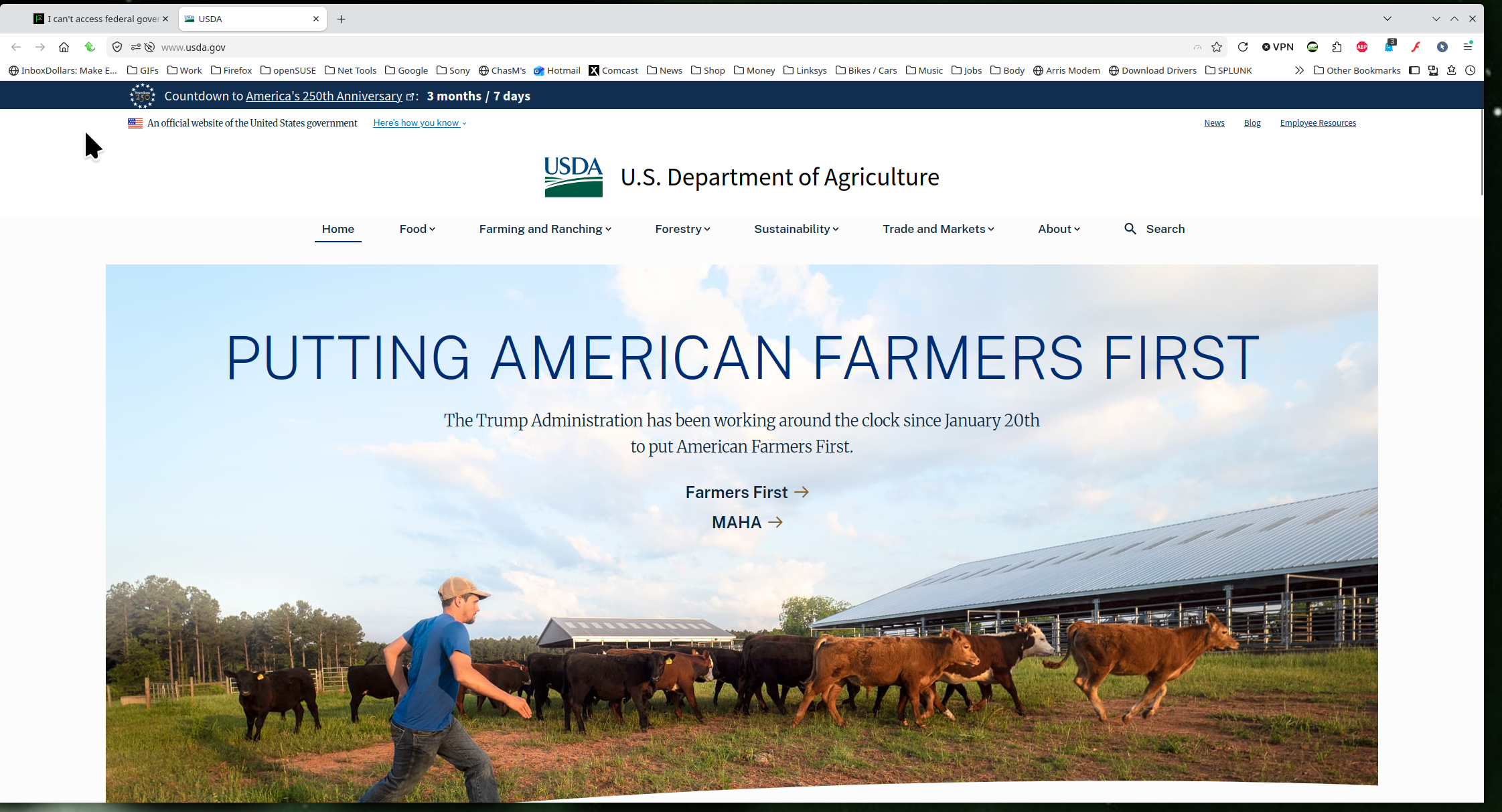
Site works for me. see screenshot

Windows home or pro and are you running any security software besides MS Defender?

Did you try with Firefox in Troubleshoot Mode? https://support.mozilla.org/en-US/kb/diagnose-firefox-issues-using-troubleshoot-mode#w_how-to-start-firefox-in-4troubleshoot-modesf5safe-modesf

Did you clear your browser cache? https://support.mozilla.org/en-US/kb/clear-cookies-and-site-data-firefox
Ask a question

You must log in to your account to reply to posts. Please start a new question, if you do not have an account yet.