


checkboxes
for some reason any site with a checkbox in a form has shrunk to micro size?
https://www.w3schools.com/tags/tryit.asp?filename=tryhtml5_input_type_checkbox
すべての返信 (6)
Can you provide a screenshot of this issue? Thanks.
You can possibly check the CSS rules in the Inspector.
You can right-click and select "Inspect Element" to open the builtin Inspector with this element selected.
Start Firefox in Safe Mode to check if one of the extensions ("3-bar" menu button or Tools -> Add-ons -> Extensions) or if hardware acceleration or userChrome.css is causing the problem.
- switch to the DEFAULT theme: "3-bar" menu button or Tools -> Add-ons -> Themes
- do NOT click the "Refresh Firefox" button on the Safe Mode start window

from the link I sent
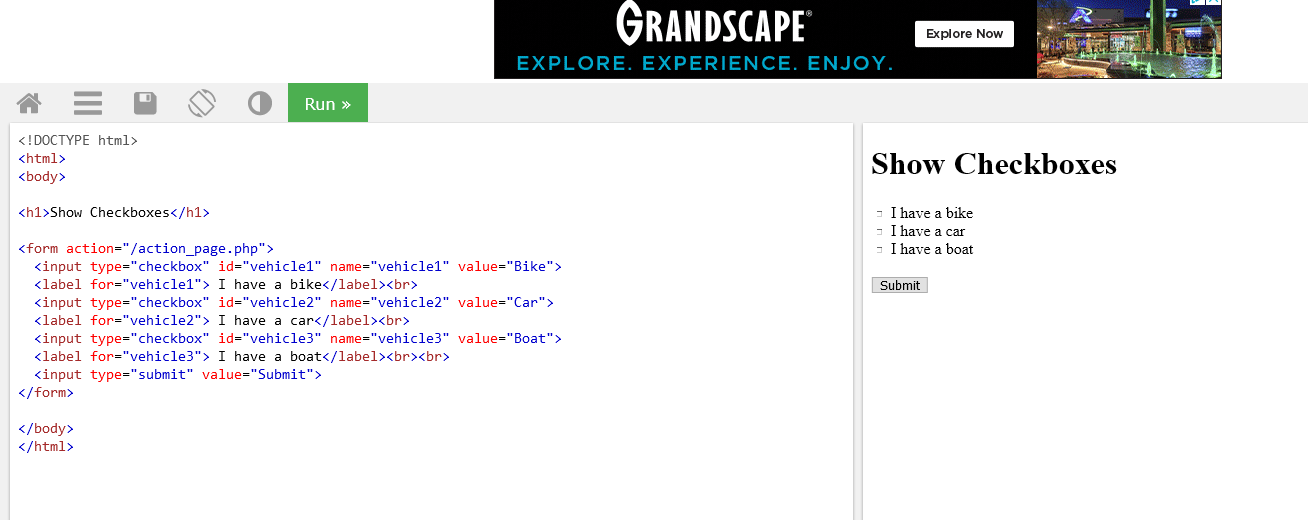
you know the image attached is nothing like i see?
here it is

all fixed..................it was a plugin causing the problem.
Can you tell us what extension caused this issue ?