


2 Problems. UI in wrong language and auto translation do not work

So. i got this 2 issues atm.
First one is UI being in norwgian and i want to change it to english. "i have tryed installing language packs but that did nothing "
Secound on is translation not working. "the option in settings for auto translateion is on and the language is set to the right order if that would mather"
Note: i have tried with all extentions off also
選ばれた解決策
If the Firefox user interface (toolbars) is in the wrong language or if you want to change the current language then download Firefox in the language of your choice.
That second screenshot is not really about auto-translation, but about informing the website about your preferred languages so the website can possibly serve pages in your preferred language. Note that some website check the location (country) via a look up of your IP and choose the language that way (Google for instance uses this). In such a case you need to check the page for a button to change the language.
この回答をすべて読む 👍 1すべての返信 (5)
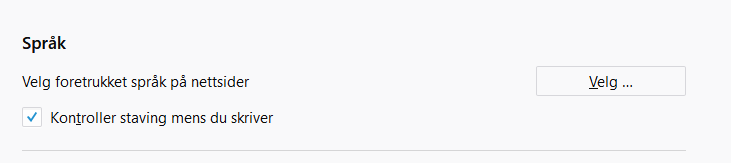
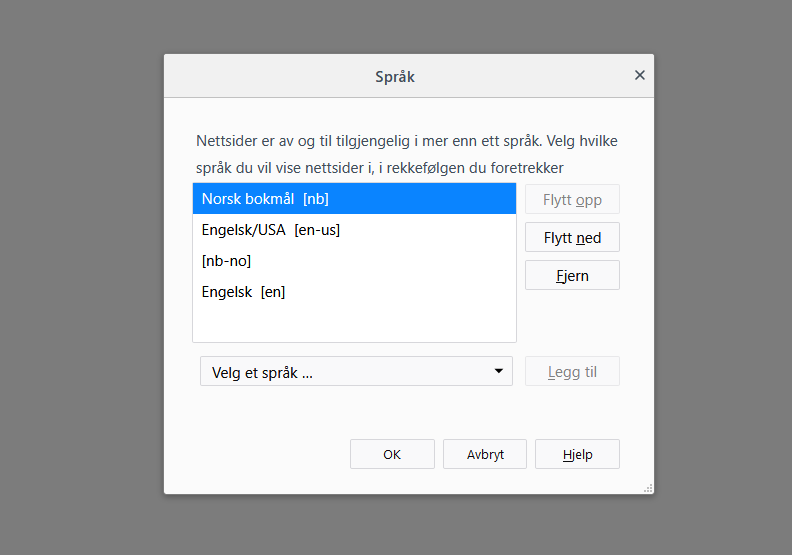
screenshots as they wasnt added to the first post..
選ばれた解決策
If the Firefox user interface (toolbars) is in the wrong language or if you want to change the current language then download Firefox in the language of your choice.
That second screenshot is not really about auto-translation, but about informing the website about your preferred languages so the website can possibly serve pages in your preferred language. Note that some website check the location (country) via a look up of your IP and choose the language that way (Google for instance uses this). In such a case you need to check the page for a button to change the language.
oh . that kinda makes sense .. and also i did a reinstall with US version and that seems to have fixed it all in fact. :)
I have the regular Thunderbird Debian/Ubuntu package installed, (52.9.1) and the only Thunderbird language pack I have installed is thunderbird-locale-en. This morning it was displayin in English, but now who knows *what* language it's showing me. I didn't install any new packages, so don't see why it suddenly changed.
Hi jelabarre59
Ubuntu has the habit to install multiple language packs with its own Firefox version. You check the "Help -> Troubleshooting Information" (about:support) page for info about available languages. It is the last section, so scroll down to the bottom.
- Internationalization & Localization
See also the intl.locale.requested pref on the about:config page.
If this doesn't help then please create a new thread.
Then you can provide troubleshooting information.