


how to chnage date format to dd-MMM-yyyy

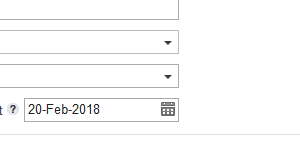
how to chnage date format to dd-MMM-yyyy in browser setting.... INDIA : it must be like 19-Feb-2018
すべての返信 (7)
Did you install the India FF version?
Is the screenshot from inside Firefox itself or somewhere else?
tomatoshadow2 said
Is the screenshot from inside Firefox itself or somewhere else?
No. I took it from outside as to show you what I needed. Just for your reference only. I want that format on browser.
WestEnd said
Did you install the India FF version?
I tried to download that version. But I couldn't find on google search. Please attach the hyperlink. So that I can download the right version. Thanks ,
WestEnd said
Did you install the India FF version?
Your suggestion will only change the language of the browser but MY MAIN MOTIVE IS TO GET DATE-FORMAT IN DD-MMM-YYYY (i.e. 21-Feb-2018) FORMAT BY DEFAULT OR CUSTOMIZED .
When you download Firefox in your language, you should get the date format you're looking for :
https://www.mozilla.org/firefox/all/
You could also check the date/region settings in Windows Control Panel.