


remove preinstalled language packs

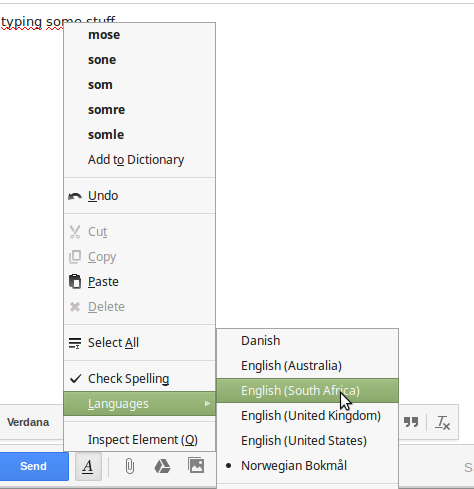
On my Linux Mint 17.1 Mate with Firefox 35.0.1, there are a bunch of language packs preintalled that I want to get rid of, they clutter my right-click-spellcheck-menu,. However, I cannot find them anywhere in the settings or add-ons.
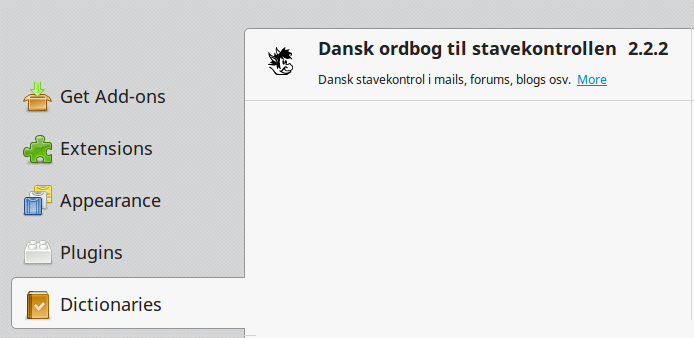
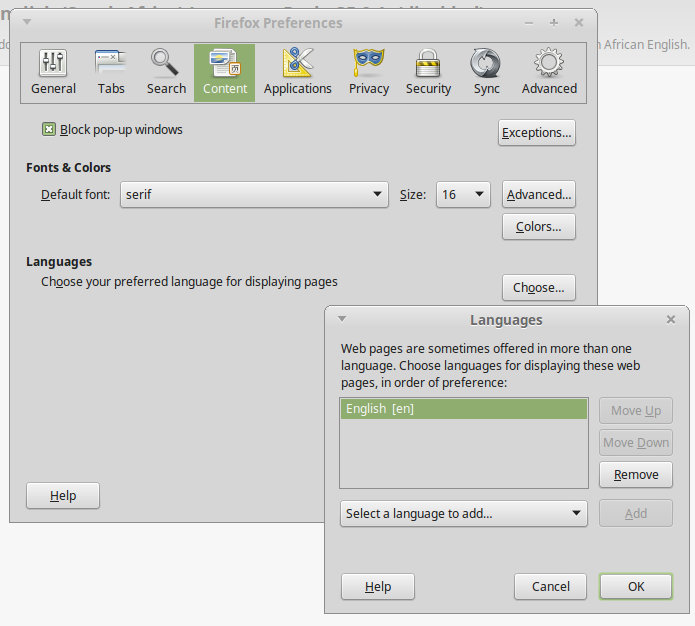
English Australia, South Africa and US appear in my right-click-spellcheck-menu, but nowhere else. It is those languages I wish to remove. I found South African English under about:addons-languages and disabled it, but it still occurs in the right-click-spellcheck-menu.
Please see attached 5 screenshots for details.


すべての返信 (6)
I do not have a proper answer and do not use Mint, but no one else has answered yet.
I just wondered whether the OS is able to offer options from Libre Office's hunspell dictionaries what have you got there ? Could the Libre Office install explain some of the additional options ?
I suspect that when firefox is preinstalled with Linux Mint, it is also preconfigured in a specific way. Perhaps removing firefox and installing it directly from Mozilla instead of using apt-get install might improve this and other issues.
Just a wild guess.
この投稿は jonas-e により に変更されました
The dictionaries and languages are probably in your package manager.
Thanks, where would I find the package manager? Is it part of Firefox or the operating system?
Btw, I have the same issue posted over at Linux Mint Forums, providing some clues: http://forums.linuxmint.com/viewtopic.php?f=47&t=190115
You can check these locations for globally installed dictionaries:
- /usr/share/hunspell/
- /usr/share/myspell/
jonas-e said
Thanks, where would I find the package manager? Is it part of Firefox or the operating system?
Package manager is a general term to refer to a place that you can manage the install, updates and the dependencies of say .deb or .rpm packages that you install on Linux depending on the Linux distro.
この投稿は James により に変更されました