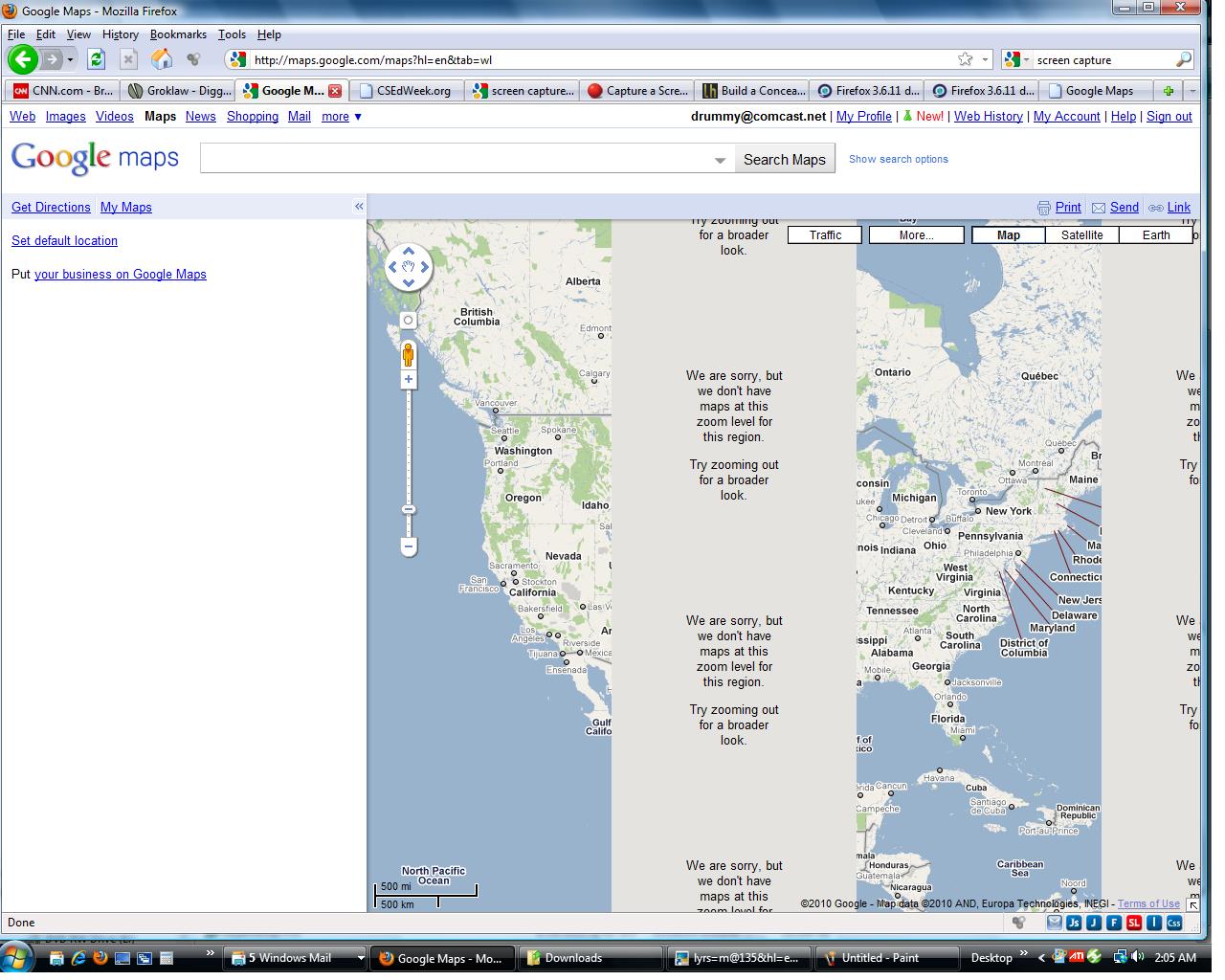
Firefox 3.6.11 displays google maps as not at this zoom level no matter what the zoom level actually is at.

Maps worked fine until I zoomed to a level not supported on that location. Since then all google maps even at the entire US level show two bands of zoom level not supported. If I go to satellite view the bands are at different zoom levels but there is no warning message. Tried rebooting computer and firefox to no avail. Internet Explorer version 8 works fine.
Tutte le risposte (4)
Reset the page zoom on pages that cause problems: View > Zoom > Reset (Ctrl+0 (zero); Cmd+0 on Mac)
View - Zoom - Reset has no effect on problem. Thanks for trying though,
BillDrom
Try clearing your browser cache.
Tools > Clear Recent History... - hit Details and make sure only Cache is selected, then select Everything and hit the Clear Now button.
Still no luck. I just go to google and click on maps to get the problem.
BillDrom