


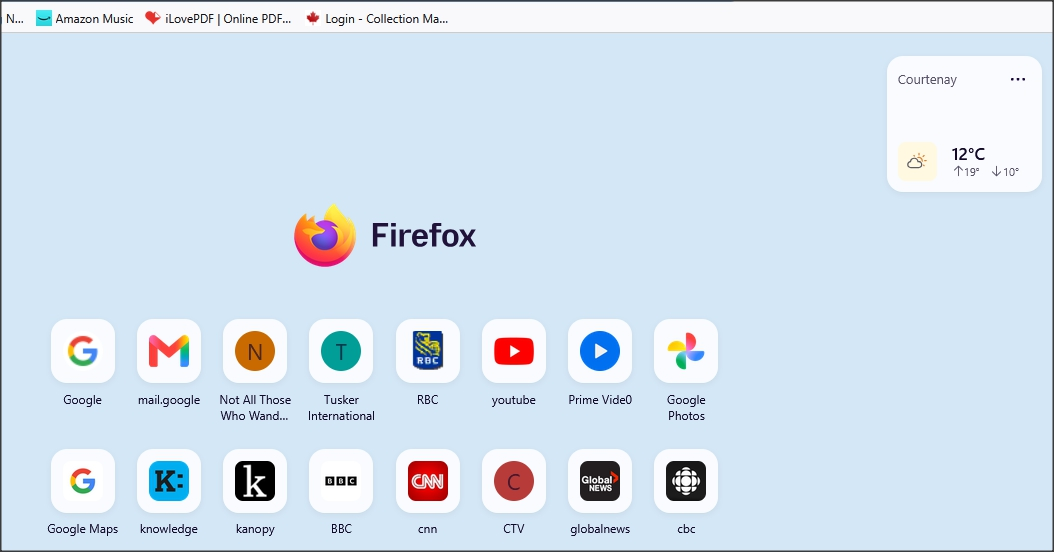
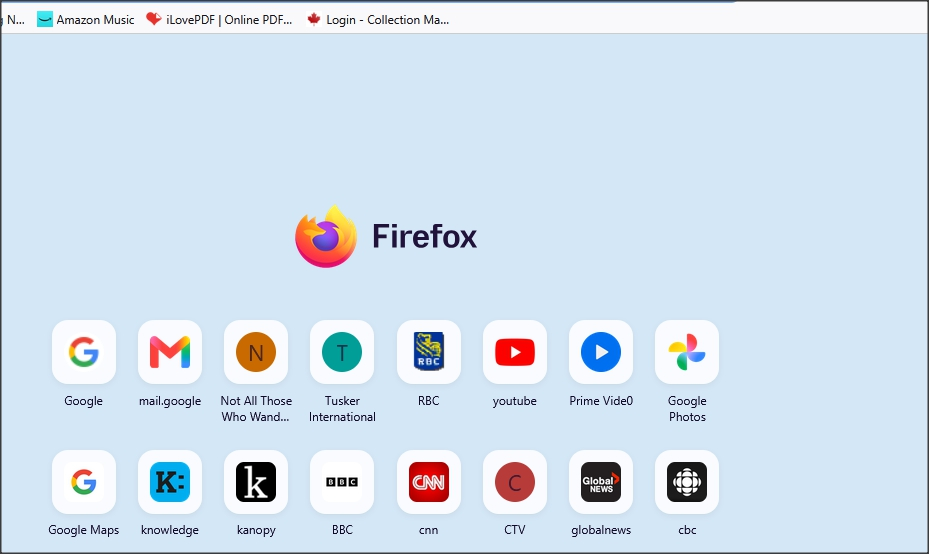
Minimize the blank space above the FF logo on my home screen

Whether or not I activate the "weather" display (top right of home screen), the blank space above the FF logo remains.
I have 4 shortcut rows displayed and have to scroll down so that I see the bottom row - this is a pain. If I could eliminate the blank "weather space" above the FF logo, my home screen would display all 4 rows properly i.e., no need to scroll up and down.
Thanks!
Tutte le risposte (1)

Doug, unless if someone else suggests something more suitable, you might be able to (temporarily) revert back to the previous version of the New Tab page by going to about:config, searching for "browser.newtabpage.activity-stream.nova.enabled" and setting it to false. It's a possible workaround at least.
Also, the developers are listening to feedback on the new New Tab page at the link below, so it might be worth posting yours there if you wanted to. https://connect.mozilla.org/t5/discussions/firefox-151-introduces-a-fresh-new-look-for-home-amp-new-tab/td-p/125715