


I cant see when I get emails in thunderbird email when its in a thread

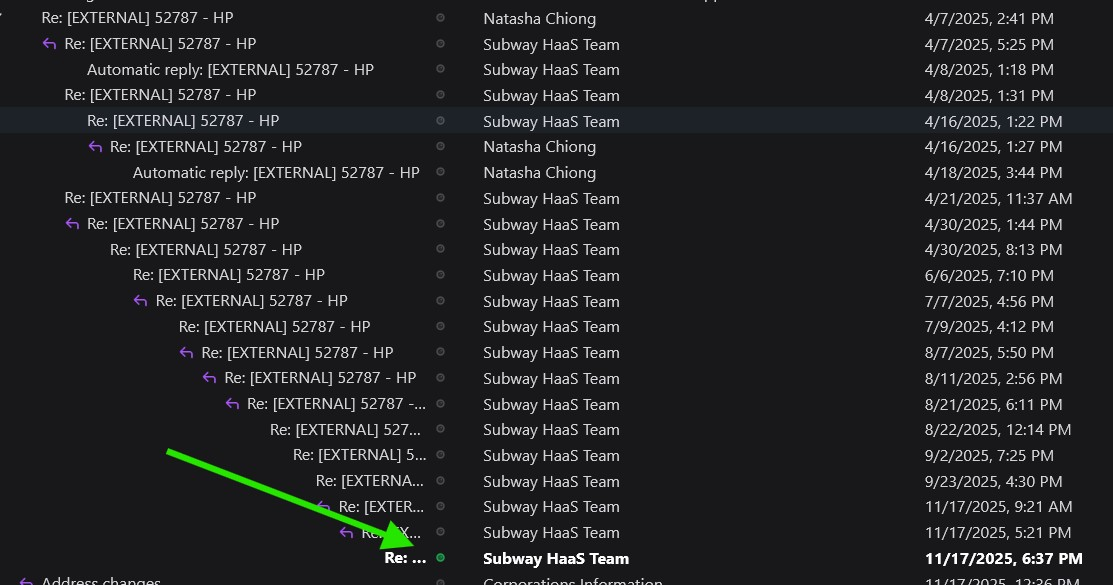
I'm always missing emails because they are in a thread. Is there a way to make the new email green dot go off on the thread, or have all the threads automatically open or something so I know when I get an email? I miss them for days until I remember that I need to open all the threads one by one. Does the underline on the name etc. mean that there is a new email? That would also help. Been using this for years and never paid attention.
Thank you!!!!

Tutte le risposte (2)
re : Does the underline on the name etc. mean that there is a new email? Yes. When you use 'Threading' and the thread is in a 'collapsed' state, if a new message arrives in that thread, you will notice the thread gets underlined to indicate unread message.
When you expand the thread the unread message will be displayed using bold font and the small green dot icon is displayed as well.
However, there is a much easier method which I would advise you to check it out. When you know you have new unread mail in that folder and it's a pain to find it maybe because the thread is complicated, you can do this: Use the 'Quick Filter' https://support.mozilla.org/en-US/kb/quick-filter-toolbar Click on the envelope icon - tooltip 'Show only unread messages' It will do a fast filter and then only display anything unread. Once you have read emails, click on same icon again to remove the filter and you are back to a normal view.
I use it a lot and it saves so much time and removes all the frustration especially when you have more complicated threads.
There is also a method to make the top message bold, or a specified colour, when it has new messages:
https://support.mozilla.org/en-US/questions/1442668#answer-1642934