

Questa discussione è archiviata.
Inserire una nuova richiesta se occorre aiuto.

Solved
Archiviato
How do I automatically open all current Firefox tabs from one laptop onto a new computer?

How do I automatically open all current Firefox tabs from one laptop onto a new computer? I just set-up Firefox app on a new laptop computer, and want to automatically reopen all the tabs that I have open on the old computer onto the new one?
How do I do this without going individual tab by tab?
Thank you for your help.
How do I automatically open all current Firefox tabs from one laptop onto a new computer? I just set-up Firefox app on a new laptop computer, and want to automatically reopen all the tabs that I have open on the old computer onto the new one?
How do I do this without going individual tab by tab?
Thank you for your help.
Tutte le risposte (1)

Soluzione scelta
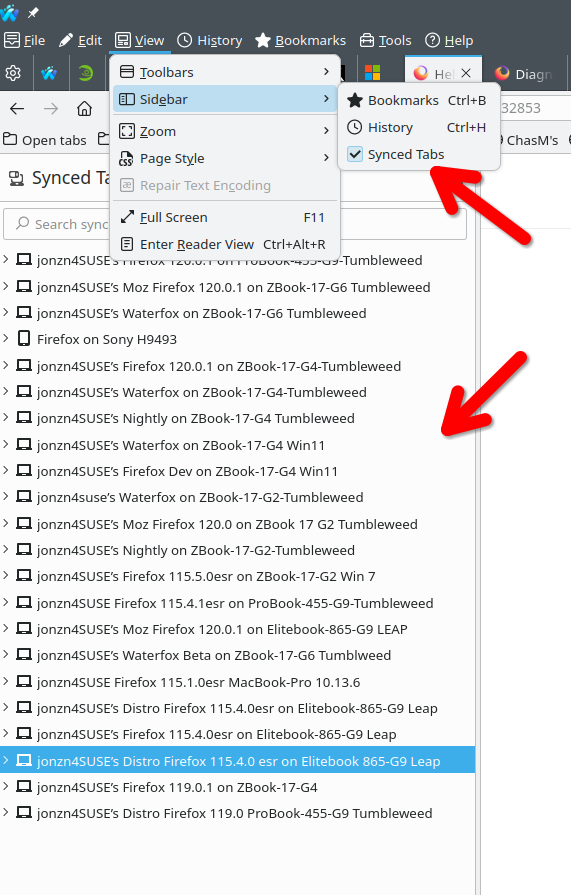
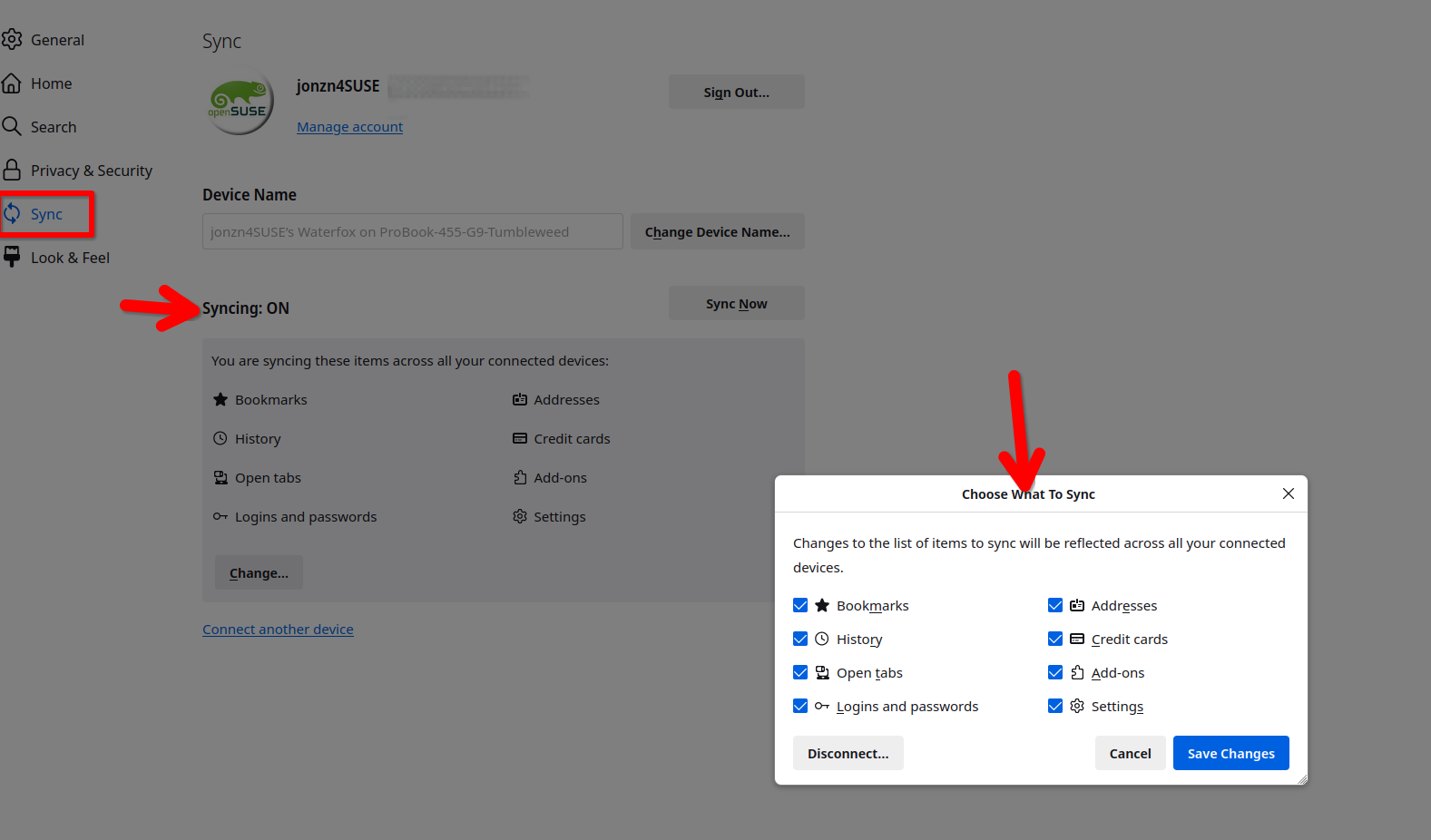
Are you logged into the same sync account on both devices? If so, then you should be able to see in the synced tabs. see screenshot They do not automagically open, you have open the tabs from device 1 via sync on device 2.
https://support.mozilla.org/en-US/kb/how-do-i-set-sync-my-computer https://support.mozilla.org/en-US/kb/how-do-i-choose-what-information-sync-firefox
Modificato da jonzn4SUSE il