


How do I restore emails from an email backup?

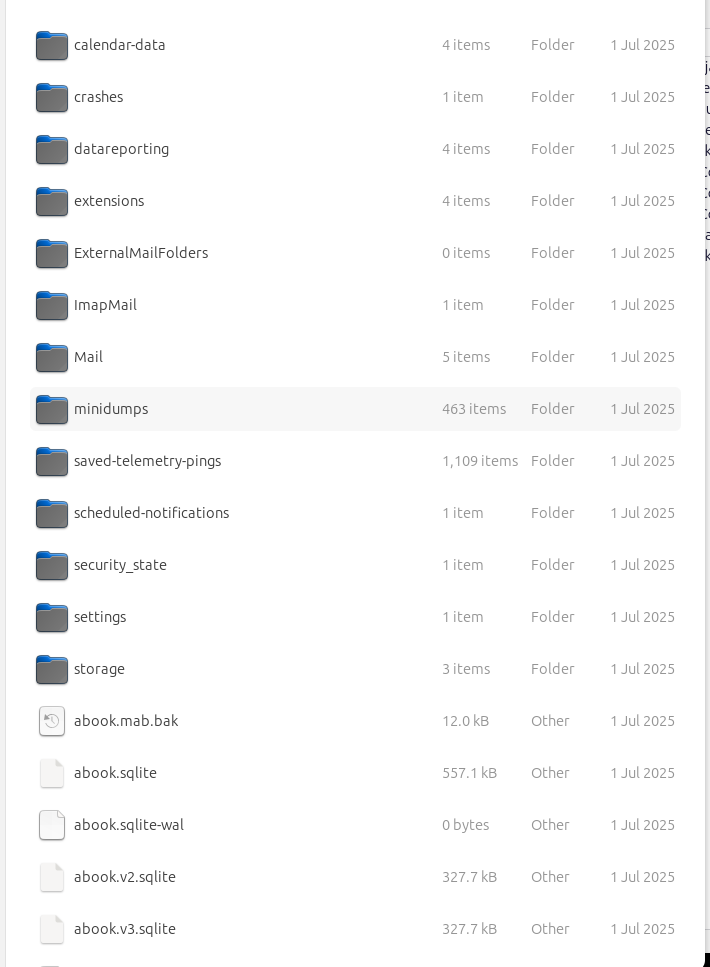
How do I restore emails from an email backup (that is NOT a backed-up profile zip file) that has been saved using ImportExportToolsNG? I used ImportExportTools NG to create an email backup. The backup is in the forms of files in a set of folders (calendar-data, crashes, datareporting, extensions etc.). It is not in the form of a zip file.
Tutte le risposte (10)
The easiest way is to use the importexport addon. Or you could use tools>import>importfromathunderbirdinstallation and then tick import a profile.
If you don't want to import a complete profile, but just mail folders, right-click Local Folders, IET NG, Import mbox files... Browse your backup structure to Mail/<popservername>, Mail/Local Folders or ImapMail/<imapservername> for mbox files (large files with no extension, named after folders).
sfhowes said
If you don't want to import a complete profile, but just mail folders, right-click Local Folders, IET NG, Import mbox files...
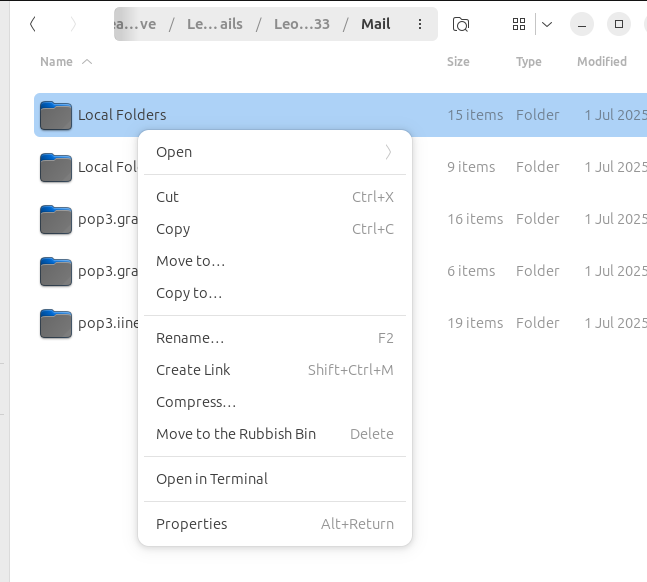
I found “Local Folders” and “Local Folders-1” inside the “Main” folder of my backup. When I right-click on I do not see an “IET NG” option when I click on either of those folders.
david said
The easiest way is to use the importexport addon. Or you could use tools>import>importfromathunderbirdinstallation and then tick import a profile.
Can you explain how to restore from an email backup, as distinct from restoring from a saved profile? I have only one saved Thunderbird profile. When I try to import from it, Thunderbird reports, “The selected ZIP file is larger than 2GB. Please extract it first, then import from the extracted folder instead.” When I try to extract it, I get a message, “There was an error while extracting “Thunderbird_profile_backup.zip – Damaged Zip archive.”
leon.arundell said
sfhowes said
If you don't want to import a complete profile, but just mail folders, right-click Local Folders, IET NG, Import mbox files...I found “Local Folders” and “Local Folders-1” inside the “Main” folder of my backup. When I right-click on I do not see an “IET NG” option when I click on either of those folders.
Open TB and right-click Local Folders in the Folder Pane, then ImportExportTools NG (assuming you've installed the add-on).
I am a bit confused. You mentioned exporting from the importexport addon , which does not create a zip file, and then you post that you have a large zip file. Please clarify what you have, as the screenshot you posted was not zipped.
sfhowes said
.</blockquote> Open TB and right-click Local Folders in the Folder Pane, then ImportExportTools NG (assuming you've installed the add-on). </blockquote> When I tried that, I got an error message: "normalizeError@resource://gre/modules/ExtensionCommon.sys.mjs:855:12 wrapPromise/</<@resource://gre/modules/ExtensionCommon.sys.mjs:1005:23" </p>
david said
I am a bit confused. You mentioned exporting from the importexport addon , which does not create a zip file, and then you post that you have a large zip file. Please clarify what you have, as the screenshot you posted was not zipped.
I cannot use my zipped profile backup, because the file is damaged. I want to import emails from an email backup.
Try this: Help/Troubleshooting Info, Profile Folder, Open Folder, close TB, copy the mbox files mentioned in my first reply into Mail/Local Folders, then restart TB and look under Local Folders in the Folder Pane.
sfhowes said
Try this: Help/Troubleshooting Info, Profile Folder, Open Folder, close TB, copy the mbox files mentioned in my first reply into Mail/Local Folders, then restart TB and look under Local Folders in the Folder Pane.
I cannot find any mbox or mbx files in my email backup.