


O365 Folder Sync: TBSync

I've installed TBSync with Thunderbird and my O365 calendar is now syncing.
However, my email subfolders are not fully updating.
I have a # of subfolders I've created in O365 but they aren't appearing in TBSync in order to choose them to sync in Thunderbird. I am getting some (what I would call 'standard') subfolders in TBSync to choose such as Contact, Calendar, Tasks, and some other email accounts I have 'sync'd' into O365, but none of the actual email subfolders for the O365 account itself (i.e. 2024 Financials).
In Thunderbird, the only folders I see to sync (Synchronization & Storage > Advanced)are: Inbox, Draft, Sent, and Trash
What am I doing wrong or missing?
Soluzione scelta
Thanks for the reply sfhowes.
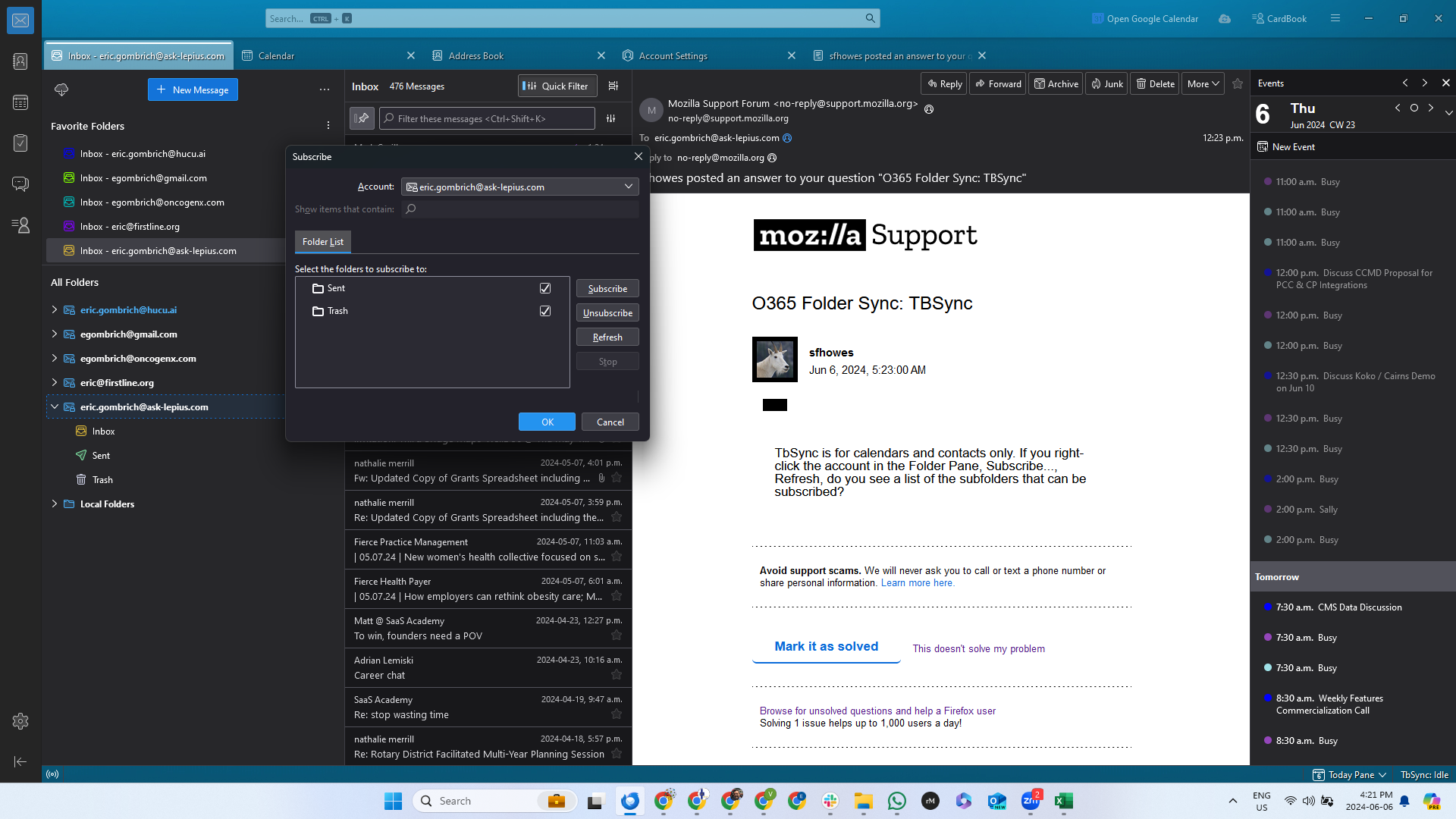
It only shows Sent and Trash folders. And this is AFTER clicking subscribe and refresh. And then even trying Unsubscribe + refresh and then Subscribe + Refresh.
???
Leggere questa risposta nel contesto 👍 0Tutte le risposte (3)
TbSync is for calendars and contacts only. If you right-click the account in the Folder Pane, Subscribe..., Refresh, do you see a list of the subfolders that can be subscribed?
Soluzione scelta
Thanks for the reply sfhowes.
It only shows Sent and Trash folders. And this is AFTER clicking subscribe and refresh. And then even trying Unsubscribe + refresh and then Subscribe + Refresh.
???
I figured it out. Was a setting / config on the O365 side.
Thanks