


Fonts suddenly too small

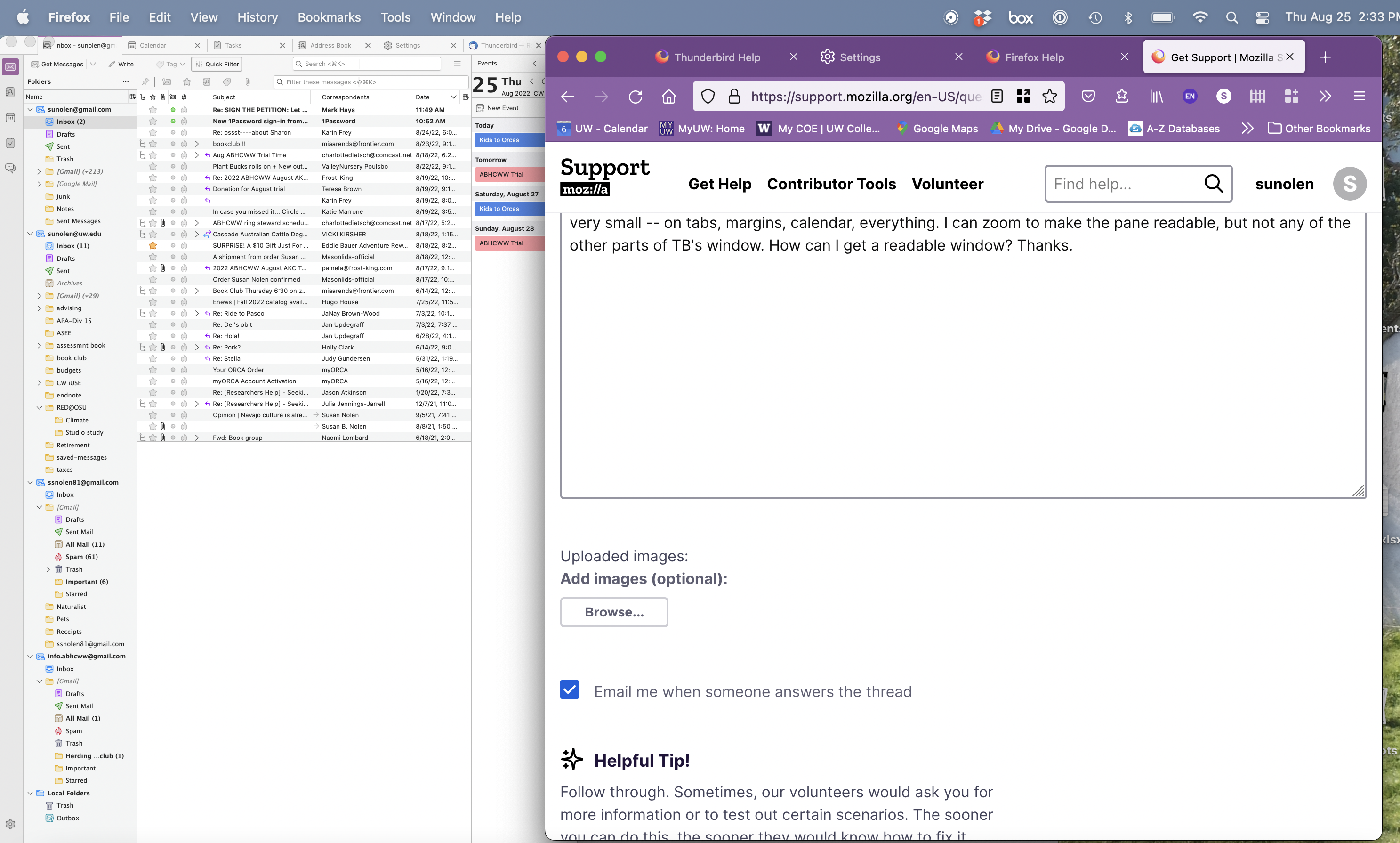
Yesterday TB looked fine. I have the most recent mac version on a recent macbook pro running Monterrey 12.5.1. Today suddenly all the fonts are tiny. Please see the screen shot attached showing TB next to my Firefox window to see the comparison. I can manually zoom a pane to increase the font size, but all of the menus, tabs, lists, etc. are tiny. What happened? Can I change it back? It is not usable as is. thanks.
Tutte le risposte (2)
Soluzione scelta
Thunderbird does have a way of changing the overall pixel size.
- Menu icon > Settings > General
- Scroll to bottom and click on 'Config Editor' button
It opens in new tab
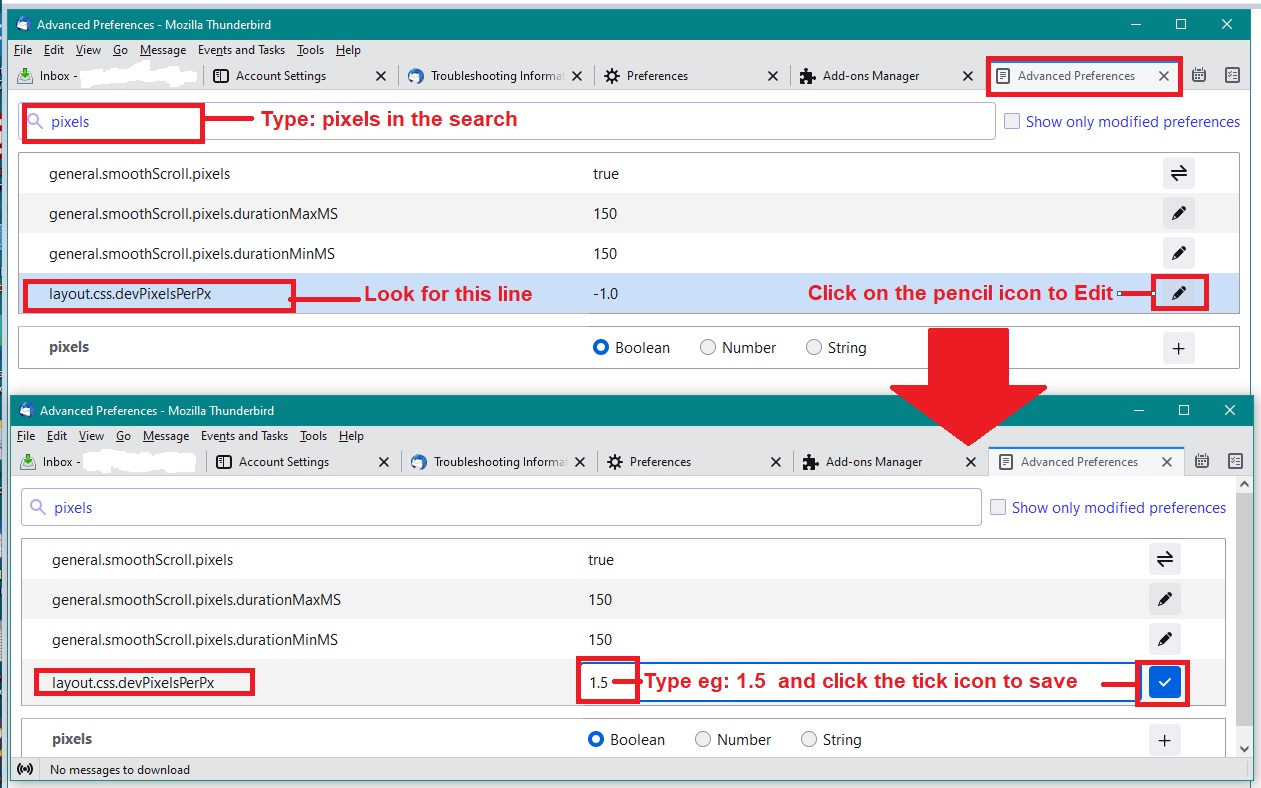
- In top search type: pixels
- look for this line : layout.css.devPixelsPerPx
The default setting is a negative number -1.0
- click on the pencil icon on the right - it allows you to edit that number.
IF you were on a Windows OS, I would advise you try the following: clear the negative number completely and enter a positive number : 1.5 You would see instant change and can modify/edit that number as required eg: 1.25 or 2.0
However, a Mac has a much smaller pixel size in general than Windows, so if you entered those numbers you might not see much change. Instead try a positive number starting with: 3.0 click on the tick icon on right to save.
Increase if required to : 3.5 or gradually higher in increments of 0.5
You will see instant change so will know when it is the correct number for you.
Do not just jump to a really high number because if screen suddenly goes too large you will not be able to do anything. In those situations you would have to exit Thunderbird, ask for help and it would require accessing the profile and manually editing the 'prefs.js' file to get it back to a reasonable size to gain good access.
Image below as a guide.
Oh, thank you, thank you for your very prompt and helpful reply! This did the trick.