


Firefox HTML documents changed to Firefox PDF documents
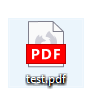
Recently, most of my PDF files that I open with Firefox have changed their icons from the Firefox HTML document icon (the purple icon in the image attached) to the Firefox PDF icon (the red icon in the image attached). Is it possible for me to change the icons back without downloading third-party software?


Soluzione scelta
Hello 2003jjl,
You can change your Firefox PDF icons back to the old icon by using the Windows Registry Editor. First, type "Registry Editor" into your Windows search bar.
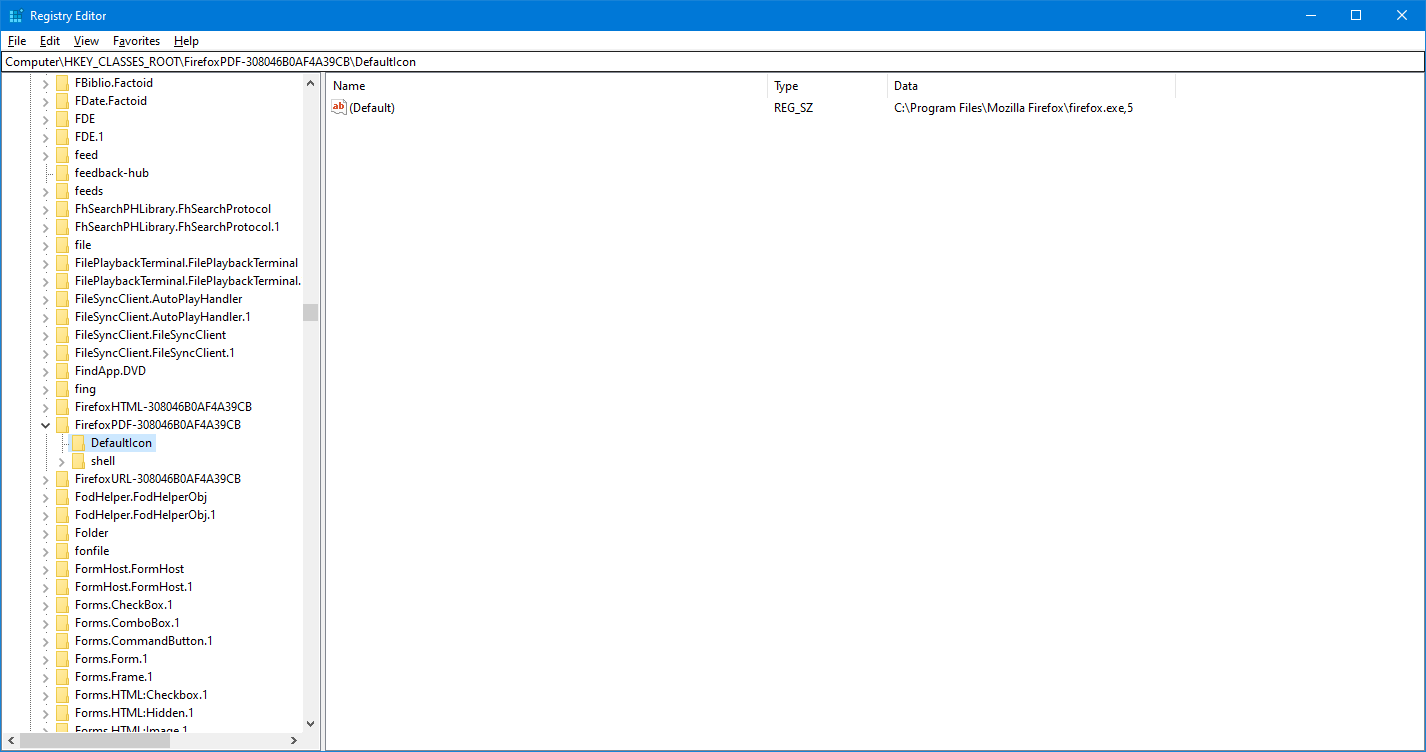
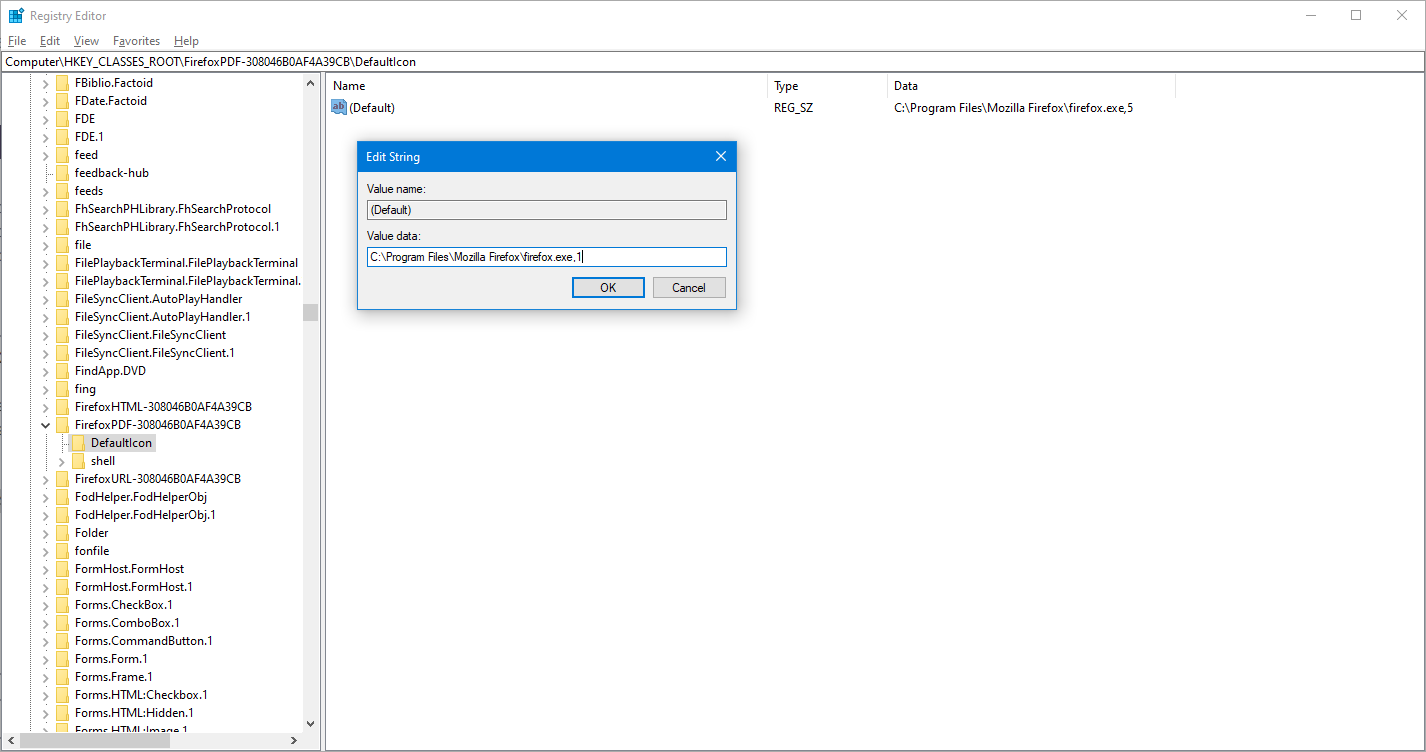
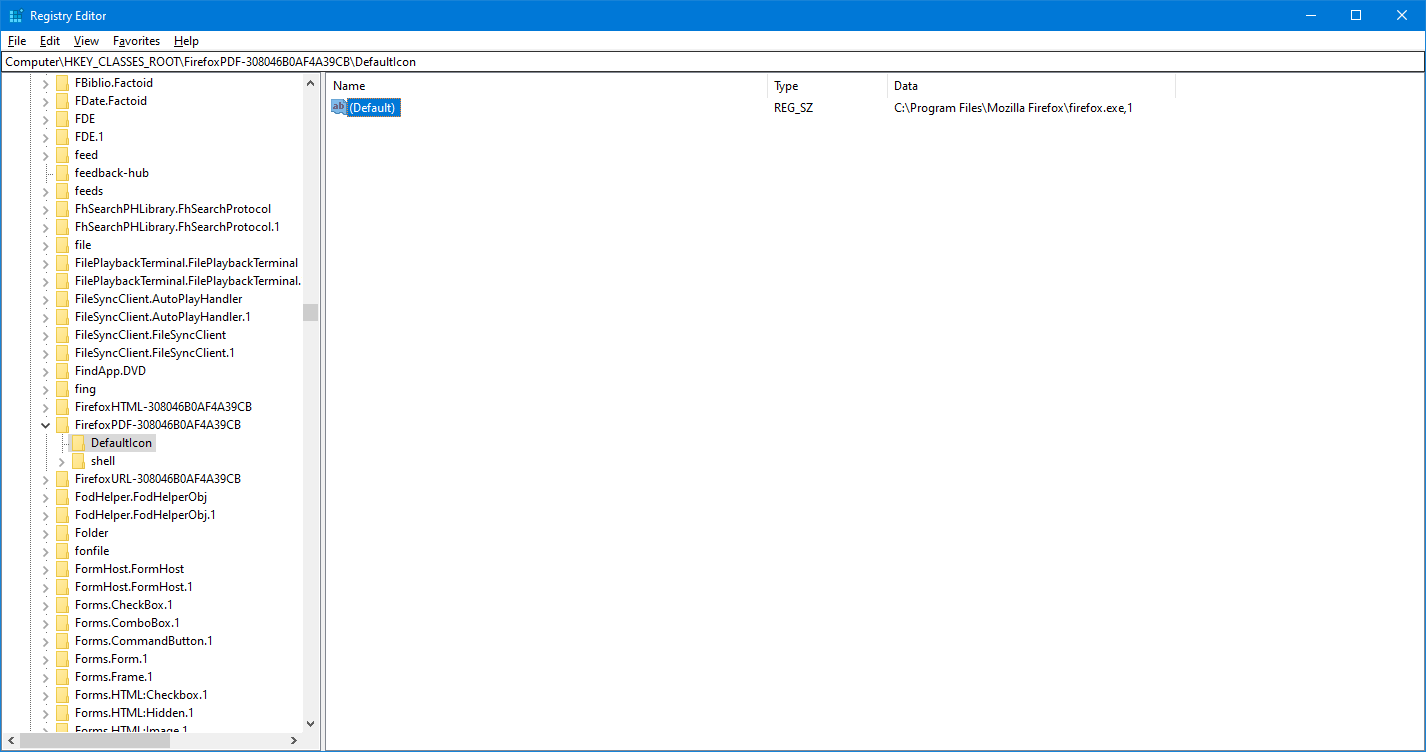
Then, in the Registry Editor side panel, navigate to "Computer\HKEY_CLASSES_ROOT\FirefoxPDF\DefaultIcon". In there, double-click the (Default) name string and change the final number in the "Value data" string from 5 to 1. Then click "OK".
Finally, type in "ie4uinit.exe -show" in your Windows search bar to refresh shell icons for Windows and you will see that the PDF icon for Firefox has successfully been changed.
Attached are screenshots of me personally trying this out. You can refer to them if you need additional context.
Kindly mark this answer as the solution(solved) if it managed to help you!
Leggere questa risposta nel contesto 👍 1Tutte le risposte (2)

Soluzione scelta
Hello 2003jjl,
You can change your Firefox PDF icons back to the old icon by using the Windows Registry Editor. First, type "Registry Editor" into your Windows search bar.
Then, in the Registry Editor side panel, navigate to "Computer\HKEY_CLASSES_ROOT\FirefoxPDF\DefaultIcon". In there, double-click the (Default) name string and change the final number in the "Value data" string from 5 to 1. Then click "OK".
Finally, type in "ie4uinit.exe -show" in your Windows search bar to refresh shell icons for Windows and you will see that the PDF icon for Firefox has successfully been changed.
Attached are screenshots of me personally trying this out. You can refer to them if you need additional context.
Kindly mark this answer as the solution(solved) if it managed to help you!

Modificato da YongHan il
Deleted duplicate post that required moderator approval due to file path text. Refer to my post above.
Modificato da YongHan il