


Windows 10 reached EOS (end of support) on October 14, 2025. If you are on Windows 10, see this article.

Cerca nel supporto

Attenzione alle mail truffa. Mozilla non chiederà mai di chiamare o mandare messaggi a un numero di telefono o di inviare dati personali. Segnalare qualsiasi attività sospetta utilizzando l'opzione “Segnala abuso”.

Ulteriori informazioni
Questa discussione è archiviata. Inserire una nuova richiesta se occorre aiuto.
Archiviato

Firefox on Android 10 - videos being cropped and not centered on screen (YouTube) or not even playing (Vimeo)

Phoenixmgs risposto
Phoenixmgs

I just got a new phone (Moto G8 Power) with Android 10 and playing videos has several problems. I have the latest Firefox (68.11.0) installed and I tried the Beta version and another version as well, same problems. When I play Youtube videos, Firefox shifts the video to the right side of the screen going into the "navigation button" area and crops some of the video as well. I uploaded 2 screenshots as you can see how the "good" one is far more centered and that also allows you to compare it to the "bad" and see how much of the video actually gets cropped off. I was able to get Firefox to play the fullscreen video properly using an extension (YouTube High Definition) that allows you to set the video size to "full page" but that only works sometimes so not really a good workaround at all. There's also other sites where videos won't even play like Vimeo, which works fine on my old phone with an updated Firefox installed. I've tried several other browsers (Edge, Chrome, Vivaldi) and they all play YouTube videos properly (not opening in the YouTube app either). I much prefer the browsing of Firefox overall but for videos it's a no-go right now.
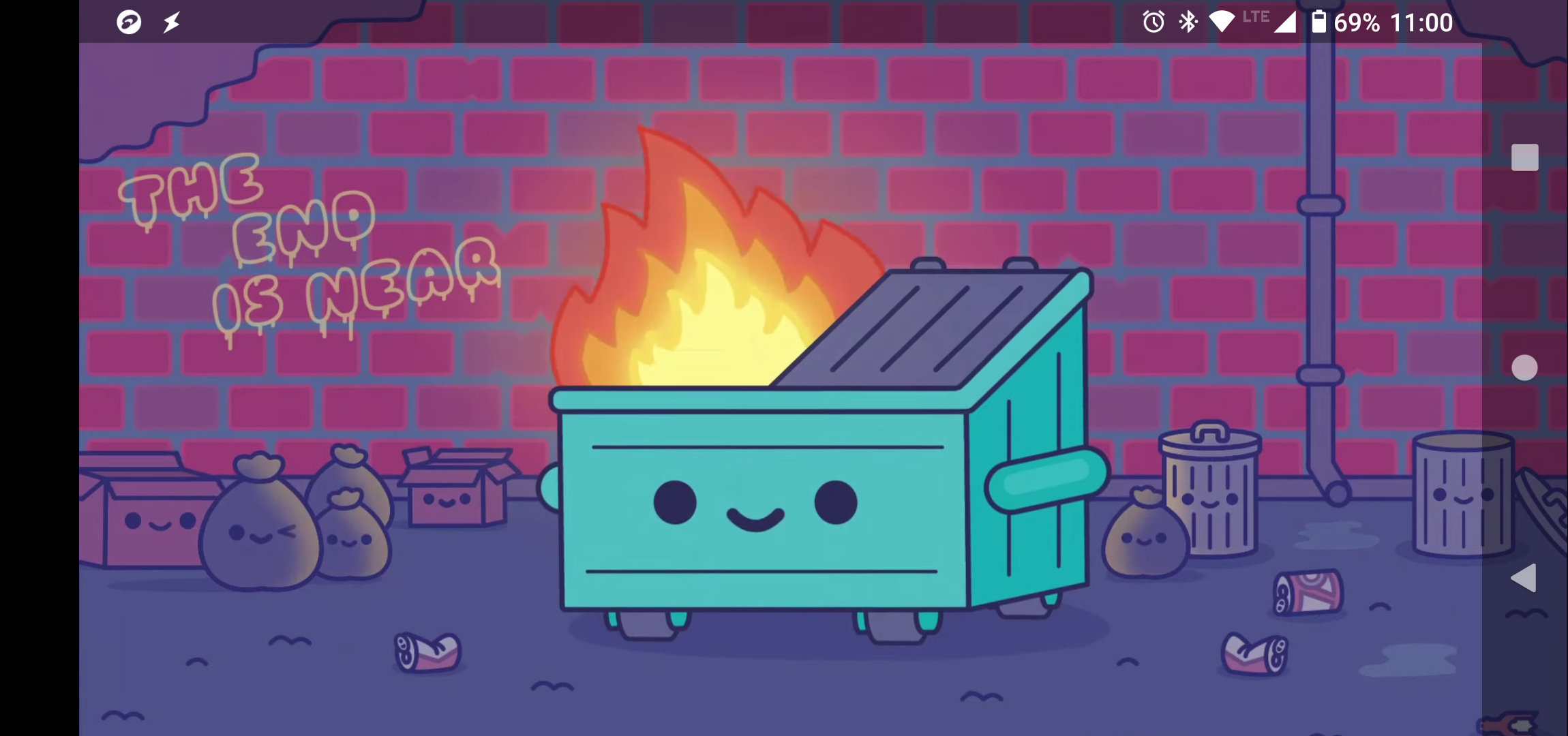
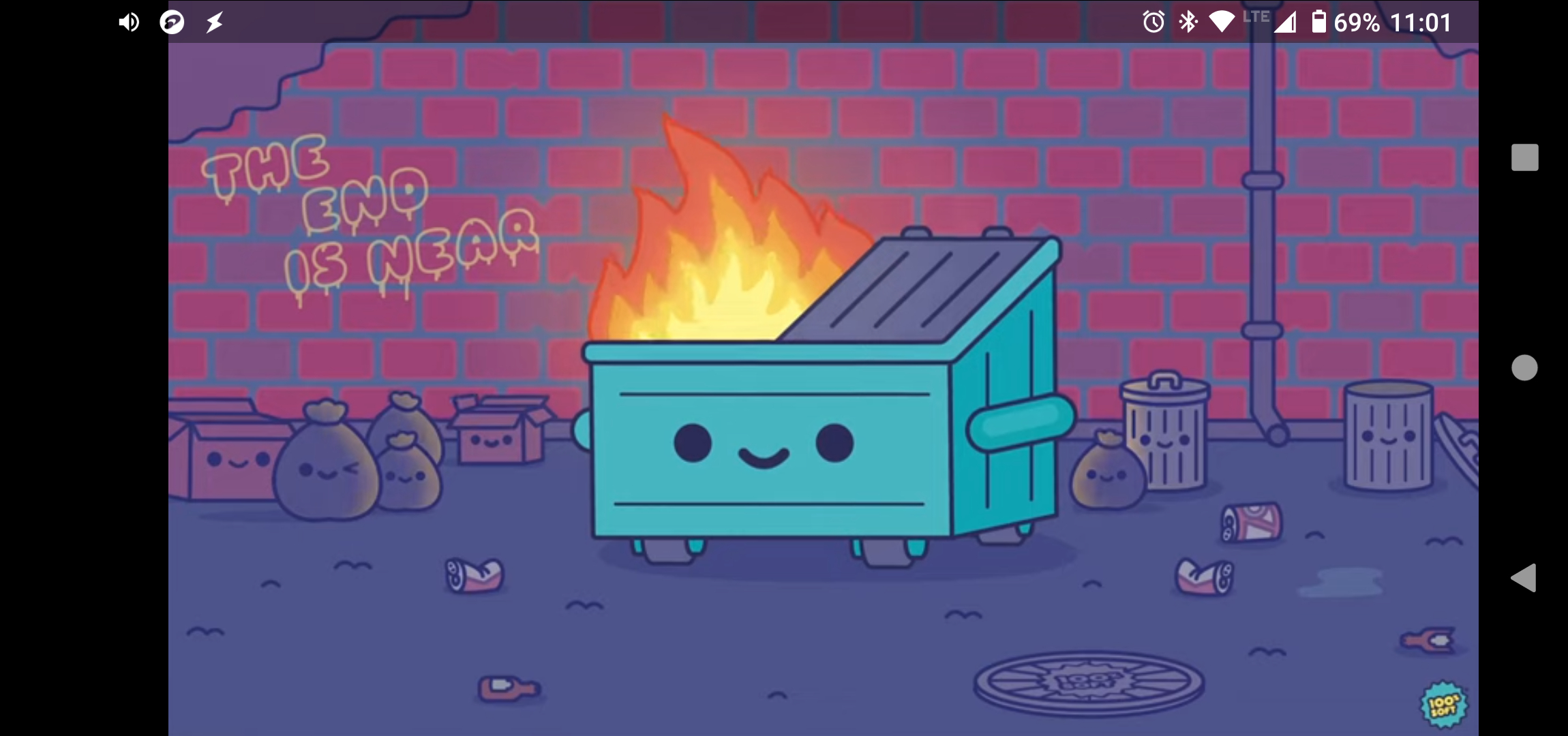
I just got a new phone (Moto G8 Power) with Android 10 and playing videos has several problems. I have the latest Firefox (68.11.0) installed and I tried the Beta version and another version as well, same problems. When I play Youtube videos, Firefox shifts the video to the right side of the screen going into the "navigation button" area and crops some of the video as well. I uploaded 2 screenshots as you can see how the "good" one is far more centered and that also allows you to compare it to the "bad" and see how much of the video actually gets cropped off. I was able to get Firefox to play the fullscreen video properly using an extension (YouTube High Definition) that allows you to set the video size to "full page" but that only works sometimes so not really a good workaround at all. There's also other sites where videos won't even play like Vimeo, which works fine on my old phone with an updated Firefox installed. I've tried several other browsers (Edge, Chrome, Vivaldi) and they all play YouTube videos properly (not opening in the YouTube app either). I much prefer the browsing of Firefox overall but for videos it's a no-go right now.
Immagini allegate

Tutte le risposte (1)

I found an Firefox apk that's v79.0.4 and still the same issue. Also I forgot to mention in the opening post that YouTube plays properly when I play it using the Desktop Site on v68 but not on this new v79 though.