Bypass Problem

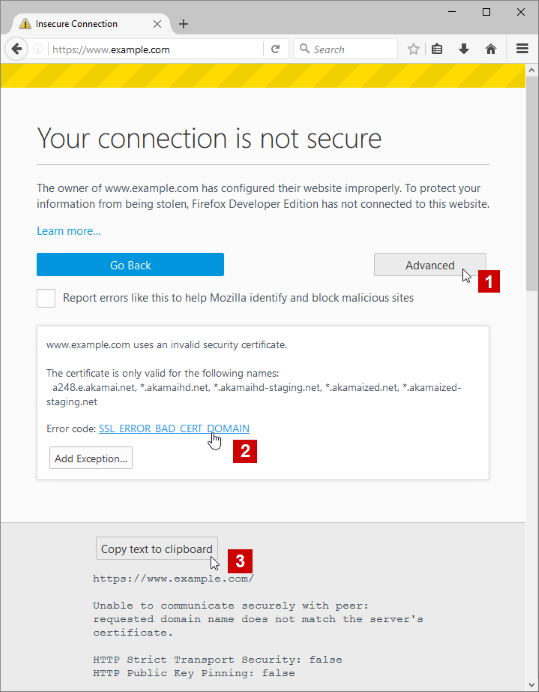
When I tried to download a new update for Firefox, it just sends me an error "The owner of download.mozilla.org has configured their website improperly. To protect your information from being stolen, Firefox has not connected to this website.
This site uses HTTP Strict Transport Security (HSTS) to specify that Firefox may only connect to it securely. As a result, it is not possible to add an exception to this certificate."
Tutte le risposte (2)
Hi, no info came regarding your Extensions you are usinf so could you please try in : SAFE MODE
- https://support.mozilla.org/kb/Safe+Mode
- https://support.mozilla.org/kb/Troubleshooting+extensions+and+themes
In Firefox Safe mode these changes are effective:
- all extensions are disabled (about:addons)
- default theme is used (no persona)
- userChrome.css and userContent.css are ignored (chrome folder)
- default toolbar layout is used (file: localstore-safe.rdf)
- Javascript JIT compilers are disabled (prefs: javascript.options.*jit)
- hardware acceleration is disabled (Options > Advanced > General)
- plugins are not affected
- preferences are not affected
TEST''''is issue still there ?

There is security software like Avast, Kaspersky, BitDefender and ESET that intercept secure connections and send their own certificate.
https://support.mozilla.org/en-US/kb/firefox-cant-load-websites-other-browsers-can
https://support.mozilla.org/en-US/kb/firefox-and-other-browsers-cant-load-websites
https://support.mozilla.org/en-US/kb/secure-connection-failed-error-message
https://support.mozilla.org/en-US/kb/connection-untrusted-error-message
http://kb.mozillazine.org/Error_loading_websites
- uses an invalid security certificate SSL_ERROR_BAD_CERT_DOMAIN
- configured their website improperly
How to troubleshoot the error code "SEC_ERROR_UNKNOWN_ISSUER" on secure websites https://support.mozilla.org/en-US/kb/troubleshoot-SEC_ERROR_UNKNOWN_ISSUER