


Why does Firefox refuse to connect to Mozilla's own sites? Is Mozilla going to fix their security certificates?

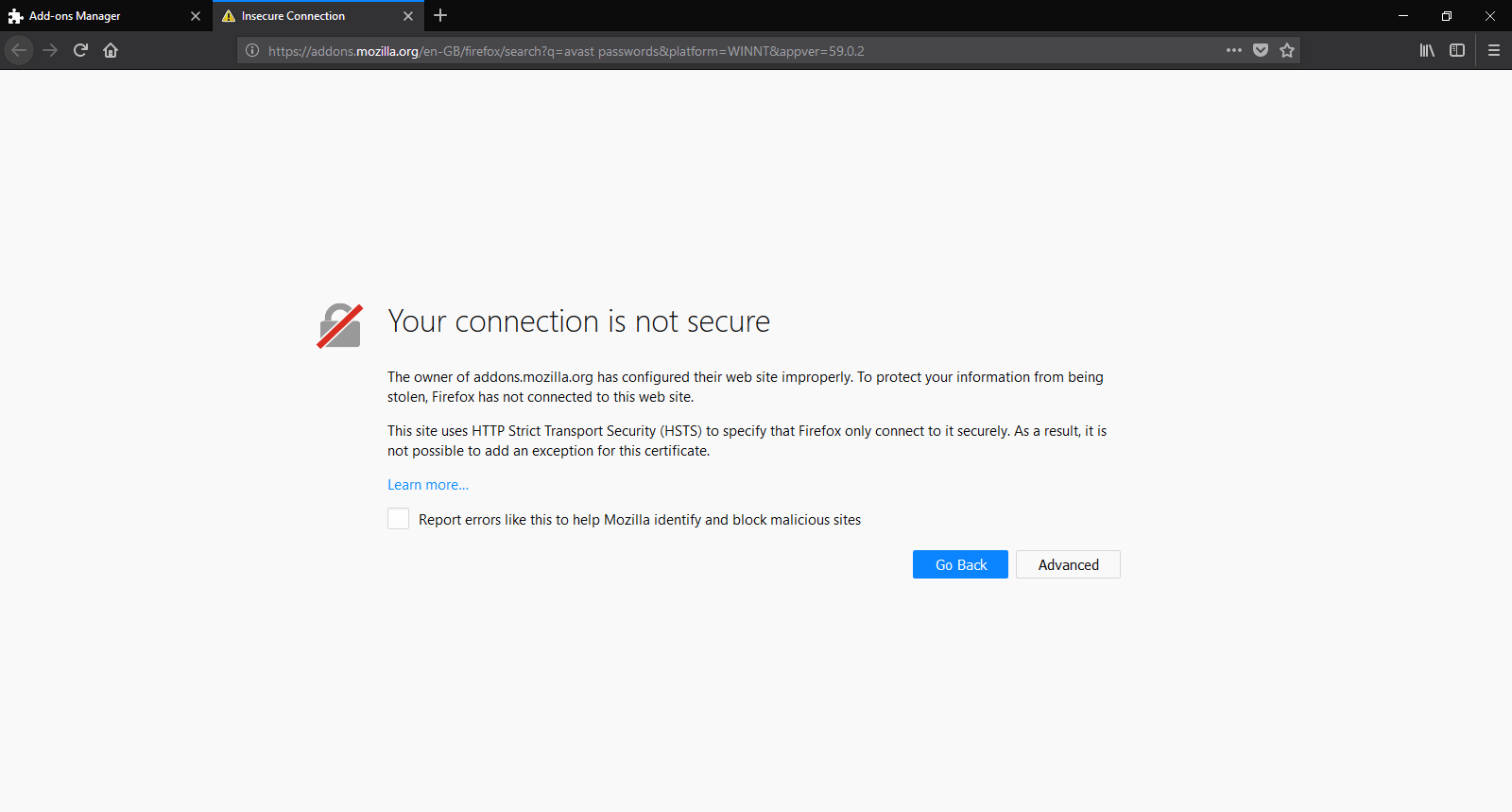
Seriously, Firefox, Mozilla's own browser is refusing to connect to Mozilla's own sites. I've tried to go to Mozilla's web page for addons, accounts and even this very support forum (Im using Chrome right now to write this post) and it refuses. It also won't connect to Google to search with either.
Is Mozilla going to fix these issues with their sites own security certificates and whatnot? I can appreciate their browsers emphasis on security and privacy (which is why Im trying to switch from Chrome to them) but their not making it easy to be honest.
Modificato da user1481857 il
Tutte le risposte (6)

Soluzione scelta
There is security software like Avast, Kaspersky, BitDefender and ESET that intercept secure connections and send their own certificate.
https://support.mozilla.org/en-US/kb/firefox-cant-load-websites-other-browsers-can
https://support.mozilla.org/en-US/kb/firefox-and-other-browsers-cant-load-websites
https://support.mozilla.org/en-US/kb/secure-connection-failed-error-message
https://support.mozilla.org/en-US/kb/connection-untrusted-error-message
http://kb.mozillazine.org/Error_loading_websites
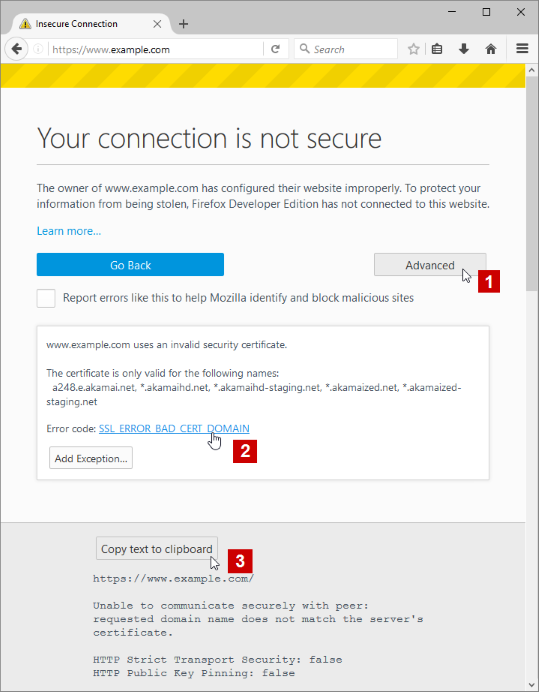
- uses an invalid security certificate SSL_ERROR_BAD_CERT_DOMAIN
- configured their website improperly
How to troubleshoot the error code "SEC_ERROR_UNKNOWN_ISSUER" on secure websites https://support.mozilla.org/en-US/kb/troubleshoot-SEC_ERROR_UNKNOWN_ISSUER
Interesting. Im gonna review my AV Software (using Avast) and see if their screwing with my settings.) Thanks for the tip.
Also just in case, make sure your system date/time is correct.
Hmm, it looks like you were right Fred. I just turned off my Avast "shields" for 10 minutes and almost instantly Google and the rest were working as if nothing was wrong.
Thanks for the help, much appreciated. Gonna go tinker further with Avast now to get their damn shields out of the way of my browsing.
Modificato da user1481857 il
I believe I've fixed my Anti-Virus shields so they should cause me no problem anymore. Thanks again Fred. And thanks for your response as well James.
Glad to help. Safe Surfing.