


Why do I keep getting this pop-up box?

I recently installed the latest version of Firefox on my imac. I even updated after receiving the attached pop-up box. This box continues to pop-up all the time. (See attached.)
Tutte le risposte (4)
Sorry, the image upload didn't work, you can attach the image to a reply to yourself at
https://support.mozilla.org/questions/1119538#question-reply
Attaching again.
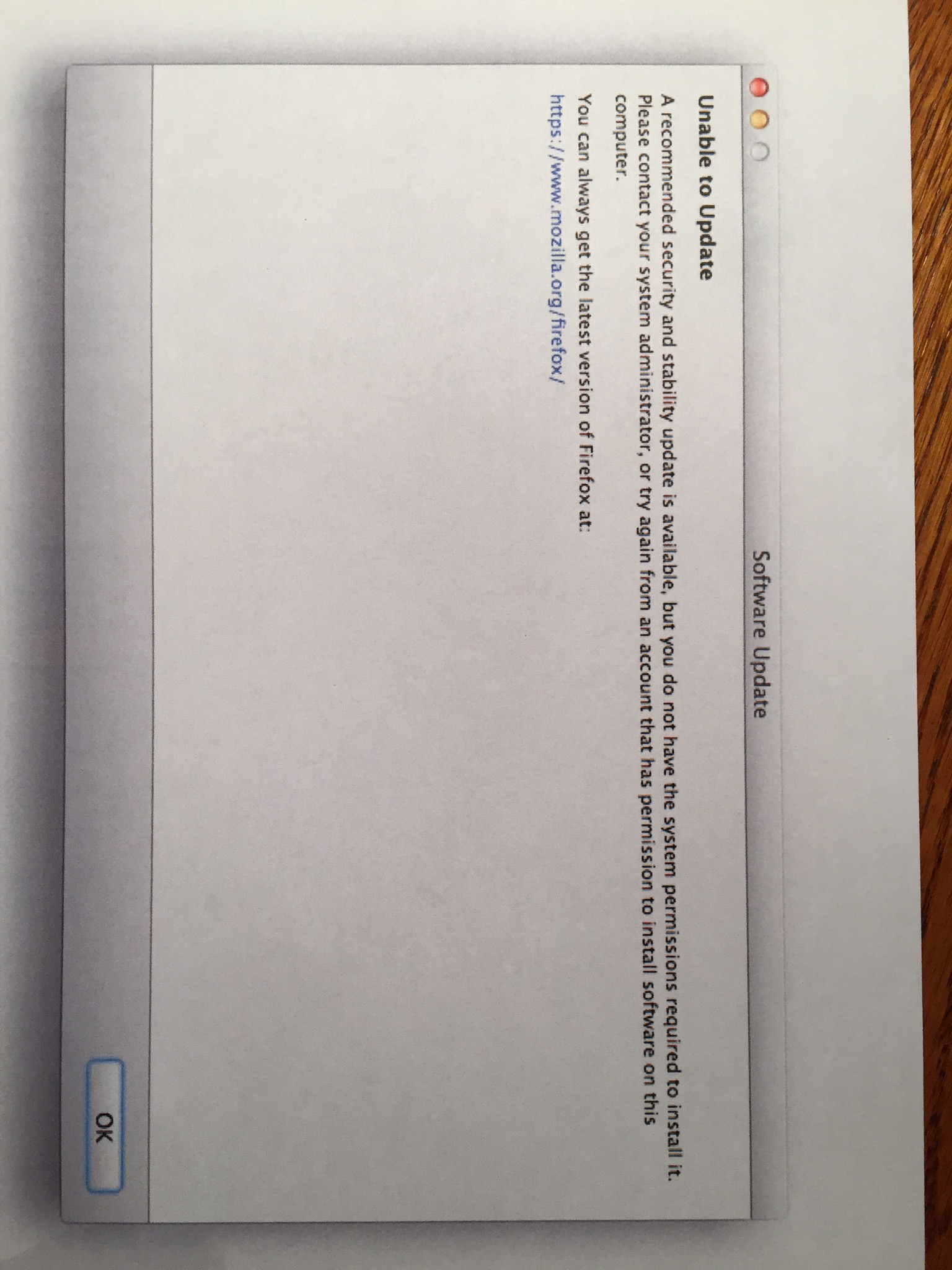
I'm not a Mac person, so you might wait for someone more familiar with Mac to comment.
I have read you can update by "trashing" the Firefox application and installing the latest version. See: How to download and install Firefox on Mac.
But to try to get to the root of the problem, what I found in my research is as follows:
- When I search in Mozilla's bug tracking system, there is active work to fix this problem that seems related: "Unable to update on mac if admin user is not the same admin user as the person who installed firefox". Any fix for that probably won't arrive for a few versions, so, let's set that aside.
- I saw this tip on Apple's forums about changing permissions on the updater: Unable to update firefox | Apple Support Communities. If you try that, let us know whether it helps.
If there a problem with updating or with the permissions then best is to download the full version and trash the currently installed Firefox application to do a clean reinstall.
Download a new copy of the Firefox application and save the Disk Image file to the desktop
- Firefox 45.0.2: *https://www.mozilla.org/en-US/firefox/all/
- Trash the currently installed Firefox application (open the Applications folder in the Finder and drag the Firefox application to the Trash) to do a clean reinstall
- Install the new version that you have downloaded
- https://support.mozilla.org/kb/Installing+Firefox+on+Mac
Your personal data like bookmarks is stored in the Firefox profile folder, so you won't lose personal data when you uninstall and reinstall or update Firefox, but make sure NOT to remove personal data when you uninstall Firefox as that will remove all Firefox profile folders and you lose your personal data.