


wrong language

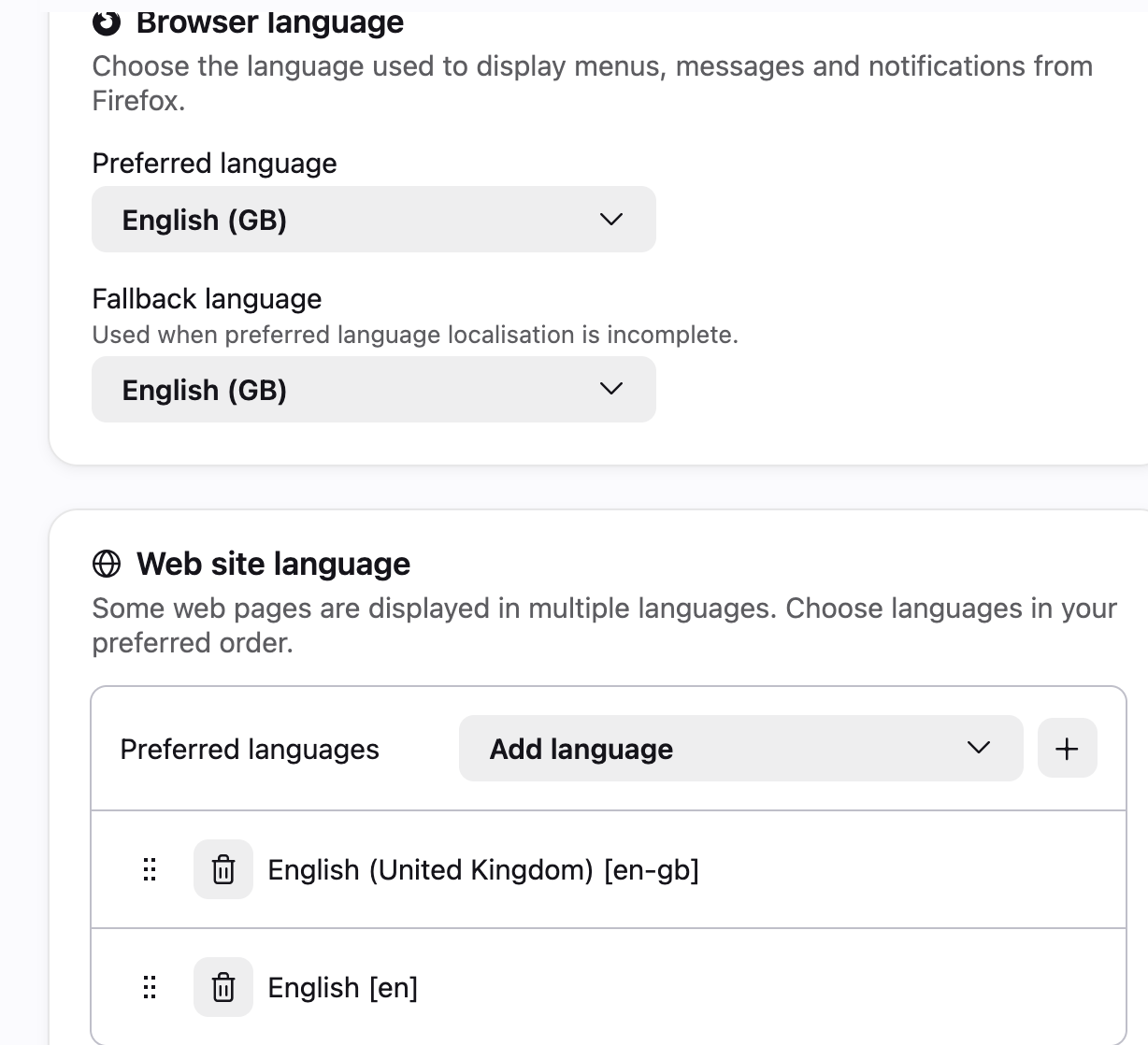
I get messages, questions and info from Firefox in Dutch. My language preferences in setting is English UK across the board. Browser, preferred, fall back and web site language. It works most of the time, apart from with Firefox. What can I do to make Firefox talk English to me?
Semua Balasan (10)
The headings and descriptions on that settings page look English to me. Where exactly are you getting Dutch strings from Firefox? Can you capture it in a screenshot?
Thank you for your reply. Every time Firefox updates I get a page like this [or about VPN or various other Firefox workings]. Also when I try to save something, Firefox always asks me whether I want to save it to 'werkblad'. The whole question is in Dutch, but I understand the gist [I think?]. I have also disabled/blocked AI translations, but that hasn't changed anything. So yes, settings and all that are in English, it's just that Firefox every now and then throws something Dutch at me and I have no idea why. Or how to stop it?
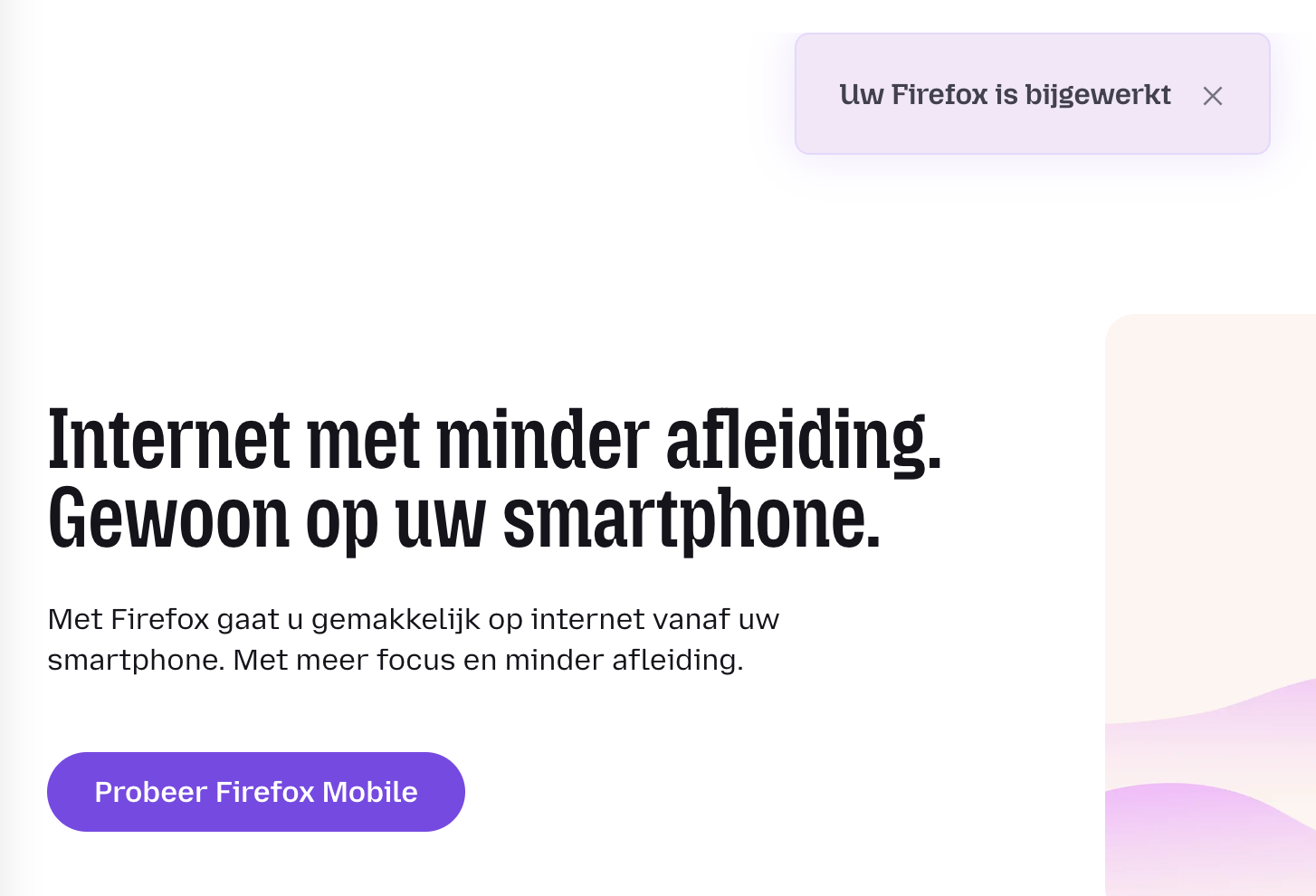
Ooh, that is definitely wrong. The "what's new page" is one specific instance that's coded by the browser locale (the upper part of your settings picture), not the language preferences like normal websites (that would be the lower list on your image), and that should be the same locale like you get for other "in–product" links. Could you please click "Help" › "Get Help" from the menu, or e.g. clicking on any "Learn more" links within the settings panes — to see if they take you to this support site in English, or in Dutch?
If you go to Help › More troubleshooting info, can you please paste here what your "Internationalization & Localization" section shows there?
Thank you, yes, definitely wrong :) Not that it drives me mad -yet- but it's irritating that I can't change it. In my settings I can find 'support', but under support I cannot find the "Internationalization & Localization" section. On the page to entice me to download Firefox for phone is no 'help' or 'support' offered at all. Will investigate a bit more later.
These are the steps: Use the Troubleshooting Information page to help fix Firefox issues
Thank you, just found this, which I think says it all...
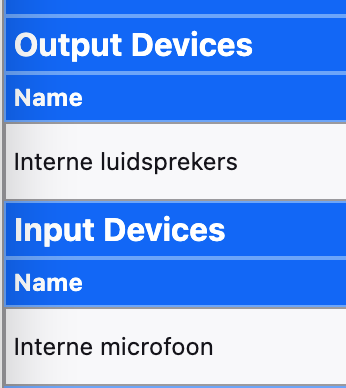
Right, found the following. A lot of the 'locales' mention NL for some reason. Have to check my OS to see why I guess. All pretty random nonetheless...
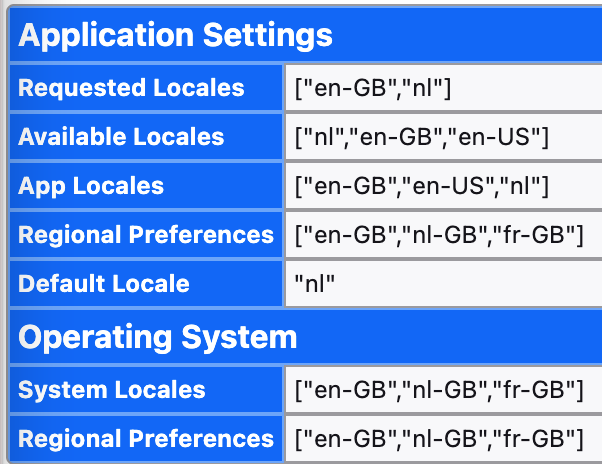
While I can't comment on the reason your macOS itself calls its audio devices or desktop/download folders in Dutch (look in your System Settings app for General › Language & Region for any clues…) — that's not something any Firefox changes can impact, I can at least help get the "default locale" of the Firefox bundle to en–GB which should potentially get rid of some of the corner cases.
It tells that whenever this machine/profile got set up, it not only presented itself as Dutch, but was also offered based on that, and eventually provided with a localized Firefox installer, that then used these international details as its defaults. Seems most of the things have been changed to English afterwards, but to get rid of the actual installation "default", the easiest is to download a new localized installer from firefox.com/download/all/desktop-release/osx/en-GB/ directly, and just replace your existing app with this.
You probably won't see any visible changes, but some of the "fallbacks" like the selected What's New page region should just be aware now that en–GB is your default in any case, as far as the in–product links are concerned.
Yes, thank you! The laptop was bought used & who knows where it has been -or originated- I've not had this problem before [never had a new one] so for the next one I'll investigate a bit more before buying. So yes, I will re-install the en-GB Firefox version & hope that some of those strange 'what's new' hints will change language and my desktop is not a werkblad anymore.
I think you can pretty much change and clean up the macOS locales as well, but the existing user accounts will keep the localized paths if they were already baked into the folder structure.
You might have more success removing any unwanted regional prefs on the system using an account with admin permissions, and then creating new device accounts to migrate to afterwards. (Or, do a backup of data, and a clean system reinstall.)