


how to enable Notification pop-up from web sites?

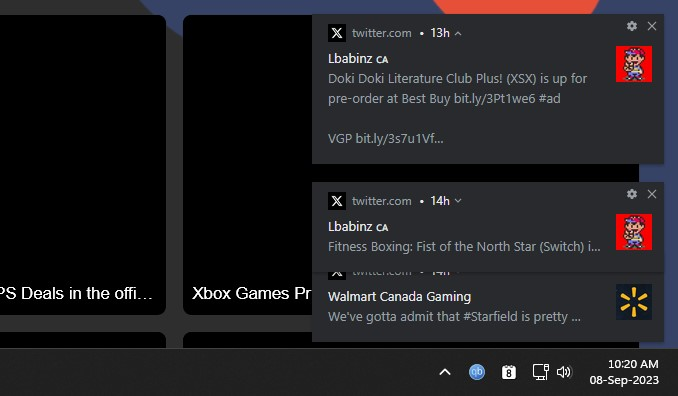
Hi, how do I enable notification web sites pop-up message from the corner of my windows taskbar ie; from my screenshot? I want to switch 100% away from Chrome but this one feature I can't figure out how to enable from web sites like Twitter/youtube/reddit/etc...
Thank you.
Semua Balasan (5)
Make sure you have not enabled private browsing mode aka "Never remember history" as this will prevent notification permission requests. Instead "Use custom settings for history" and untick "Remember browsing and download history".

While on a site where you want to allow pop-ups, open the Info page (using ctl+i) and, on the permissions tab, for Open Pop-up Windows, select Allow.
https://support.mozilla.org/en-US/kb/firefox-page-info-window
See also https://support.mozilla.org/en-US/kb/push-notifications-firefox
thank you for your help. these adjustment settings doesn't work. I also reset to default settings, made a refresh install and no push/pop-up notifications also added allow pop-ups and send notifications.
If you let the cookies expire when you close Firefox (Delete cookies and site data when Firefox is closed) then you may have to create a cookie allow exception for this origin.
You can check the Web Console for possible error messages.
Do you ever see the permission request to authorize notifications?
Check in Windows settings that notifications are allowed for Firefox.
Check that you can access push.services.mozilla. com (hosted by googleusercontent. com) and it is not being blocked by VPN, DNS, firewall or network filter.