


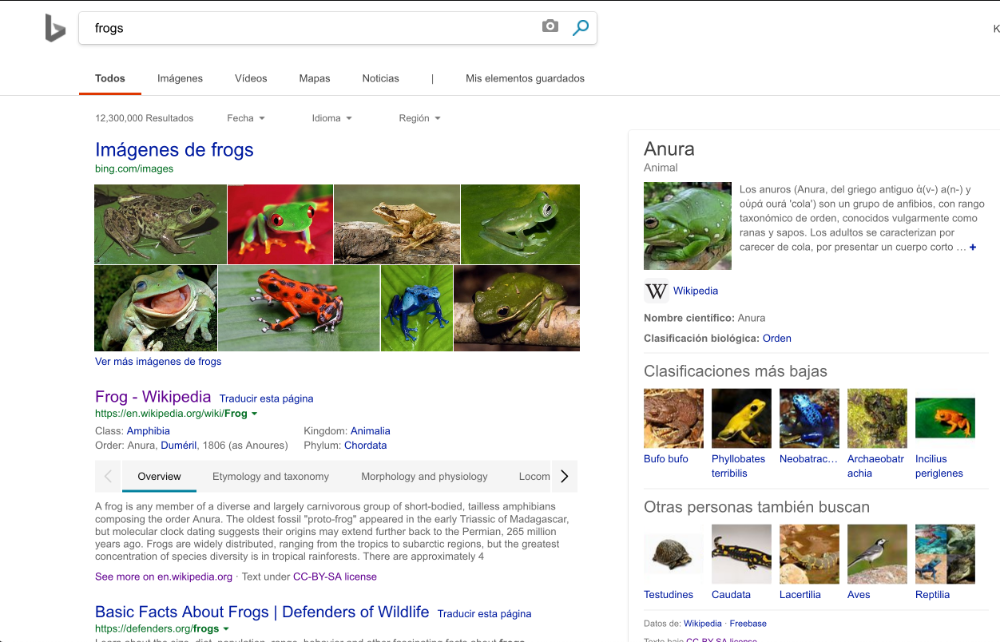
Part of my search results show in a different language

After I do a search, not all of the text is in english, but in a foreign language. How do I get it back to all english?
After I do a search, not all of the text is in english, but in a foreign language. How do I get it back to all english?
Semua Balasan (4)
Are you using VPN/Proxy? That would be why you get search results in different language if that is the case.
I checked my connection settings and VPN/Proxy is not an option. FYI: I use a Mac
Does this show the location your from?
Diperbarui oleh WestEnd pada
Clear the Cache and remove the Cookies from websites that cause problems via the "3-bar" Firefox menu button (Options/Preferences).
"Remove the Cookies" from websites that cause problems:
- Options/Preferences -> Privacy & Security
Cookies and Site Data -> Manage Data
"Clear the Cache":
- Options/Preferences -> Privacy & Security
Cookies and Site Data -> Clear Data -> Cached Web Content: Clear
You can also check the language and region settings on the Google Settings page.