


Firefox 57.0b14 artefacts

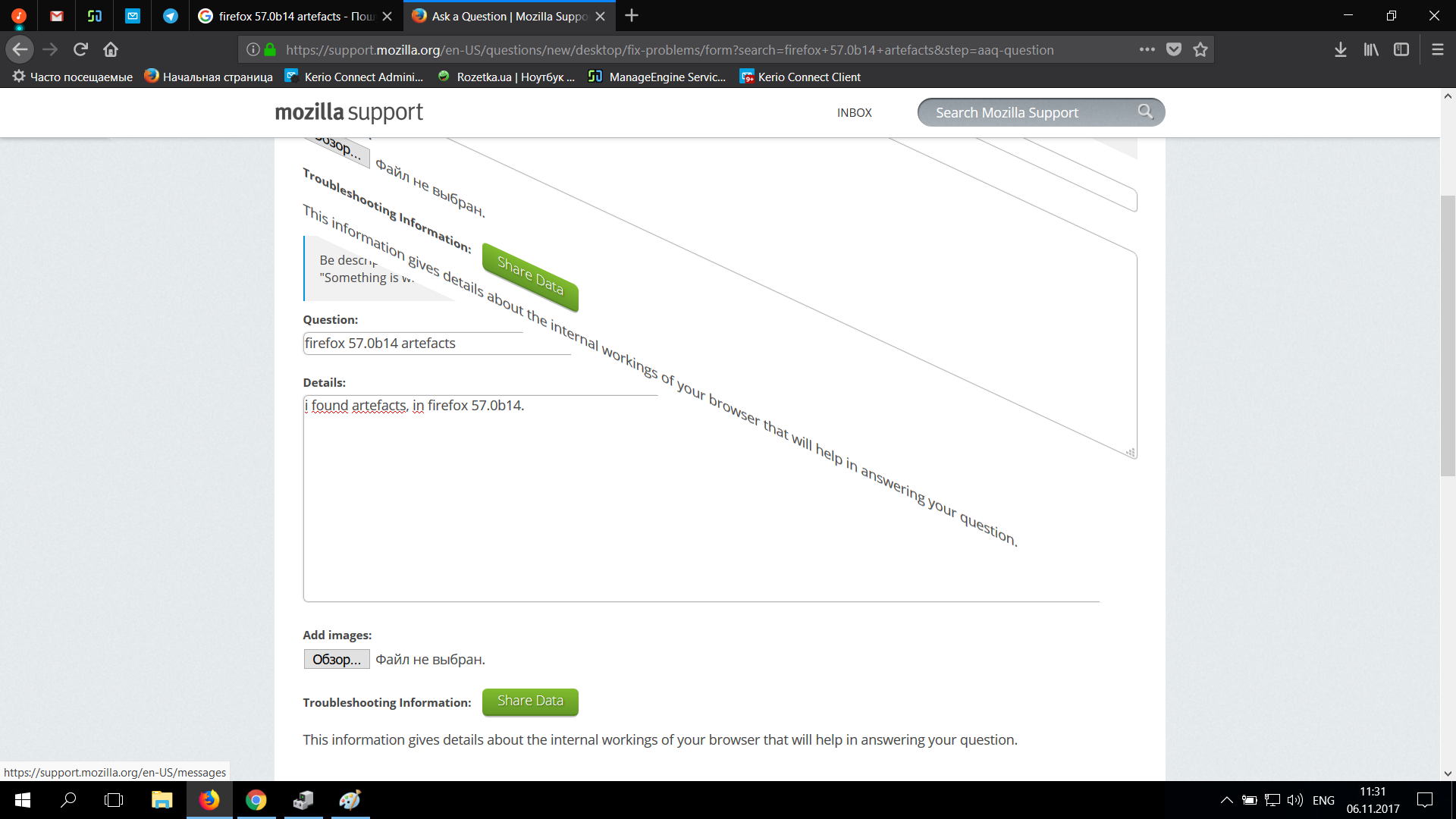
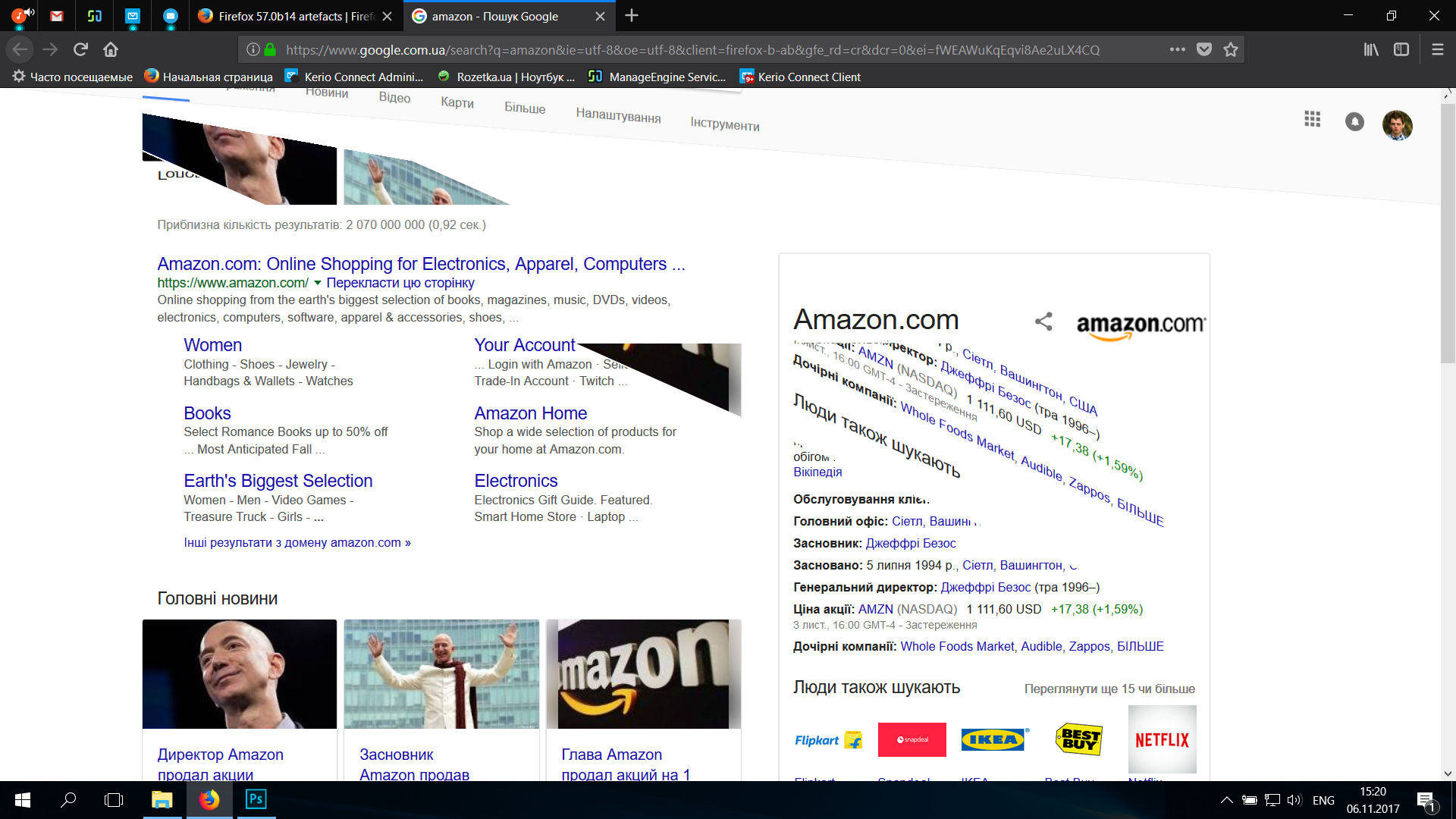
I found artefact, in firefox 57.0b14.
How to fix it?
Image in uploads.
Diperbarui oleh AdlerKot pada
Semua Balasan (7)
hi, is this reproducible on particular pages or does it just happen occasionally?
philipp said
hi, is this reproducible on particular pages or does it just happen occasionally?
Hi, it happen occasionaly in all pages.
can you try installing an update for your graphics driver and see if that helps?: https://downloadcenter.intel.com/download/26941/
philipp said
can you try installing an update for your graphics driver and see if that helps?: https://downloadcenter.intel.com/download/26941/
i have the latest drivers for my graphics, it`s don`t help
AdlerKot said
philipp saidcan you try installing an update for your graphics driver and see if that helps?: https://downloadcenter.intel.com/download/26941/i have the latest drivers for my graphics, it`s don`t help
It shows your Intel(R) HD Graphics Driver is from driverDate: 11-11-2016 You will find 2017 drivers here : https://downloadcenter.intel.com/product/80939/Graphics-Drivers
Note : Firefox 57 Quantum release date Nov 14th https://www.mozilla.org/en-US/firefox/quantum/ Note : Legacy Extensions will be disabled and or removed.
Please let us know if this solved your issue or if need further assistance.
Pkshadow said
AdlerKot saidphilipp saidcan you try installing an update for your graphics driver and see if that helps?: https://downloadcenter.intel.com/download/26941/i have the latest drivers for my graphics, it`s don`t help
It shows your Intel(R) HD Graphics Driver is from driverDate: 11-11-2016 You will find 2017 drivers here : https://downloadcenter.intel.com/product/80939/Graphics-Drivers
Note : Firefox 57 Quantum release date Nov 14th https://www.mozilla.org/en-US/firefox/quantum/ Note : Legacy Extensions will be disabled and or removed.
Please let us know if this solved your issue or if need further assistance.
It`s didn`t help. Any other ideas?
You can try to disable hardware acceleration in Firefox.
- Options/Preferences -> General: Performance
remove checkmark: [ ] "Use recommended performance settings"
remove checkmark: [ ] "Use hardware acceleration when available" - https://support.mozilla.org/en-US/kb/performance-settings
You need to close and restart Firefox after toggling this setting.
You can check if there is an update for your graphics display driver and check for hardware acceleration related issues.