


I have weird white bars around my browser
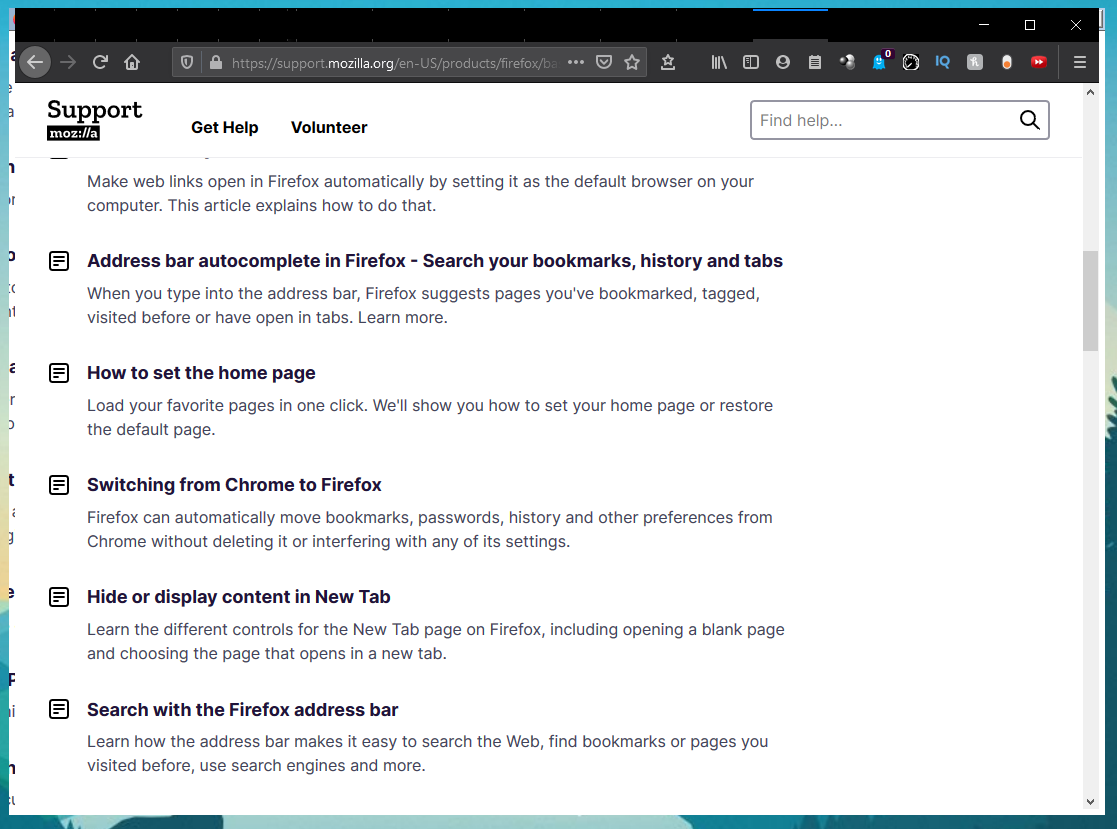
When I'm minimized or maximized the browser, there's these white bars that appear around the browser. If I restart the browser, the bars will be gone for awhile and it will happen again. See attached image for a clearer idea of what I'm saying.
Also, if I minimize the browser completely, I can never open it again until I close and restart the browser. Not sure what is happening.

Wubrane rozrisanje
I realized what was the issue, I had made some changes to the title bar settings in the registry (ColourPrevalence, AccentColour etc) keys and I think it weirdly affected Firefox. For some reason only FireFox was affected though. Rest of my applications worked fine.
I changed back to the default values and Firefox stopping bugging out!
Wšě wotmołwy (5)

Start Firefox in Safe Mode {web link}
A small dialog should appear. Click Start In Safe Mode (not Refresh). Is the problem still there?
When I switch to safe mode, the browser completely bugs out. I have a video, I'm not sure which medium is acceptable for the forum tho. But its just flashes and refuses to open when it goes into safe Mode.
This forum can only store pictures.
You would need to find a way to store it on a website like YouTube.
ESSVEE said
the browser completely bugs out
Please explain the problem in detail. What happens? What is/are the exact error message(s) ?
Wubrane rozrisanje
I realized what was the issue, I had made some changes to the title bar settings in the registry (ColourPrevalence, AccentColour etc) keys and I think it weirdly affected Firefox. For some reason only FireFox was affected though. Rest of my applications worked fine.
I changed back to the default values and Firefox stopping bugging out!
That was very good work. Well Done.