


A Block Ad does not allow me to access a site. How to remove it?

Hello. I did not receive an answer to my last help request. A Block Ad does not allow me to access this site: https://www.tempo.pt/lisboa.htm?utm_source=newsletter&utm_medium=email#-0eebc5457c97ef8bca0b518ed4194951 I need some help, please. This is a site informing me about the weather. Thank you.
Izabrano rješenje
What's the blue button? Yes, I have a few ad blockers, but it still works for me. Interesting... ;-)) Tried tweaking my settings to see why it works for, but no joy. Did you try troubleshoot mode?
Pročitaj ovaj odgovor u kontekstu 👍 0Svi odgovori (4)
Site works for me. see screenshot Show what issue you're having. Do you have the same issue with Firefox in Troubleshoot Mode? https://support.mozilla.org/en-US/kb/diagnose-firefox-issues-using-troubleshoot-mode#w_how-to-start-firefox-in-4troubleshoot-modesf5safe-modesf
Sounds like an add-on is causing the issue, but cannot tell because I cannot see your browser. Post a similar screenshot using windows snipping tool and not the tool built into Firefox.

Thank you for your reply. I am resending another screenshot. Saying: Please allow Meteored to show advertising. Looks like you are using an advertising Ad Blocker. Allow advertising in Tempo.pt
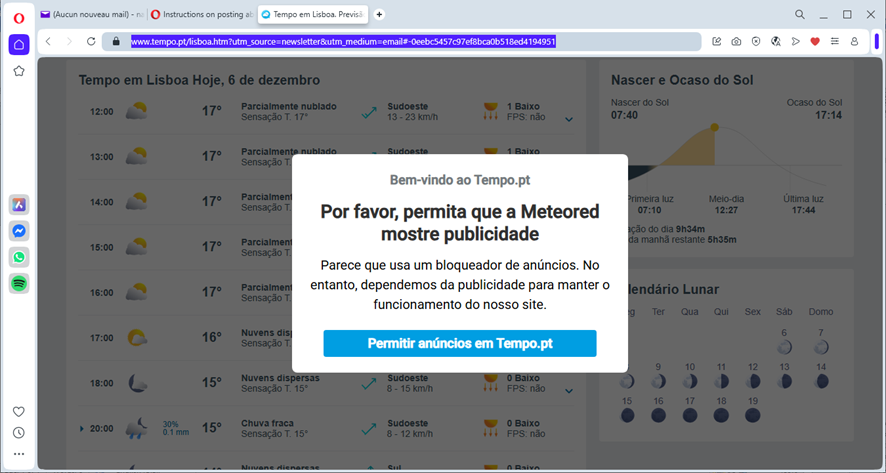
Odabrano rješenje
What's the blue button? Yes, I have a few ad blockers, but it still works for me. Interesting... ;-)) Tried tweaking my settings to see why it works for, but no joy. Did you try troubleshoot mode?
Dear all. I am sorry for my late reply. I would like to thank you all for your support. At this stage, everything is now correctly working and I really cannot tell you which of the solutions worked, since I have applied all of them. I wish you all a Merry Christmas.