Images not showing on Sky news pages.

Since the last two updates, Not including the current update as I have not downloaded it because I am sick of them, I cannot see any images on Sky news articles. There is just a white box where the images should be.
Also the back/forward buttons are useless. I do a search on Bing and click through the pages then when I , say get to page six and retype for another article the previous search doesn't exist when I use the back button. I have to remember and retype the name of the article I am looking for.
All Replies (4)
Hi Pete
Do you have any add-ons installed in Firefox?
You may want to consider updating to the latest version of Firefox - does this resolve the problem?
Add-ons are not the reason as I have had the same ones for years and I only have three of them. The image problem started when the update before to 152..0.2 was downloaded.
As I said in my post. I am not updating to the current one as I am sick of them happening every few days or every week. and I doubt it will solve the back/forward button problem.
I am not sure what we can do here to help. There is a more event of Firefox available, that may have a fix for this issue, that you do not wish to try.
Pete, do you realize your "I have had the same ones for years" is the same as saying you've used Firefox for years so that can't be the culprit? Your addons update with the browser, or on their own even more frequently, and some ad–blocking ones even pull their content blocking definitions live daily or hourly so they're constantly being updated in the background. Neither the browser, nor the extensions, and also neither of the websites you're accessing are the same any given day/week/month — unless everything you run and access and even your online connections are completely under your control… — so you need to look past this time factor if you're looking to identify the actual culprit.
In general failed loads would be logged in the network pane of the inspector console but that might need some deeper understanding how the site works to be able to interpret these, so let's start with some basic checks:
Basically the best comparison usually is that you can open the site in a new Private Window to see how it looks without their old site data caches and user sessions.
You can also restart the browser into Troubleshoot Mode from Help menu that will show how that loads without any addons interfering.
If neither yields better results, the next things to look into are you device protections (VPN, antivirus/malware/phishing scanning software) however you have not attached troubleshooter logs with your questions so it's only a guesstimate.
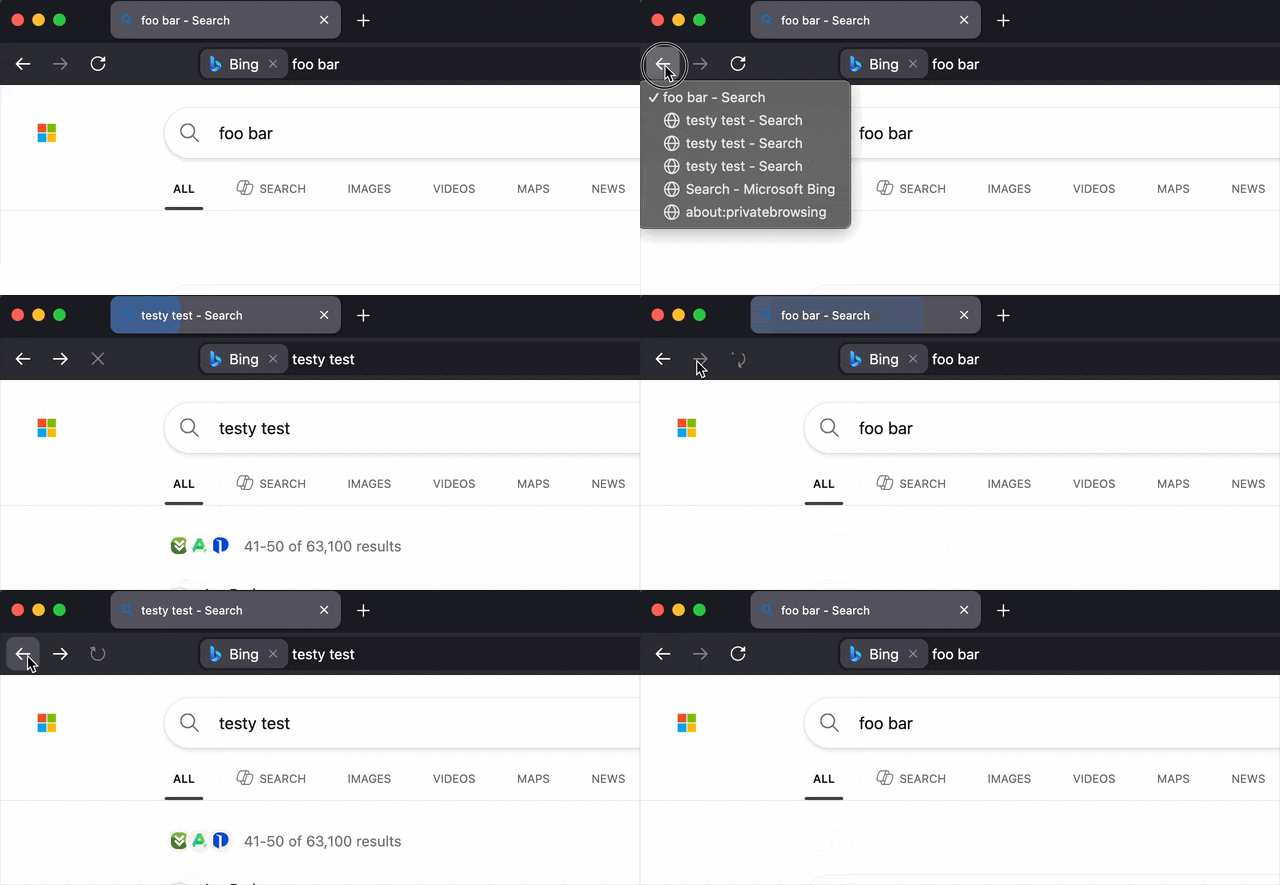
PS: I don't see any apparent back/forward problems in Firefox using Bing so you might want to open a separate question for that, describing what the issue is if that's more convoluted than just this simple case (GIF recording attached):