


text entry box not interacting
Hi Can't enter text in a site message box.
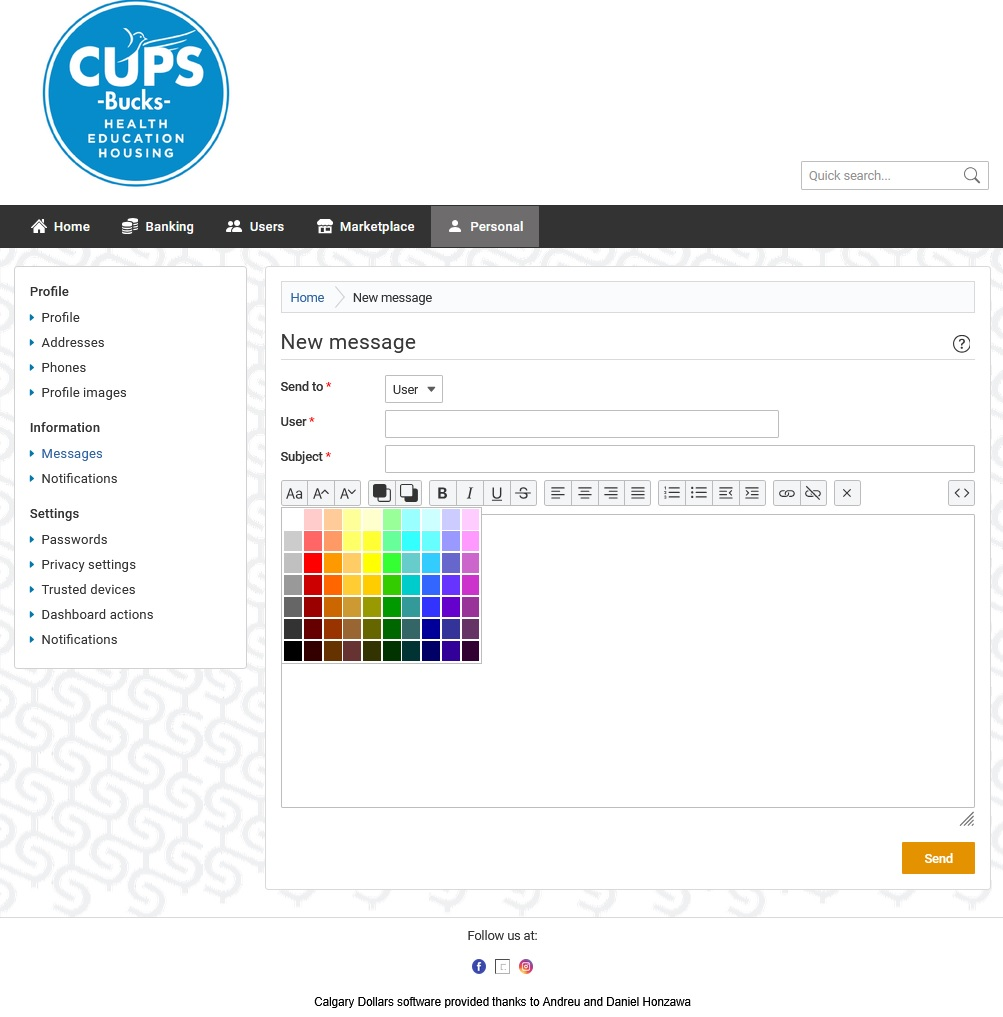
Message box appears okay after a link render and isn't a pop-up. Other routine Firefox fields work fine, any site. Works fine with my Chrome install. No cursor in the box but all other box elements interact with the mouse, like format buttons, help, resize, colour palette, etc.
Never seen this behaviour before and I have no ideas. Just moved to 64bit v150.0 on Win10. Thanks Dale
All Replies (4)
Hi Dale,
Could you share a URL of the site where the box is located?
Danka, I didn't because it's behind an account login. The following link will send you to an account create/login page.
I believe creating an account is free but there's an annual CD10 membership if you stick around. The site is harmless if you want to try a test with a disposable email; it's a local site where trades are performed with Calgary Dollars/CUPS Bucks as currency:
Here's an empty box. I dropped a jpg below with a pulled colour palatte for mouse evidence.
If you wish, I could tell the mods about a dummy account to study the issue. Let me know if that's fly and I'll pass on the new account name.
Hi,
Indeed, I've been able to reproduce. However, this seems to be an issue with the website itself. The field is not an actual field, but a complex custom structure that doesn't end up being loaded properly in Firefox (can't tell more since I'm not a webdev expert...) I've filed bug 2035127 for this, but it's not very likely that the web compatibility team will work on a Firefox-side intervention (given that the site is local and probably not popular).
I recommend that you reach out to the website developers instead (feel free to also share the bug link with them), especially if you have a membership. That's a much more reliable way to get it fixed.