Firefox "hangs" when opening on a MacBookPro
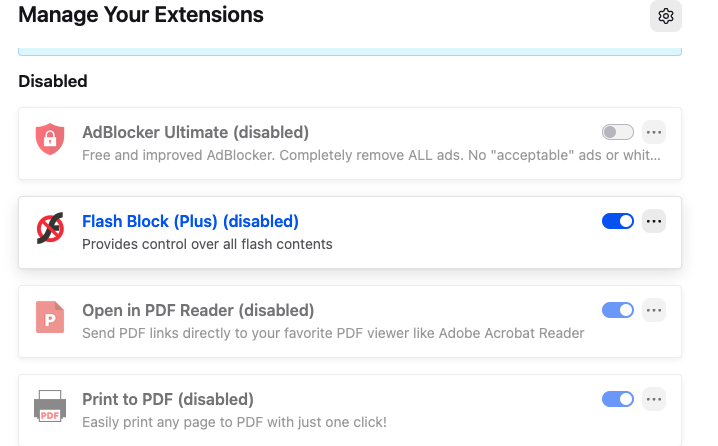
Second time asking for help: Firefox "hangs" for 30-60 seconds the first time I open it on my MacBook Pro. Am running Firefox 148.0 (aarch64) on Mac OS Tahoe 26.3.1. This has been going on for three months. Have tried uninstalling Firefox and using AppZap to erase my Mozilla profile from the Mac -- rebooting the Mac -- and re-downloading a fresh copy of Firefox. I shut the Mac down for about an hour, rebooted, and Firefox launched right away. But the next time I launched Firefox on reboot, it "hung" again. Spinning beach ball for about 45 seconds before it then opened its default page at open. I do not run a VPN, and disabled some Safe Browsing "features" of Intego Virus Barrier.I tried to eliminate any other third-party extensions from my Firefox that might cause the delay. Am attaching an image of the extensions Firefox currently uses on the Mac. I absolutely <loathe> Safari, but can't have my Mac use Firefox as a default browser if it "hangs" on first launch. One last thing. Early on in the process, I tried deleting my Mozilla Firefox User Profile, but Firefox refused to start because it couldn't find a profile to launch with. So did not go there on this last attemt. Thanks in advance.