


Problem after closing Yahoo email account

I have recently closed my yahoo mail account, removed all traces from Thunderbird, but when I start Thunderbird, after a few seconds, I get a Yahoo sign in screen over the top of Thunderbird
All Replies (18)

Please show us a screen shot of the Yahoo screen. It might provide a clue.
Does it still happen if you restart Thunderbird in Troubleshoot Mode? (See <Help | Troubleshoot Mode>.)
Check to see if you're still subscribed to any Address Books or Calendars.
Check to see if there are any entries for that account in <Settings | Privacy & Security | Passwords | Saved Passwords>.
It still happens when I open Thunderbird with the shift key down. I have deleted all references to the yahoo account in settings and account settings. I still use Google calendar. I attach a screen shot of what I see after opening Thunderbird. I have to use task manager to close Thunderbird to get rid of the window, after closing Thunderbird itself. I hope that helps
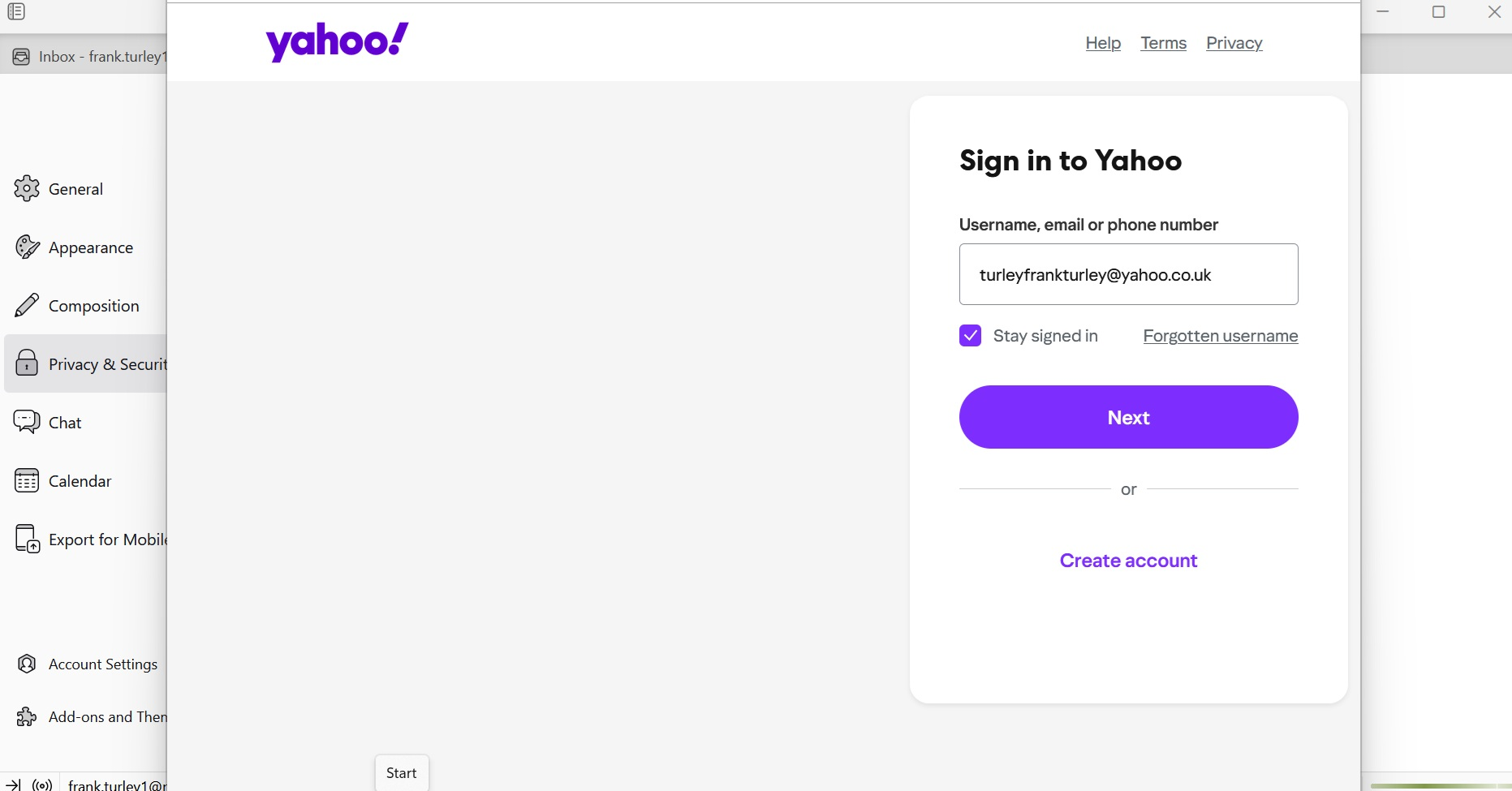
But did you check Address Books and Calendars to see if there are still Yahoo products listed there? They can be removed or unsubscribed from.
Did you check Saved Passwords?
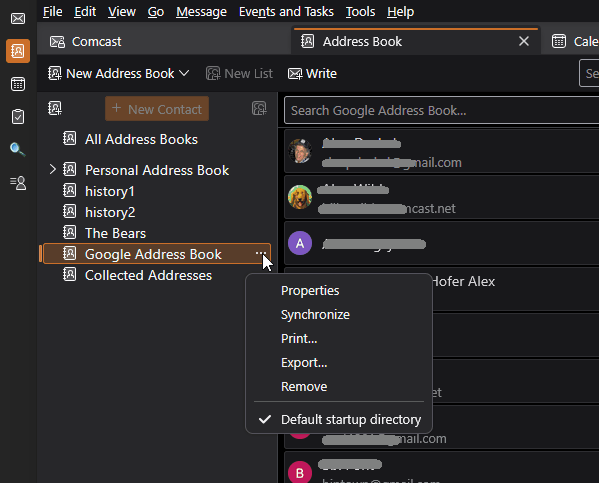
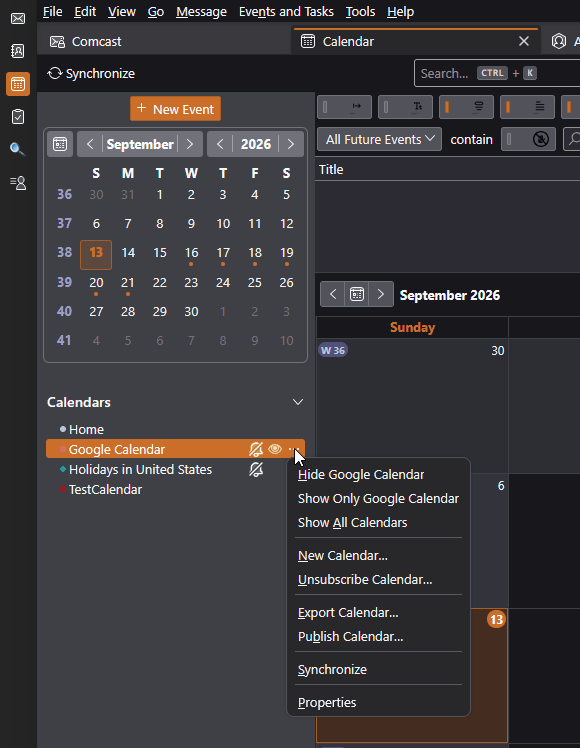
I have contacts with yahoo mail addresses, but no yahoo products in my address book. I don't use the Thunderbird Calendar, I use the Google version. I did check saved passwords, I deleted the yahoo accounts from here after I closed the yahoo account.
I understand that you use the Google calendar, but when you first create the Yahoo account, they offer you multiple products, including their calendar. It would be easy to accept the offerings without intending to.
Please check the list of calendars to confirm that there are no Yahoo calendars listed there.
- Do you use any addons that involve calendars or address books, for example, TbSync (https://addons.thunderbird.net/en-us/thunderbird/addon/tbsync/)?
- What version of Thunderbird?
- Do you have other Yahoo-related accounts set up? That would include AOL, ATT, Comcast, and some other brand names that they manage email for?
- Try restarting Thunderbird in Troubleshoot Mode (see <Help | Troubleshoot Mode>.) Among other things, this temporarily disables all add-ons, in case they are doing unexpected things.
I have no other yahoo products. I have tried troubleshoot mode, but the pop up still comes. I only use Google calendar.
Perhaps another clue is that when I close Thunderbird the popup remains, and it appears in Task Manager as Thunderbird. It also appears in my task bar as the blue Thunderbird circle, which I can use to dump it.
When I closed the Yahoo e-mail account they said they would actually keep it live for a month in case of items still being in the system, so maybe I'm going to be haunted for a month
Check the full list of calendars defined in Thunderbird. And also check the list of smtp servers.
I only have one calendar in use, its the Google version, and its the only one recorded in Thunderbird.
I investigated the smtp servers list, and found 2 yahoo servers, which I have removed.
Following the removal I restarted my PC, and then opened Thunderbird. Sadly, the yahoo mail sign in window still appears.
Post the contents of Help > Troubleshooting information
I had a look at troubleshooting information, there is a huge amount of information there. Rather than post the entire list, perhaps you could indicate what items to copy to here, or maybe, what I should be looking for. My old yahoo e-mail address must be buried somewhere in Thunderbird, as it is shown in the sign on page that prompts for a password.
Accounts and Calendars sections
Mail and News Accounts ID Incoming server Outgoing servers Name Connection security Authentication method Name Connection security Authentication method Default? account2 (none) Local Folders None Normal password account4 (imap) imap.ntlworld.com:993 SSL/TLS Normal password smtp.virginmedia.com:465 SSL/TLS Normal password true account6 (imap) imap.gmail.com:993 SSL/TLS OAuth2 smtp.gmail.com:465 SSL/TLS OAuth2 true account8 (imap) imap.virginmedia.com:993 SSL/TLS Normal password smtp.virginmedia.com:465 SSL/TLS Normal password true account9 (imap) imap.virginmedia.com:993 SSL/TLS Normal password smtp.virginmedia.com:465 SSL/TLS Normal password true
Libraries Library Status Expected minimum version Version in use Path RNP (OpenPGP) OK 0.18.1 0.18.1.MZLA.153.2.0esr.botan.3.11.1 C:\Program Files (x86)\Mozilla Thunderbird\rnp.dll OTR Failed to load. OTR chat encryption will not work. - - -
Calendar Settings Test Name Value Name Type storage Disabled Username URI Refresh Interval Read-only Suppress Alarms Cache Enabled iMIP Identity id2 iMIP Disabled iMIP Account Organiser Id Force Email Scheduling Popup Alarms Supported Alarms on Invitation Supported Max Alarms Per Event Attachment Supported Max Categories Privacy State Supported Priority Supported true Event Supported Task Supported Local Time Supported UTC/GMT Supported Auto-Scheduling Supported
Thanks
What is the name above that calendar section? Is that the only section of calendar settings?
Test. Its an empty calendar I created, before I disabled the Yahoo calendar.
Yeah, I don't see anything here referencing Yahoo.
Make sure all yahoo references are removed from Settings > Privacy > Passwords.
I'm not sure how this could happen, but also check "chat".
No yahoo references in Passwords.
I changed the open chat on start from on to off, but problem still there. As it is prompting for a mail password, logic says the yahoo account must be buried somewhere.

It's (entirely) possible that Yahoo installed something, that detects when Tbird is launched & flashes their login. Did you have a Yahoo acct, separate from using Tbird? They want you to login their site, even for email. Unless you allow remote content for mail from them (or all email, by default, overriding Tbird's settings), they can't serve you ads thru Tbird.
If that's the case, you'll have to get help how to uninstall Yahoo's software.