


Windows 10 reached EOS (end of support) on October 14, 2025. If you are on Windows 10, see this article.

Search Support

Avoid support scams. We will never ask you to call or text a phone number or share personal information. Please report suspicious activity using the “Report Abuse” option.

Learn More
Open

Login Dialog at Thunderbird startup for "https://caldav.gmx.net"

rick_hughes replied
willma.waswissen

Dear all,

For aprox. 3 weeks now Thunderbird asks me a short time after startup for a login.

It shows up a dialog with the text : "https://caldav.gmx.net verlangt einen Benutzernamen und ein Passwort."

The problem is, that I maintain several GMX - accounts and I've no idea, which credentials I have to enter :/

How can I find out ( without inspecting or debugging the source code ;-) )

THX in advance and best regards!
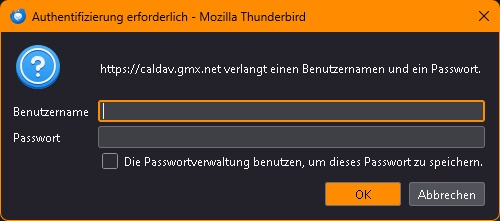
Dear all, For aprox. 3 weeks now Thunderbird asks me a short time after startup for a login. It shows up a dialog with the text : ''"https://caldav.gmx.net verlangt einen Benutzernamen und ein Passwort."'' The problem is, that I maintain several GMX - accounts and I've no idea, which credentials I have to enter :/ How can I find out ( without inspecting or debugging the source code ;-) ) THX in advance and best regards!
Capturas de pantalla anexas

All Replies (2)

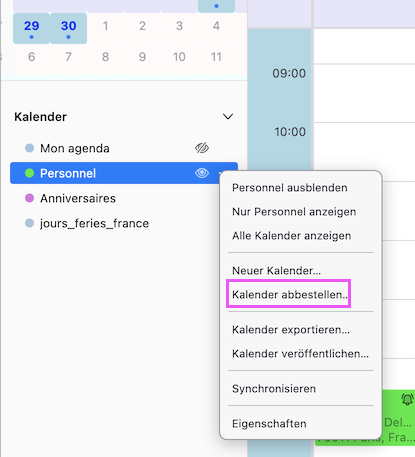
Holà, open the calendar tab and look up whether this caldav calendar is displayed in the left side panel. If you don't want tu use it you can unsubscribe (abbestellen) it. Otherwise R-click on the caldav calendar > Properties (Eigenschaften) and fill in calendar name, username, location, email, ....
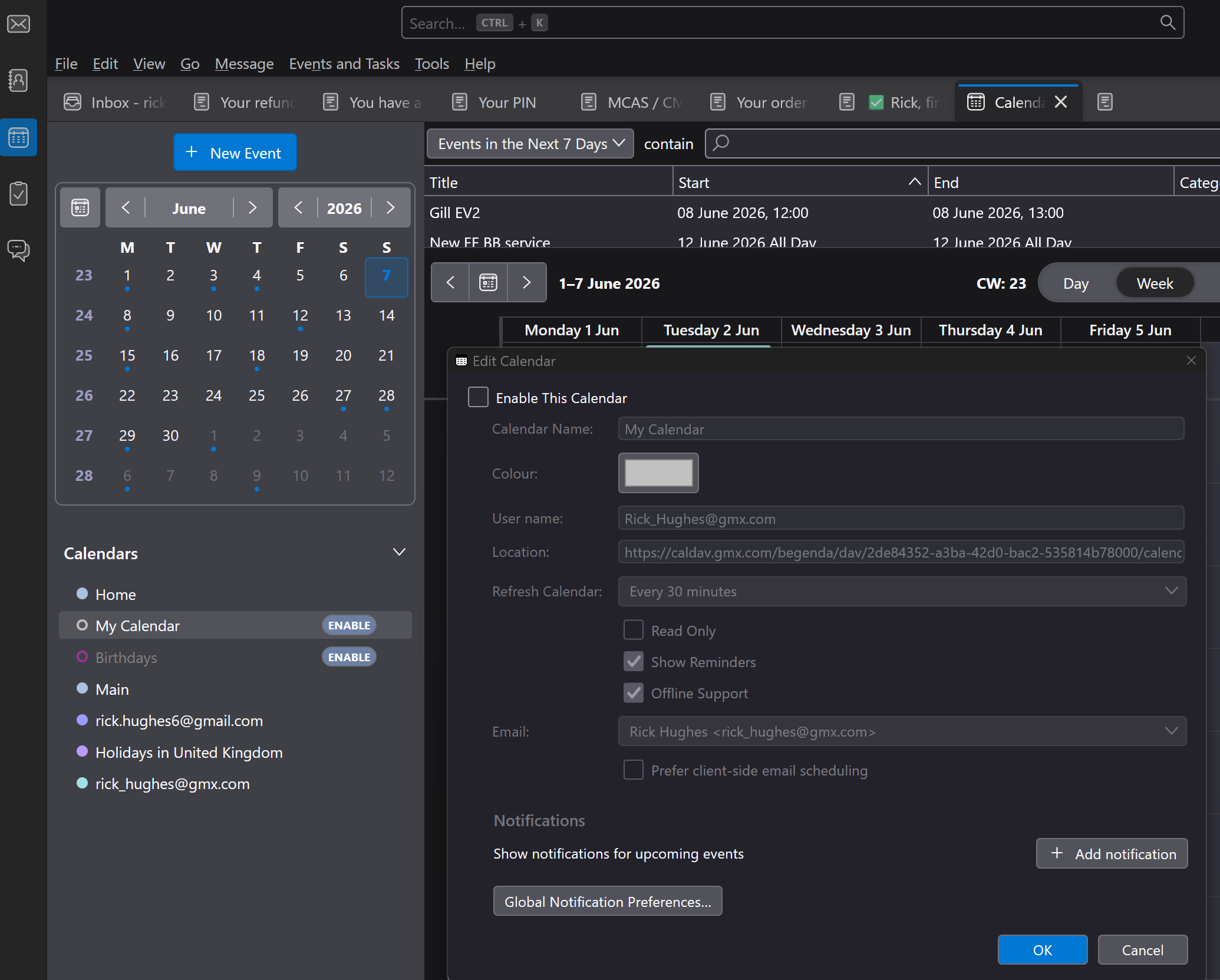
I looked at post .... I have a few entries in Calendar Tab Only one has entry for CALDAV and it is not enabled - pic attached
Ask a question

You must log in to your account to reply to posts. Please start a new question, if you do not have an account yet.