I need to add a third email account
Hi, I have changed my PC and in setting up Thunderbird I find I can only add two accounts. I cannot find a way to add that third address and account. I am looking for help with that, please.
Chosen solution
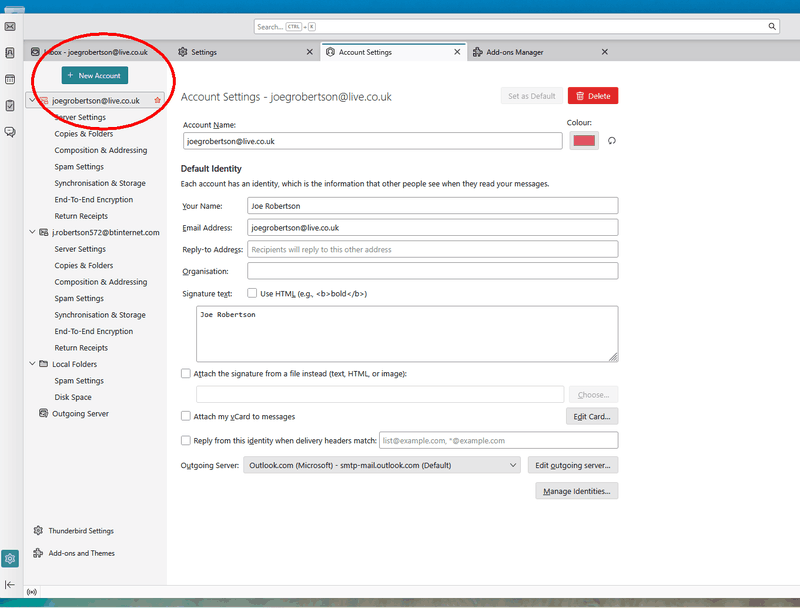
As I mentioned, click the "+ NEW ACCOUNT" button. See attached image.
Ler a resposta no contexto 👍 2All Replies (4)

There is no practical limit to how many accounts you can have in Thunderbird, or if there is, it's quite high. I have eight. How are you trying to add the third account? What error messages do you see?
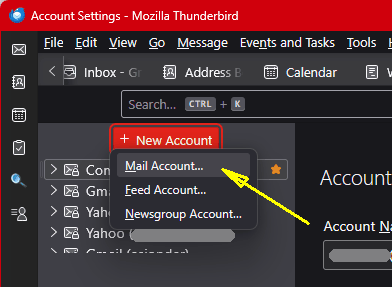
Normally, you just go to <Accounts Settings | + New Account | Mail Account> and you will be led through the process by Thunderbird's Wizard. See the attached image.
Thunderbird has a new wizard called "Account Hub". It is labeled "Experimental" - it works fine for most people, but if it doesn't for you, it can easily be disabled. That setting is found at <Settings | General | Account Hub>. Uncheck the option to disable.
Thank you for your reply but.....
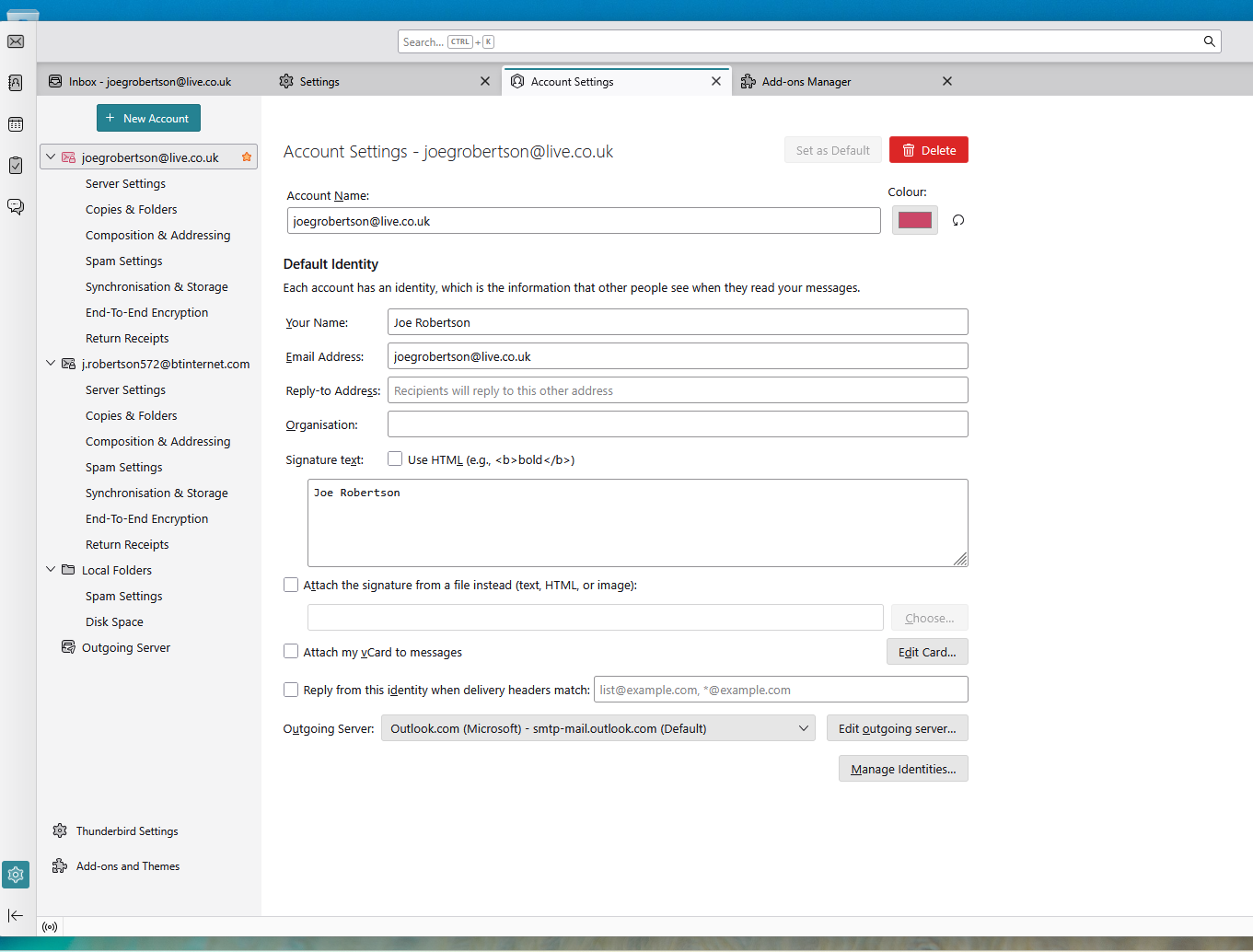
I have set it up before with no problems but things seem to be different now. As you can see there is no ADD button in my account settings. This is what is called a profile page and is the only thing shown in account settings. The experimental account hub is mentioned in Settings but it does not open anything. I know I am doing something wrong but I don't know what it is.
Chosen Solution
As I mentioned, click the "+ NEW ACCOUNT" button. See attached image.