


Adding a third account to Thunderbird profile (accounthub)

Hi
I'd appreciate some help.
I have already set up two Mailcow email accounts in the same profile in Thunderbird. I want to set up a third but I've lost the "add an existing email" page. How do I find it again? I've checked the file menu or the three dash menu on the top right of the page and the option is missing.
How can I find it again?
Wayne Mery modificouno o
All Replies (4)
Click the ⩸ icon, New Account - Email. Or, File, New, Email Account.
If you're using 140+, disable the New Account hub in Settings if there are problems.
sfhowes modificouno o
Like I said, I tried both and no joy. I'm using that app maybe the web version will be different
See the image for what happens when I try to add a new email. Can anyone suggest a fix?
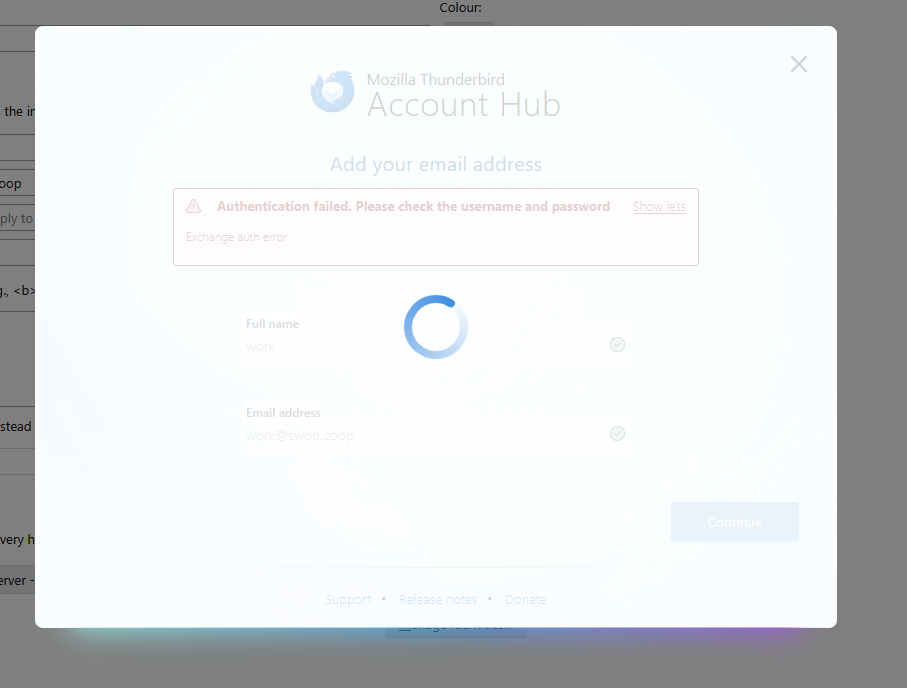
Solved the problem for anyone tearing their hair out and wasting many hours of their lives trying to figure it out.
I unchecked the box 'create accounts in the new Account hub' under 'Account hub' (experimental).
Then I hit the file menu - email account. Lo and behold the 'Set Up Your Existing Email Address' FINALLY appeared.
I'm off for a lie down in a darkened room.