Search providers

Several months back, for some unfathomable reason, you eliminated GoodSearch as one of the eligible default search engines users can select. Given its squeaky-clean reputation and charitable nature, I can't for the life of me understand WHY. And just how much begging and grovelling will it take to persuade you to restore it to the available options?? *P*L*E*A*S*E*!!!!!!!
P.S. Making this contact form so damned hard to find isn't exactly endearing, either.
All Replies (2)

Hello dinahlee,
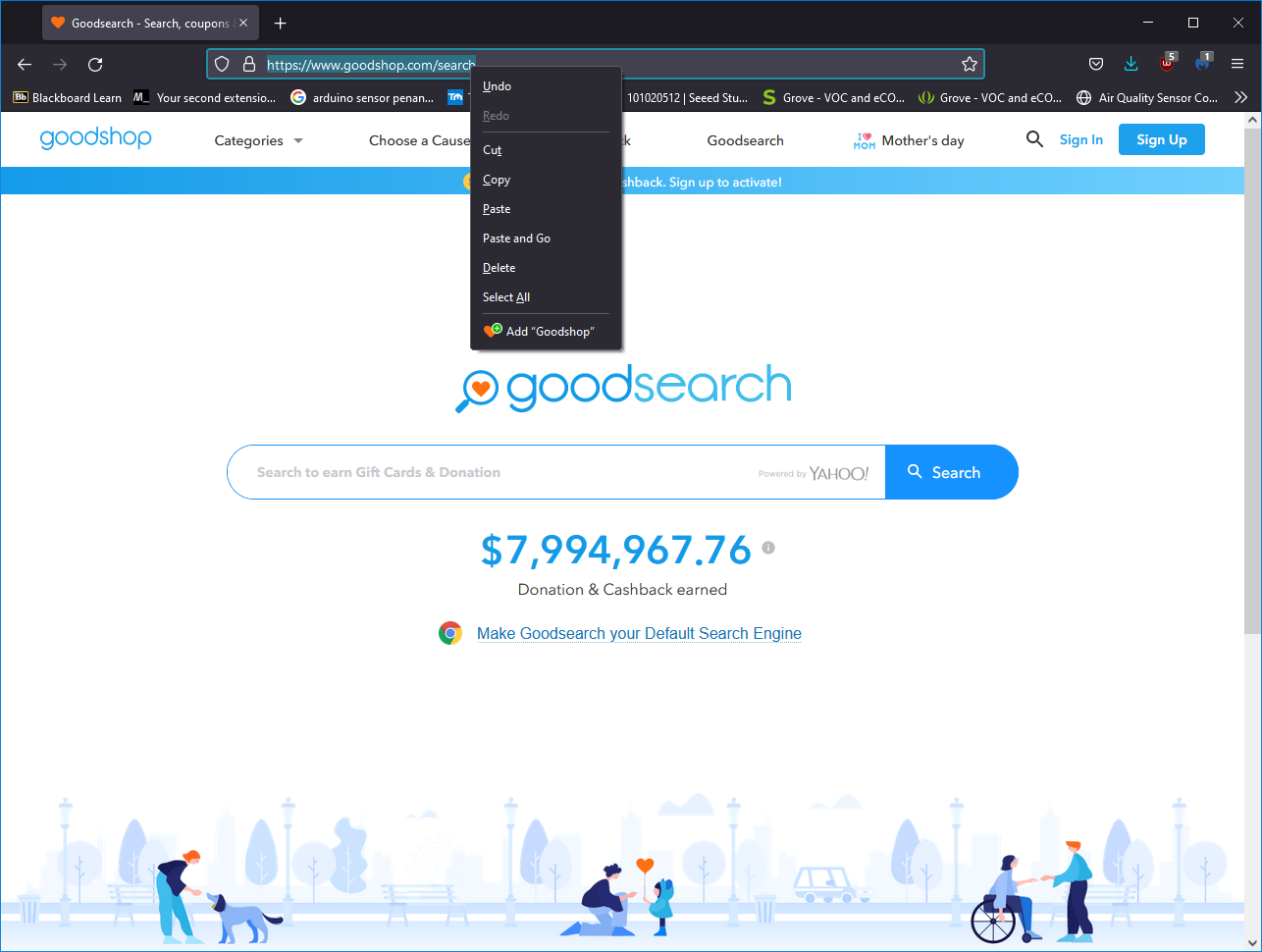
You can add GoodSearch to your list of available search engines by going to the GoodSearch website, right-clicking Mozilla Firefox's address bar, and clicking Add "GoodShop". GoodSearch is now added to your list of available search engines.
Refer to the attached screenshots for additional context if needed.
Kindly mark this answer as the solution(solved) if it managed to help you!