


Popup when Firefox was closed forced a tab out and my profile is outdated

Pop up notification for an outdated profile/version of firefox when firefox was closed which made the game tab out and I couldn't move until I was able to tab back in. How do I get rid of this and keep my current profile and get it up to date so that I can use the same profile?
Chosen Solution
I used the WinUtil and selected the normal install, installed it, opened Firefox and it says on the about page that it is not ESR, closed Firefox and then I opened the util again and uninstalled the ESR version and then reopened Firefox and it's still the normal release and not ESR and all my passwords are there. The tabs, history and groups are all there as well. Looks like it was super easy to fix, I just misunderstood what happened. I shouldn't get anymore popups and I should be good to go. Have a good day!
All Replies (5)
Can you summarize a little what lead to it, and how it exhibits now?
Were you changing your installations, or somebody ran some updates on your setup that lead to that profile being loaded in a newer release version than you normally use?
(I'm not sure I'm completely following the description — but the issue might be the profile data is too new for your browser version, not the other way around — so you might need to actually upgrade the browser if the profile has already been upgraded in the meantime, in some way that's puzzling for now.)
Thank you for responding. The WinUtil/Windows Toolbox from ChrisTitusTech in the Installation tab, I was using that and I installed Firefox ESR, I thought it would add a program not change my current installation of Firefox to an ESR version or ESR profile version or whatever it did, so it had me create another profile saying my current profile was outdated, I did that but my bookmarks and current tabs weren't there anymore. My history and passwords went over if I remember correctly. I then tried to import my tabs and my bookmarks and I think I was successful with the bookmarks but I wanted my current tabs and groups so I figured out how to load my 'old' profile as the default profile instead of this ESR one. Now randomly I get a popup saying that my profile is out of date and this popup will happen even when Firefox is closed(selecting end task on my taskbar on the Firefox icon to close it). It has forcibly tabbed me out of my game multiple times with that popup. It also will popup when Firefox is opened. And as an added issue I can't import my passwords and I get a popup in the password manager saying that Firefox doesn't have permissions for this file. I am not sure how to go about fixing this. I am not even sure what ESR is. Hopefully that adds the context needed.
Modified by jeanbricker101
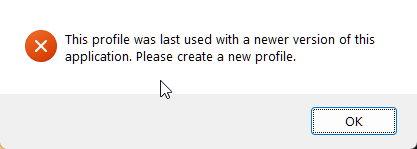
I got the popup and it says "This profile was last used with a newer version of this application. Please create a new profile." I was mistaken when I said what it said before. And you mentioned something about this, " but the issue might be the profile data is too new for your browser version, not the other way around — so you might need to actually upgrade the browser", I have tried to update and it just says no updates available and when it has updated I still get this popup so I am not sure how to go about doing that but the problem is different than I thought so I might be able to figure out something now. If you happen to know something about how to do this I would appreciate it. Thank you.
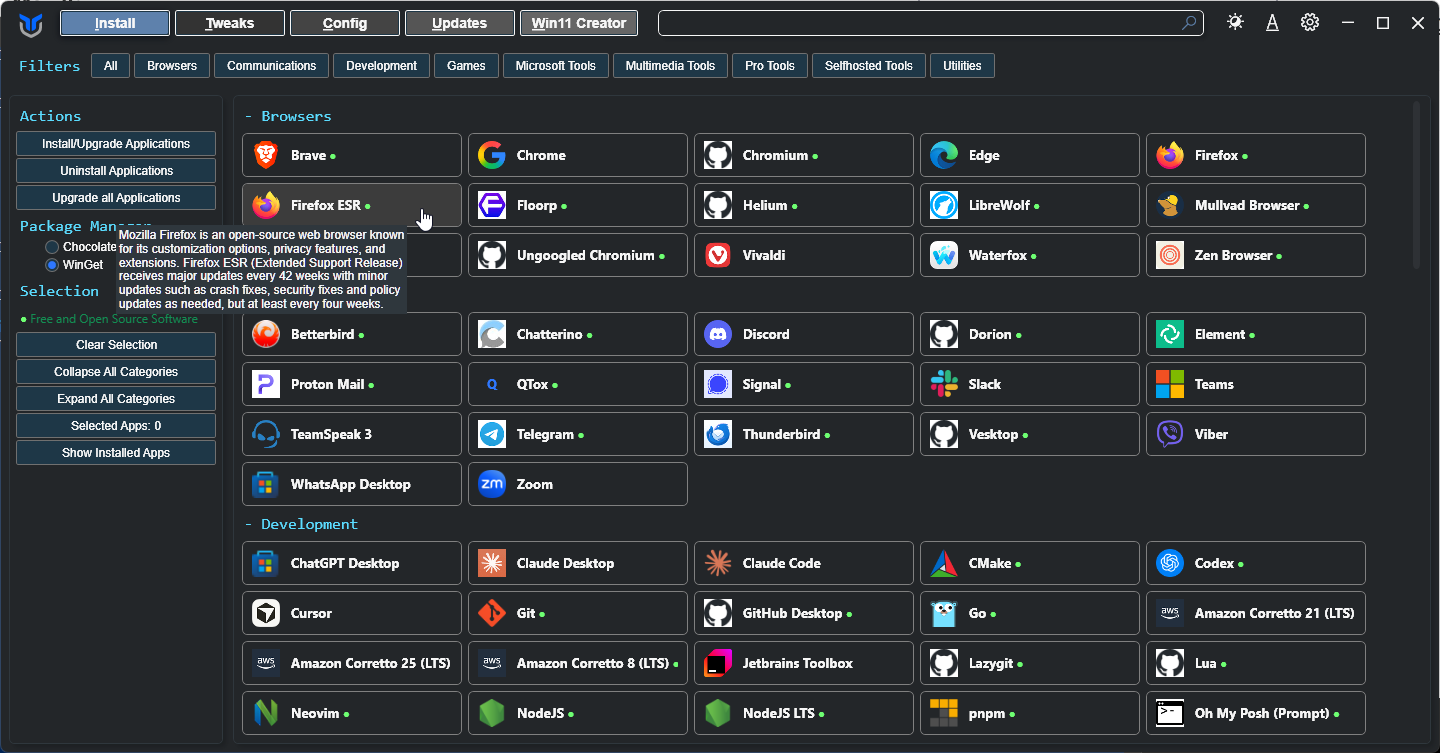
While I'm afraid for third party tools and package managers you'd need to reach out to their support, as only they know how and why they do things the way they do, the main question and the next steps based on that basically is: Do you want or need the ESR version (basically an enterprise release) at all?
Luckily this month both the regular release and ESR are on the same version meaning their profiles are compatible. So if you wanted to go ESR, you just need to get the newest ESR and your original profile would work. If you don't want ESR, get rid of it, use regular release, switch to the original profile, and it will continue working. I don't see much way forward with trying to work around downgraded or semi–broken or half way manually assembled profile folders if the actual downgrade is not intentional — and your original profile is still there just sitting intact.
However if installations, uninstallation and version choices are managed somehow by the third party tool, again, you might need to liaise with them how to proceed.
Chosen Solution
I used the WinUtil and selected the normal install, installed it, opened Firefox and it says on the about page that it is not ESR, closed Firefox and then I opened the util again and uninstalled the ESR version and then reopened Firefox and it's still the normal release and not ESR and all my passwords are there. The tabs, history and groups are all there as well. Looks like it was super easy to fix, I just misunderstood what happened. I shouldn't get anymore popups and I should be good to go. Have a good day!