


Click on links

When I click a link I always want it to open in a new tab. How do I do this without doing a right-click and selecting "Open in new tab"?
I want it to open in a new tab when I simply click the left mouse button.
When I click a link I always want it to open in a new tab. How do I do this without doing a right-click and selecting "Open in new tab"?
I want it to open in a new tab when I simply click the left mouse button.
All Replies (5)

In the setting. see screenshot
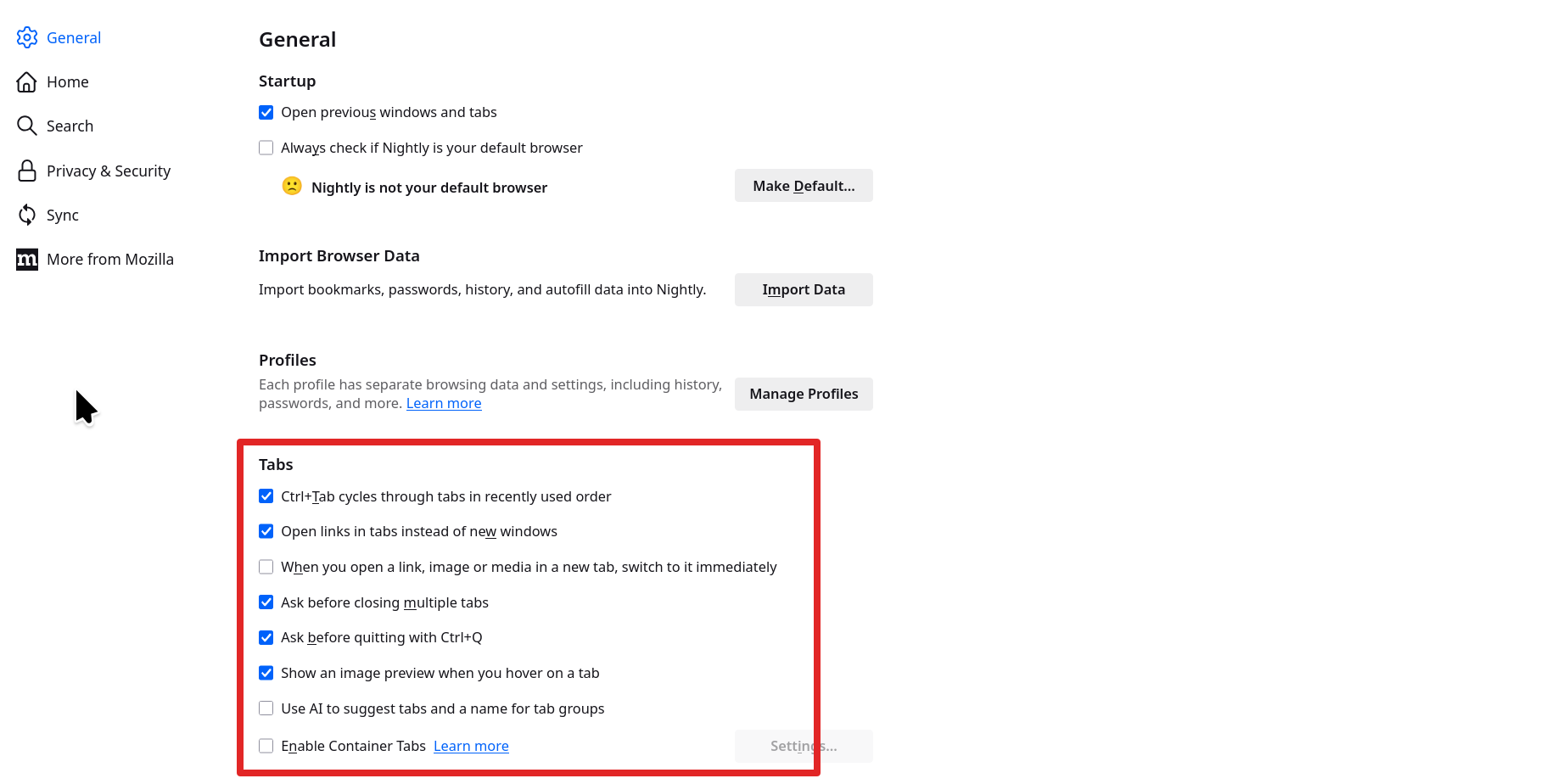
I have the same configuration for my browser. However, when I click on the link it opens the new page in the same tab. I want the link to open in a new tab.
You should middle click(scroll wheel) on a link to open a new tab. When left clicking on a link, the browser going to page in the same window is normal.
Modified by jonzn4SUSE
I don't have a middle click button, just a scroll wheel which does not click.